Windows automatically runs scheduled maintenance on a daily basis when you’re not using your computer. This feature is called Automatic Maintenance, which takes care of updating Windows Store apps and other software, running Windows Defender scans, system diagnostics, Disk Cleanup, etc.Read more
Windows 10
This category contains posts about Microsoft’s latest Operating System – Windows 10.Windows 10’s always been interesting, as every new major update will usually include additional features.
2 Ways to Set Desktop Background Wallpaper Without Activation
The Personalization options such as Background, Colors, Lock Screen, Themes, Start, and Taskbar are grayed out if Windows is not activated. This post discusses two ways to change the desktop wallpaper in an unactivated Windows installation.Read more
Access the Advanced Security Permissions Page via Right-click Menu in Windows 10
The Advanced Security Settings dialog allows you to configure NTFS special permissions for a file or folder along with the sub-folders (recursively), enable or disable inheritance, change ownership of an object etc. To quickly access the Advanced Security settings dialog, you can add it to the right-click menu for files and folders.Read more
Show or Hide Selected Files from the Right-click menu
In File Explorer, you can hide or show selected files using the “Hide selected files” toggle button in the Ribbon interface. This command can be added to the context menu using the method described in article Add any Ribbon Command to the Right-click Menu in Windows 10.Read more
How to Add a Ribbon Command to Right-click Menu in Windows 10
Ribbon UI consists of a command bar with a series of tabs. Each tab contains a set of commands such as Cut, Copy, Paste, etc. Ribbon UI was first introduced in Office 2007. Then it was included in File Explorer in Windows 8 and Windows 10.
This article explains how to add any Ribbon command from File Explorer to the right-click menu for files or folders.Read more
Show “Copy as Path” Always in Right-Click Menu Without Shift Key
This post tells you how to always show the Copy Path option in the right-click menu by default in Windows 10, without needing to press Shift every time.
The much useful “Copy as Path” built-in context menu exists in all versions of Windows. It’s an extended command which means you need to hold down the Shift key to access the extended menu item. Press and hold Shift, and right-click on a file or folder. Click “Copy as Path option” in the context menu. The object’s (file or folder) full path is now copied to the Clipboard.Read more
Switch Power Plans Quickly via Desktop Right-click Menu in Windows 10
Switching power plans require you to open Power Options applet from Control Panel, or from the Start button’s right-click menu which can also accessed by pressing Win + X. This post tells you how to switch power plans using command-line or shortcut, which you can also implement in the context menu if you use it frequently.Read more
Pause Windows Updates in Windows 10 Creators Update
Starting with the Windows 10 Creators Update Preview build 14997, you can pause Windows Updates from being installed for up to 35 days.Read more
Increase Lock Screen Display Off Timeout in Windows 10 and 11
The lock screen which exists in Windows 8 and higher is an additional screen with a background image. The lock screen, which conceals the login screen, shows the time and date, quick status of running apps and the current Windows Spotlight image details.
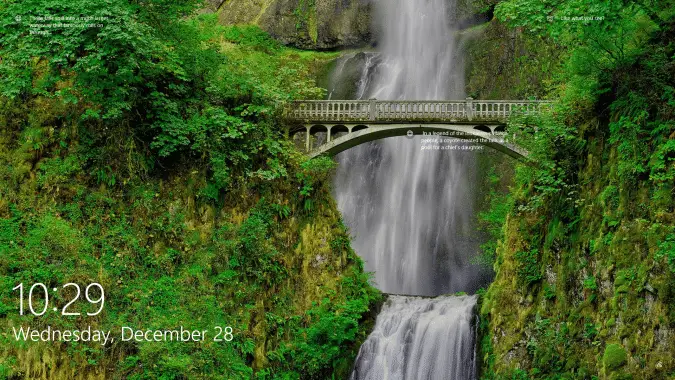
After 60 seconds of no user activity, the lock screen display turns off to conserve power. This timeout applies when you lock the device or workstation, as well as during startup.Read more
Get Old Classic Calculator in Windows 10
Windows 10 introduces the Universal Windows Platform (UWP), which provides a common app platform for every Windows 10 device. This also means that your favorite classic Win32 desktop applications are going to vanish one by one over time, just as already happened to the Sticky Notes and Calculator applications. And Paint appears to be the next, which will be replaced by Paint 3D.Read more