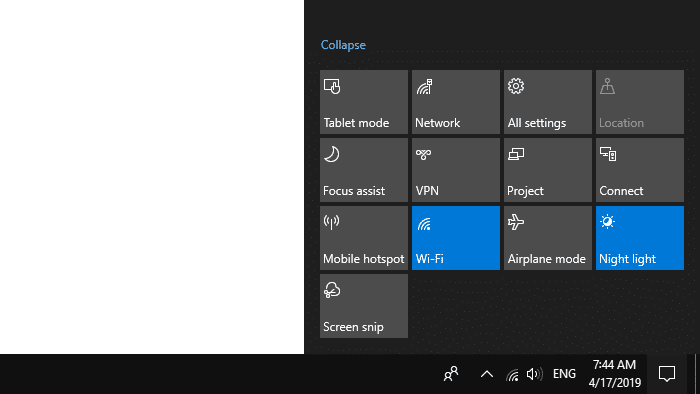
Windows 10 has a built-in setting to turn off or reduce blue light emitting from your computer screen. Reducing the blue light emitting from your screen helps lower the risk of sleep disruption and reduce eye strain. The setting is known as “Night Light” in Windows 10. With the blue light filtering option enabled, Windows shows warmer colors to make it easier to sleep at night.Read more
Windows
You’re browsing the “Windows” parent category, which lists articles on every Windows Operating System.
Block Skype Ads by adding the Ad Server to Restricted Sites
If you’re a regular Skype user who finds the Skype chat window ads to be distracting, here is a neat way to disable the ads and the ad placeholders. The instructions apply to Skype 7 desktop app for Windows.Read more
Cannot Install Windows Store Apps and Edge Extensions in Windows 10
If you’re unable to download, install or update the extensions for Microsoft Edge and other Apps available at the Windows Store in Windows 10, this post helps you how to fix those issues.Read more
How to reorder folder groups in a library in Windows?
Libraries were first introduced in Windows 7 and the feature has been carried forward to Windows 8 and Windows 10. Libraries provide you a consolidated or aggregated view of related files in one place.Read more
Restore Missing “Extract All” Option to Zip Right-Click Menu
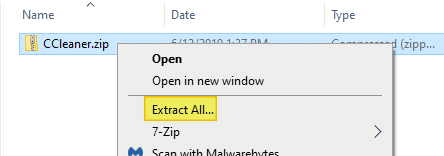
When you right-click on a .zip file (Compressed Folder) and click “Extract All”, it extracts the contents of the .zip file to a folder, and automatically opens the folder. Extract All option may be missing because of incorrect .zip file association setting, especially after installing and uninstalling a 3rd party archive utility.
This article tells you how to get back the Extract All option to the right-click menu for Zip files.Read more
Switch between HKCU and HKLM quickly in Registry Editor
Registry Editor in Windows 10 has a useful option that allows you to switch quickly between a registry key in HKEY_LOCAL_MACHINE and HKEY_CURRENT_USER when an identical branch exists under both.Read more
Backup and Restore Wireless Network Profiles (Wi-Fi)
Many of us, especially laptop users, have more than one Wi-Fi network profile set up on our systems. You might use a Wi-Fi network connection when at a coffee shop where you frequent, and connect to another network when at home or office.
This post explains how to backup and restore Wi-Fi network profiles in Windows 7, 8, and Windows 10.
How to Rename Quick Access Shortcuts in Windows 10 File Explorer
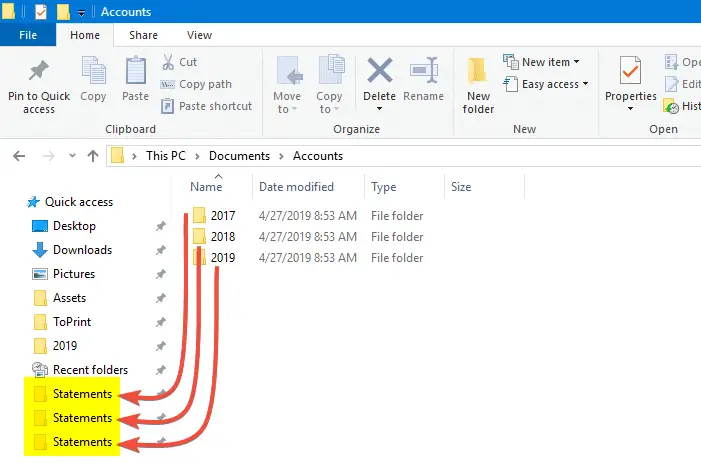
Quick access is a handy feature in Windows 10 that lets you pin your frequently used folders. But it has its drawbacks. One of the biggest hindrances is that Quick access doesn’t let you rename the pinned items. There are situations especially in a production environment where you want to rename links in the Quick access without changing the name of the target folder.
This article tells you how to change the name of pinned Quick access shortcuts/folders.Read more
Restore Microsoft Store in Windows 10/11 after uninstalling it with PowerShell
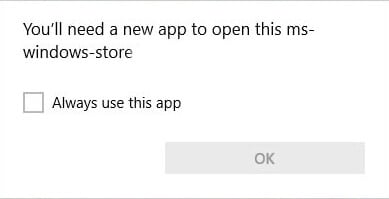
Windows 10 and 11 come with many built-in Store apps that may not be useful to you. As you may have known, PowerShell allows you to uninstall individual apps or all apps using a single command.Read more
How to Remove Invalid Entries from Task Manager Startup tab
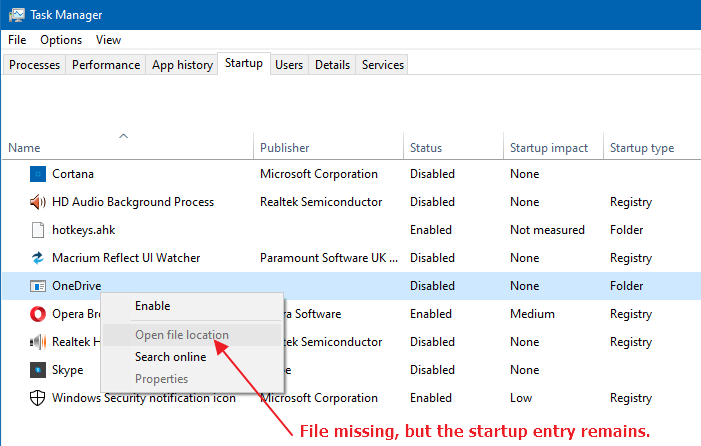
Managing startup entries was possible using the System Configuration Utility (msconfig.exe), in Windows 7 and earlier. This functionality is now provided by the Task Manager in Windows 8, Windows 10, and Windows 11, which features a new “Startup” tab that lists all auto-start entries in the system.