Error 0x426-0x0 “Something went wrong” starting Office Apps

office something went wrong 0x426 - uninstaller scrubber

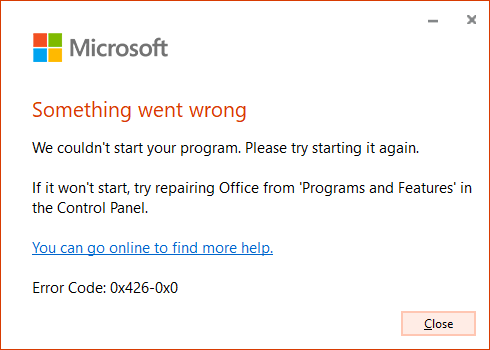
When you open an Office application like Word, Excel, PowerPoint, Outlook, etc., the following error may appear, and the apps don’t open:

Something went wrong

We couldn't start your program. Please try starting it again.

If it won't start, try repairing Office from 'Programs and Features' in the Control Panel.

You can go online to find more help.

Error code: 0x426-0x0

office something went wrong 0x426 - uninstaller scrubberRead more

How to Batch Convert Excel Sheets into PDF Files

excel save as pdf

Microsoft Excel Spreadsheets are commonly used to store financial data and prepare invoices. Often, you may need to convert the .xls or .xlsx files to .pdf format especially if you’re sending out invoices to your clients.

Microsoft Excel has a built-in option using which you can save your workbook, active sheet, or selected cells to a PDF file. This can be accomplished using the Save as… dropdown box.
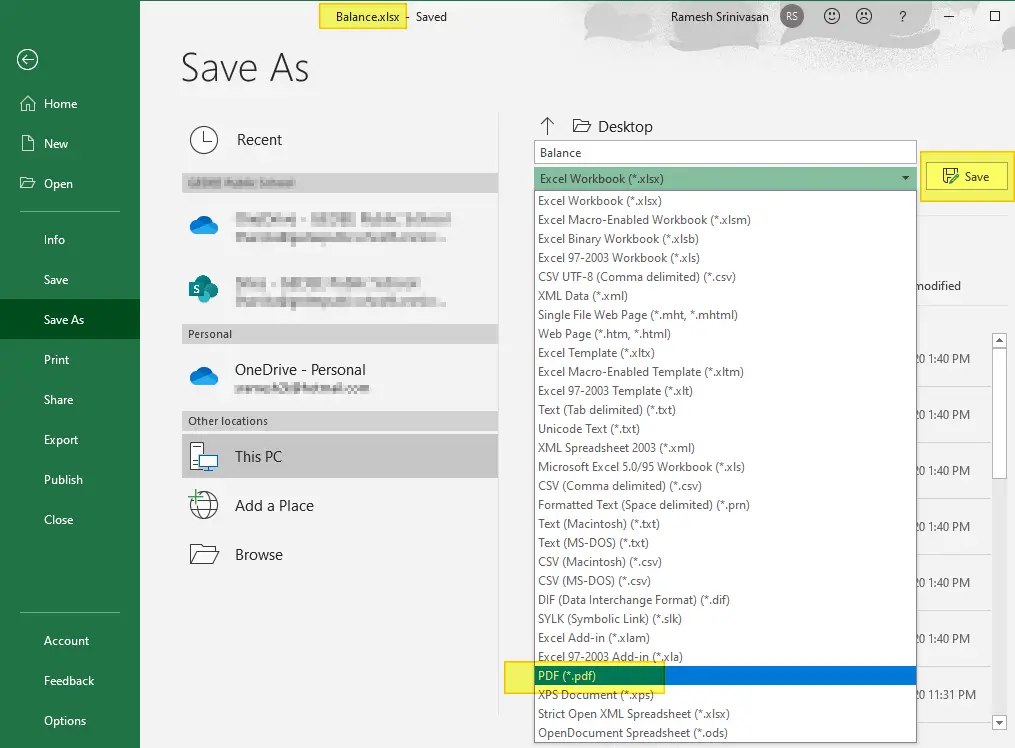
excel save as pdf

By clicking on the More options… link, you can configure the page range, and the item to export (entire workbook, active sheet, etc) to PDF.
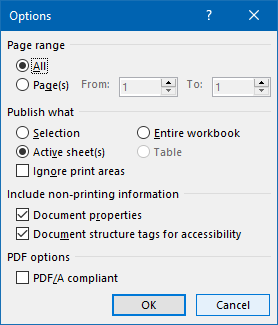
excel save as pdf - options dialog

tips bulb iconAnother option would be to use the Microsoft Print to PDF driver in Windows 10 to output the .xls or .xlsx file to a .pdf document. For this, you’d use the Print option (instead of Save as) to print the document to PDF.
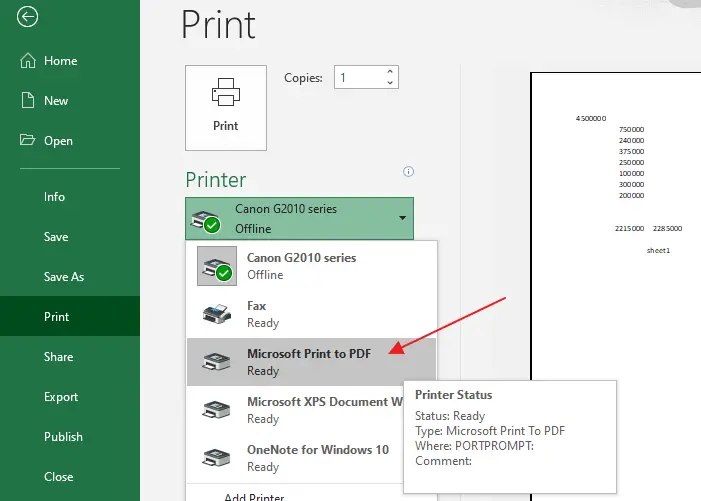
excel print to microsoft pdf printer or cutepdf printer

Pre-Windows 10 systems don’t have the Microsoft Print to PDF driver. As an alternative. you can use the free CutePDF Writer or Foxit PDF Printer (part of Foxit PDF Reader software.)

Bulk conversion of Excel sheets to PDF

However, if you have hundreds of invoices (in .xls or .xlsx format) that you need to batch/bulk convert the files into PDF, the above options are not ideal and take a long time.

  • There are plenty of online portals that can bulk convert Excel sheets to PDF documents quickly without charging any fee. However, if your Excel sheets are confidential and you don’t want any intermediary portal or service to access them, then you may use the Excel to PDF offline conversion methods discussed in this article.

Fortunately, Microsoft Word and Microsoft Excel lets you automate the above task using scripting. This article tells you how to batch convert multiple Excel sheets into PDF files quickly.Read more

How to Install Office Picture Manager in Windows 10

Microsoft Office Picture Manager is a graphics viewer and editor introduced in Microsoft Office 2003 and included up to Office 2010. Many people prefer the good old Microsoft Office Picture Manager, perhaps for it’s UI or UX, and want to install it on Windows 10.

However, Microsoft has discontinued the Picture Manager with the release of Office 2013. The equivalent functionality is now provided in the Windows 10’s Photos app, which has the image crop, resize, red-eye removal, video trimming, and other features. Alternatively, you can also enable the classic Windows Photo Viewer using the registry, or install the Windows Live Photo Gallery (which is now unsupported by Microsoft).

If you desperately need the Office Picture Viewer, the good news is that you can still install it on Windows 10. The SharePoint Designer 2010 installer includes the Office Picture Manager as an optional component that can be installed as a standalone application.

This article tells you how to install Office Picture Manager on Windows 10 and earlier, regardless of the version of Office — e.g., Office 2013, Office 2016, Office 365 — installed on the computer. Office Picture Manager is super-fast (like the Windows Photo Viewer) especially if you’re going to use it as an image previewer.Read more

How to Change the Office 365/2016 Default Save Folder

office documents default save location

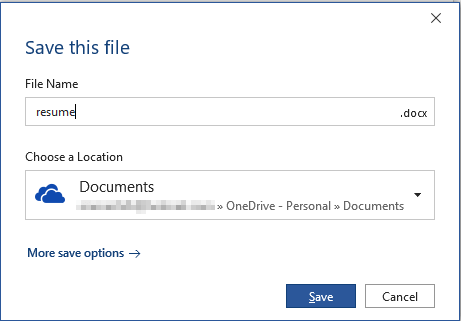
Office programs save your files to OneDrive by default since the February 2019 Office 365 update. Microsoft suggests that the users store files in OneDrive to protect against device loss or damage and to provide anywhere access to files.

office documents default save location

Quoting Microsoft:

Today we are announcing a new capability that makes it easier for you to create and save your Word, Excel, or PowerPoint document directly to the cloud. When you go to save an Office 365 document using Ctrl+S (Windows), Cmd+S (macOS), or the Save button, the new dialog box will default to OneDrive or SharePoint Online. And if you forget to save a new document before exiting, you will also see this updated save experience.

In case you want to change the default save location in Word, Excel, PowerPoint, etc., there are multiple ways to do it. Instructions below apply to Office 2016 standard installation as well as Office 365.Read more

Stop Excel from Converting Text to Number or Date format when Opening a CSV file

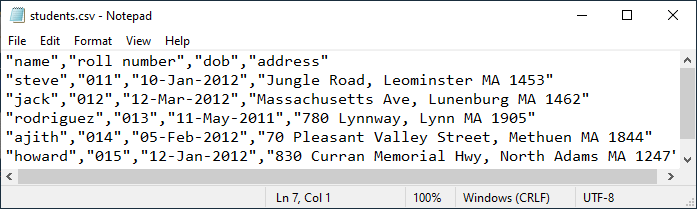
A comma-separated values (CSV) file is a delimited text file that uses a comma to separate values. Each line in a .csv file is a data record consisting of one or more fields, with each field separated by a comma. A .csv file can be imported to and exported from programs that store data in tables, such as Microsoft Office Excel, LibreOffice, or OpenOffice. When you open a .csv file in a spreadsheet, the spreadsheet uses the comma as the field separator (delimiter).Read more

[Fix] Word isn’t your default program for viewing and editing documents

word not the default editor message startup

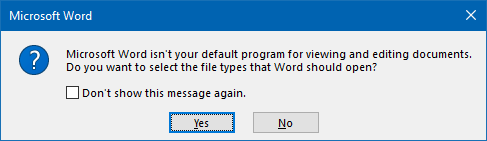
Whenever you start Microsoft Office Word, you may see the message asking Microsoft Word isn’t your default program for viewing and editing documents. Do you want to select the file types that Word should open?

word not the default editor message startup

This message may appear even if Word is currently the default program for viewing and editing .doc, .docm,.docx, .dot, .dotm,.dotx, .odt, .wbk, .wiz file types and the ms-word: URL protocol.

It’s a simple issue, and repairing Office Word installation is not necessary to fix the problem.Read more

Desktop New Menu Missing Word Document or Excel Worksheet

The New menu that appears when you right-click on your Desktop has options or templates to create documents of a particular type quickly. For example, after you install Microsoft Office, the New menu shows Microsoft Word Document, Microsoft Excel Worksheet, Microsoft Access Database, and entries for other Office products installed in the system.

Sometimes the options Word Document, Excel Worksheet or PowerPoint Presentation may be missing in the New menu after upgrading your Office installation. To restore the entries back, short of repairing Microsoft Office, you can use the registry fix in this article.

Read more

Set Landscape for a Single Page in a Word Document

set selected page landscape same word document

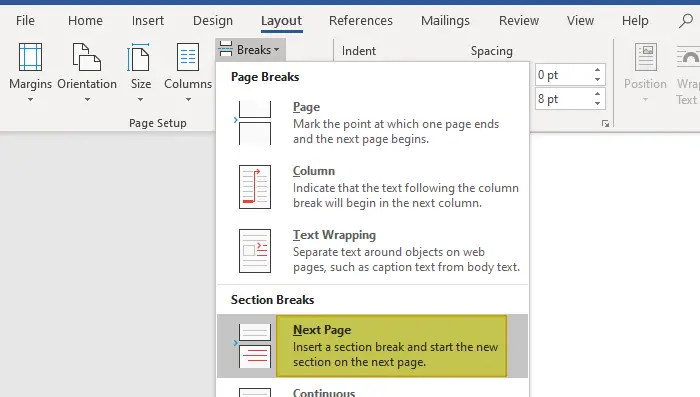
To change the Word document orientation, you may have been using Page Setup to change the orientation to landscape or portrait for the entire document. Many users don’t know that Word also allows you to set a different orientation (landscape or portrait) for different pages within the same Word document.

This article tells how to make specific pages in your Word document to landscape and the rest of the pages to portrait orientation, or vice versa.Read more

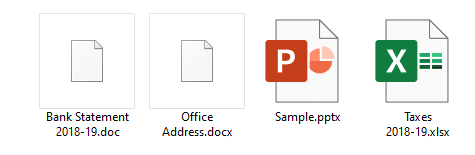
.Docx/Doc Files Not Showing Word Icon but Only White Plain Icon

word .docx and .doc files show generic white icon

Many users have reported that the Word icons are not showing up for .docx and .doc files on their systems. Instead, they show up with a generic (unknown) or plain white icon even though the files open in Word when double-clicked (i.e., the file association settings are intact.)

word .docx and .doc files show generic white icon

Cause

Blank or missing Word icons on .doc and .docx files may occur due to multiple reasons, such as deleting the Office installer folder (which contains the Office icons) or installing multiple versions of Office on a computer. This may have been caused if you install and later uninstall a Microsoft Office alternative software (e.g., Open Office, WPS Office, etc.)

An incorrect Programmatic Identifier (e.g., docx_auto_file) or wrong file association settings in the Windows registry for Word documents can also cause this issue. Last but not least, a corrupt icon cache can also trigger the problem.

This article tells you how to fix the icons for Word document file types .docx and .doc using different ways.Read more