How to Always Start Google Chrome in Incognito Mode by Default

Google Chrome’s Incognito mode lets you browse the web privately, without leaving traces of your browsing history on the local computer. You can launch Chrome’s incognito mode from an existing Chrome window by pressing Ctrl + Shift + N.

This article tells you how to (always) start Google Chrome in incognito mode by default, when double-clicking an URL file or clicking on a hyperlink in your email.Read more
How to Compare the Contents of Two Folders and Synchronize them

Traditionally, Windows users have employed XCOPY or SyncToy to mirror copy a certain directory to a different location. If you’re using Microsoft SyncToy, especially on Windows 10 or 11, it’s possible that sometimes the files or folders may be missing in the destination, or the destination folder has extra files or folders that are not in the source folder. Fortunately, nowadays, were have many specialized freeware sync tools that can compare and auto-sync your folders.Read more

Backup, Restore, or Reset Windows 10/11 Start Layout & Shortcuts

backup start tiles windows 10

Almost every Windows user would customize their Start menu layout as per their requirement, to ease their workflow. It’s also helpful if you backup the Start menu tiles layout in Windows after customizing it, just in case your profile becomes corrupt at some point of time due to one reason or the other.Read more

How to Clear Chrome History and Cookies for a Particular Site

Clear Chrome History and Cookies for a Particular Site

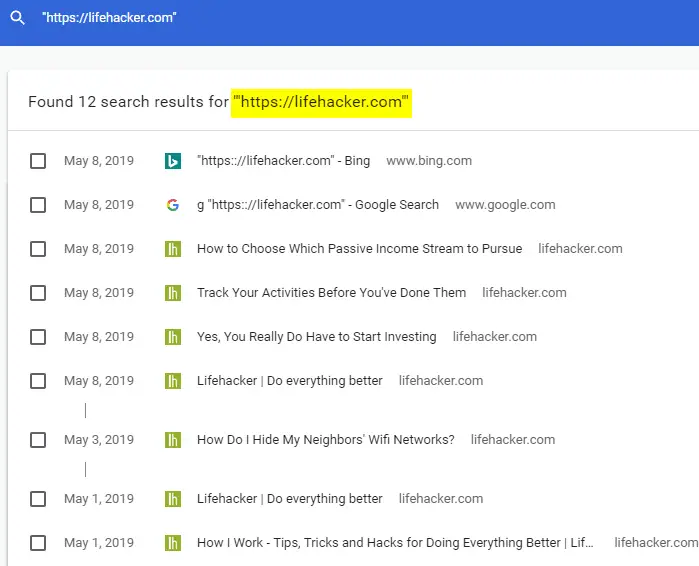
Sometimes, it may be necessary for you to clear the Chrome browser history and cookies for a particular site or domain. You may need to clear the cookies and site data for a specific site either when designing websites or troubleshooting website login issues etc. And, as a privacy measure, you may often find the need to clear the browsing history for a specific domain or site.

This article explains how to clear the Google Chrome browsing history and cookies on a per-site basis.Read more