[Fix] Cannot Delete WindowsApps folder on Non-System Drives

cannot delete windowsapps folder

If you have changed the default app save location to an external hard drive or secondary drive, Windows will create three folders, namely, WpSystem, WindowsApps, and WUDownloadCache on the target drive.

You may later change your mind and revert the default save location to C:. But you may be unable to delete the leftover WindowsApps folder on your secondary drive due to tight NTFS permissions assigned to the folder. The other two folders, WpSystem and WUDownloadCache can be deleted easily.

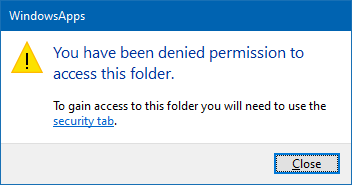
When you access the WindowsApps folder on your secondary drive, you may see the following message:
cannot delete windowsapps folder

You have been denied permission to access this folder.

And the Advanced Security Settings dialog shows the error:

Can't open access control editor. Unable to perform a security operation on an object that has no associated security.
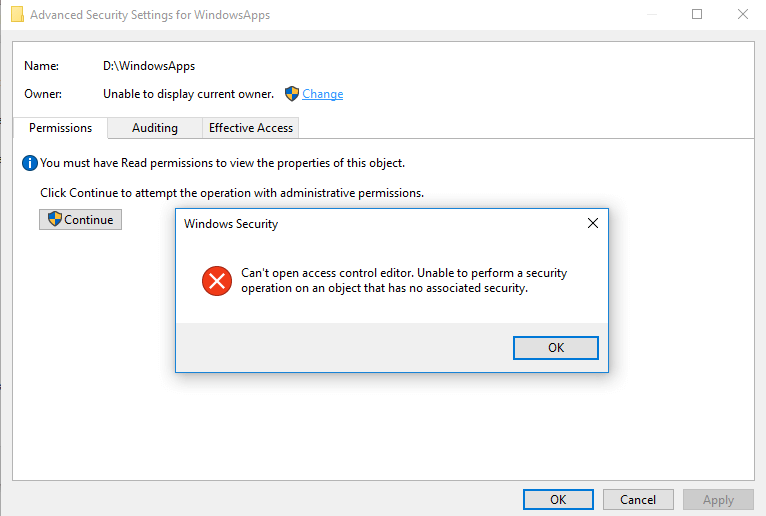
cannot delete windowsapps folder

This article explains how to properly delete the leftover WindowsApps folder on your secondary or external hard disk drive(s).Read more
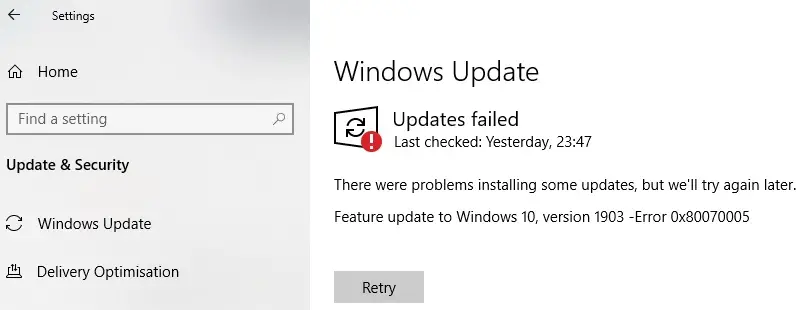
Windows Logs Off when Shutdown or Hibernate is used

windows logs off when shutdown or hibernate is used

Over these years, at least since the Windows 7 era, we’ve seen several cases where the system logs you off when clicking on the Shutdown or Hibernate option in the Start menu. The problem may be seen in Windows 8, Windows 10, or 11 systems as well.

What causes Windows to log off the account instead when the shutdown or hibernate option is used?Read more

VSS Event Log Errors: Event IDs 8193 and 13

event viewer error - event id 8193

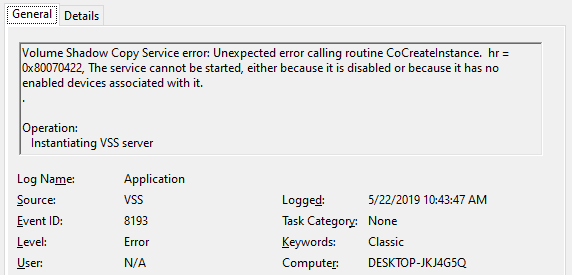
After upgrading to Windows 10 v1903, two VSS error entries appear in the Application event log during every shutdown. The Event IDs are 8193 and 13 with the event source as VSS. Along with the two error logs, an informational event (ID: 8224) is also recorded during the user session instead of shutdown. Here are the sample events:

Log Name:      Application
Source:        VSS
Date:          5/22/2019 10:43:47 AM
Event ID:      13
Task Category: None
Level:         Error
Keywords:      Classic
User:          N/A
Computer:      DESKTOP-JKJ4G5Q
Description:
Volume Shadow Copy Service information: The COM Server with CLSID {4e14fba2-2e22-11d1-9964-00c04fbbb345} and name CEventSystem cannot be started. [0x8007045b, A system shutdown is in progress.


Log Name:      Application
Source:        VSS
Date:          5/22/2019 10:43:47 AM
Event ID:      8193
Task Category: None
Level:         Error
Keywords:      Classic
User:          N/A
Computer:      DESKTOP-JKJ4G5Q
Description:
Volume Shadow Copy Service error: Unexpected error calling routine CoCreateInstance.  hr = 0x8007045b, A system shutdown is in progress.

Log Name:      Application
Source:        VSS
Date:          5/22/2019 11:14:56 AM
Event ID:      8224
Task Category: None
Level:         Information
Keywords:      Classic
User:          N/A
Computer:      DESKTOP-JKJ4G5Q
Description:
The VSS service is shutting down due to idle timeout. 

Read more

Install-Module command was found in the module PowerShellGet

install-module command not found

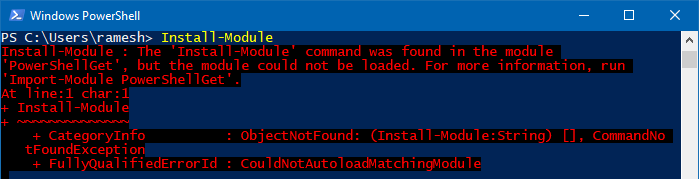
PowerShell’s Install-Module cmdlet downloads one or more modules from a repository and installs them on the local computer. But, when you run Install-Module, you may get the following error: Install-Module : The ‘Install-Module’ command was found in the module ‘PowerShellGet’, but the module could not be loaded. For more information, run ‘Import-Module PowerShellGet’. At line:1 … Read more

Microsoft Store error 0x80D02017 in Windows 10

disable ipv6 network connections

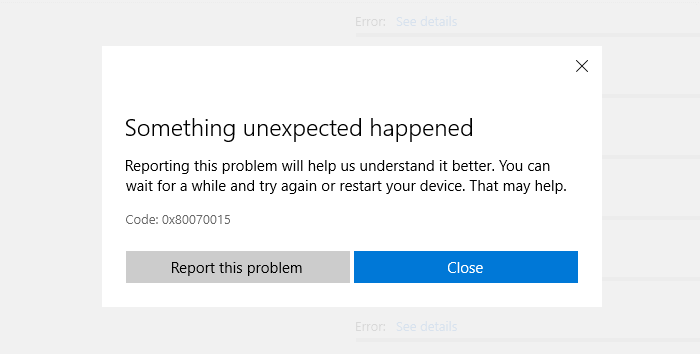
After installing a Windows 10 feature update, you may be unable to download apps or update existing apps in the Microsoft Store. Downloading apps or updating them results in the error 0x80D02017 with the description saying “Unknown”.

Running the Store apps troubleshooter, reinstalling Microsoft Store or resetting the Store using wsreset.exe may not fix the problem.

The following errors may also be seen in the Windows Event Viewer.

Source: C:\BA\18\s\src\App\DependencyResolver\MvrDependencyResolver.cs (53)"
Information Windows-ApplicationModel-Store-SDK 4 StorefrontClient "ErrorDialogViewModel. Context: WU, Code: 0x80D02017, Title(ShortDescription): Something unexpected happened ButtonLabel: Close, Link: feedback-hub:?tabid=2&categoryid=20&searchString=Code: 0x80D02017
Function: Initialize


Source: C:\BA\18\s\src\App\ViewModels\Dialogs\ErrorDialogViewModel.cs (132)"
Information Windows-ApplicationModel-Store-SDK 4 StorefrontClient "ErrorDialogViewModel. ButtonOneLabel: Report this problem ButtonTwoLabel: Close, Link: feedback-hub:?tabid=2&categoryid=20&searchString=Code: 0x80D02017
Function: SetAction

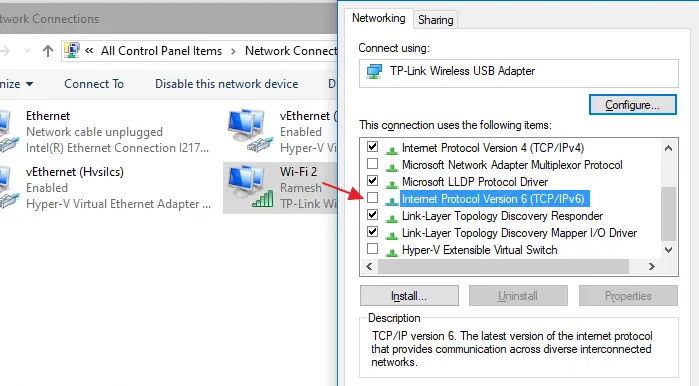
This problem can be fixed by turning off IPv6 in some systems.Read more

[Fix] Word isn’t your default program for viewing and editing documents

word not the default editor message startup

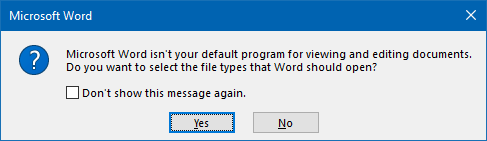
Whenever you start Microsoft Office Word, you may see the message asking Microsoft Word isn’t your default program for viewing and editing documents. Do you want to select the file types that Word should open?

word not the default editor message startup

This message may appear even if Word is currently the default program for viewing and editing .doc, .docm,.docx, .dot, .dotm,.dotx, .odt, .wbk, .wiz file types and the ms-word: URL protocol.

It’s a simple issue, and repairing Office Word installation is not necessary to fix the problem.Read more