Chrome 69 includes some new features and enhancements, including the Material Design Refresh user interface. It sports a rounded UI (rounded tabs with a blue background). If you’re not fond of the new rounded design, here is how to restore the appearance of Google Chrome to “Normal” user interface.Read more
Utilities
Taskbar Volume Control Icon does not Work in Windows 10/11
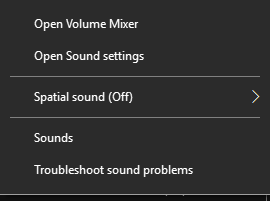
Sometimes, the Taskbar volume control icon in Windows may not respond to the mouse click. The slider doesn’t appear when you click on the speaker icon, and nothing happens when you right-click on it. The audio may still work in all applications, but only the controls don’t open. Due to this, users have to open sndvol.exe from the Run dialog to open the Volume Mixer and control the sounds.
This post explains how to fix the volume control (speaker) icon in Windows 10 and Windows 11.Read more
How to Enable Preview of .eml (Email Message) Files in Explorer
Many users of Windows Mail or Windows Live Mail (part of Windows Live Essentials) used to backup individual emails and save them as .EML files. Since Windows Live Mail has been discontinued, users are forced to use third-party mailers or even buy Microsoft’s own produce, Microsoft Outlook. However, the preview pane in File Explorer shows “No preview available” when a .EML file is selected.
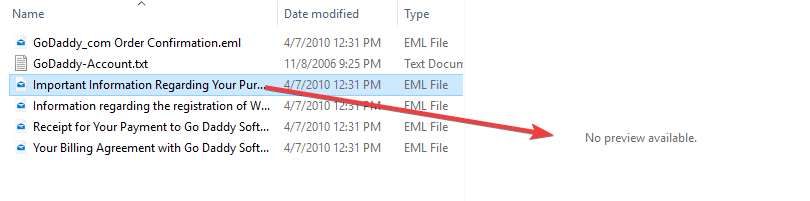
This article tells you how to preview .EML files in File Explorer Preview pane, in Windows 7 through Windows 10.Read more
Fix Google Chrome High Disk Usage (100%) Problem
Every once in a while you may have definitely encountered a problem where one particular application uses 100% disk usage (or CPU, or memory usage). Many users reported “high disk usage” problem on their systems when Google Chrome is launched. Chrome may totally stall your system showing the status “waiting for cache”.
This post tells you how to fix the Google Chrome 100% disk usage problem in Windows.Read more
How to Delete a Stubborn Undeletable File or Folder in Windows
Many of you would have come across situations where you can’t delete a file or folder no matter how you try. This article discusses the ways to delete files or folders that are stubborn or undeletable using normal methods.
Malwarebytes High Memory (RAM) Usage Problem
Malwarebytes Premium (3.3.1) users are reporting a problem where the program uses an enormous amount of memory and usage goes on increasing even up to 20GB or more. I believe the Malwarebytes support/development team is looking into the memory leak issue and here is a huge thread on the Malwarebytes forums (RAM usage – what is going on?) where many users have posted their concerns.Read more
Fix: Google Chrome Waiting for Proxy Tunnel When Loading Webpages
If Google Chrome browser is showing the status “Waiting for Proxy Tunnel” and taking excess time when loading web pages, check your proxy server settings.