How to Prevent Auto redirection from IE to Edge for unsupported sites

ie to edge redirect disable

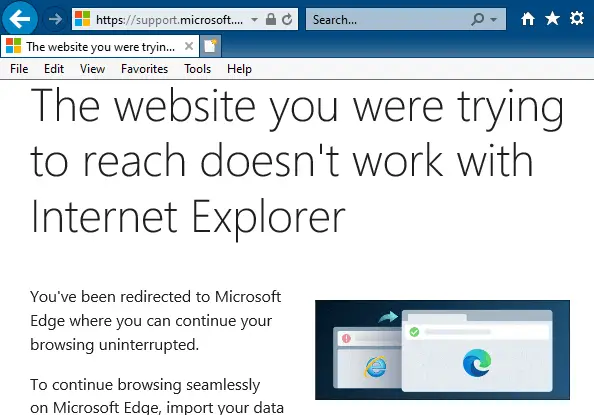
Since Windows 10 version 20H2, Internet Explorer redirects users to Microsoft Edge (Chromium) when they visit websites that don’t support Internet Explorer. Microsoft Edge Chromium version 84 and higher have this feature. Many modern websites have designs that are incompatible with Internet Explorer. When the Internet Explorer user visits an unsupported website (e.g., Facebook, Internet Archive, … Read more

[Fix] Error 0x80070426 in Microsoft Store, Edge or Other Apps

windows store error 0x80070426

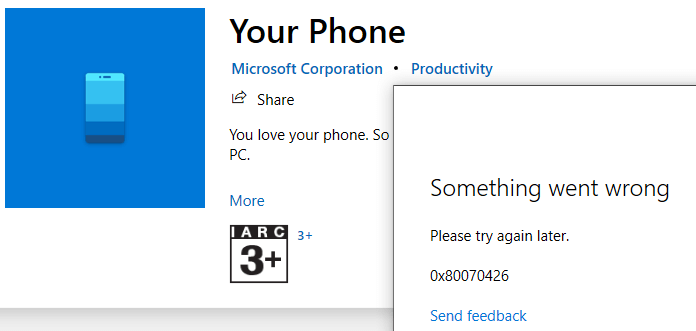
When you attempt to install or update an app via the Microsoft Store app, you may receive the error 0x80070426. The following is the full error message verbatim:

Something went wrong

Please try again later.

0x80070426

Windows Store

windows store error 0x80070426

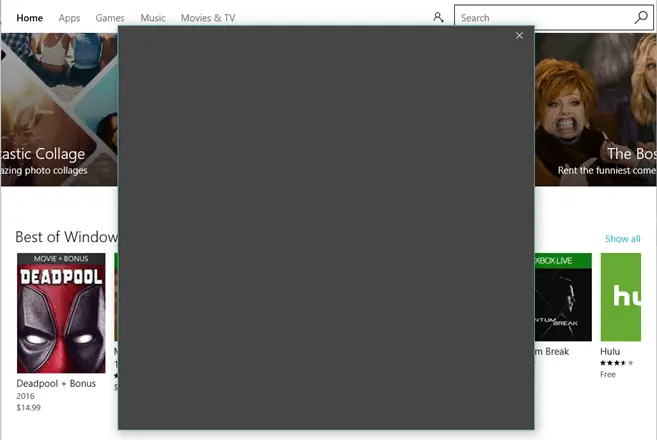
In some cases, you may see a gray (sign-in) dialog with nothing visible.

store app grey dialog sign-in

Office 365 apps

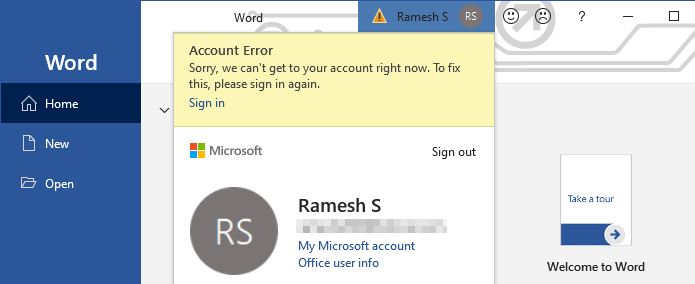
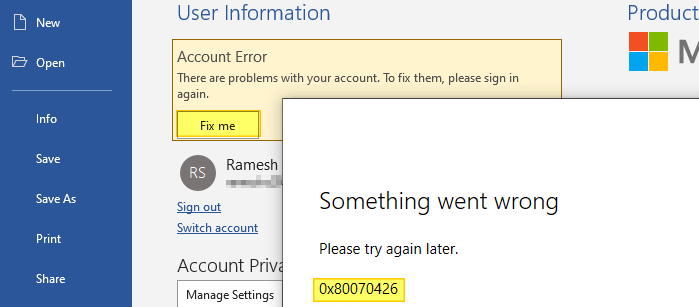
In the Office 365 apps, you may see a warning symbol at the top, which when clicked, shows the following error:

Account Error

Sorry, we can't get to your acount right now. To fix this, please sign in again.

office 365 signin something went wrong 0x80070426

If you click on the Fix me button and try to sign-in to your MSA, the error 0x80070426 pops up.

office 365 sign-in warning

Mail app

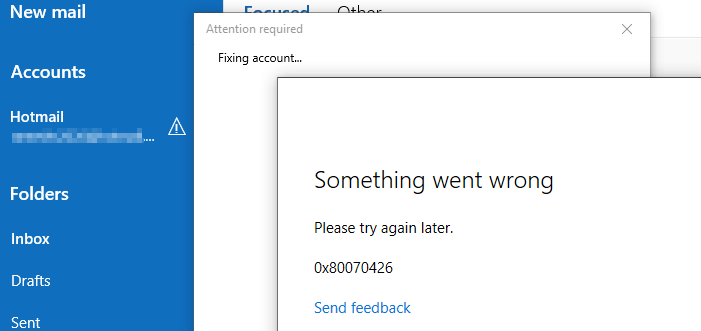
The mail app may not connect to your Microsoft Hotmail or Live mail account. It would show the same error 0x80070426.

mail app error 0x80070426

Switching to MSA

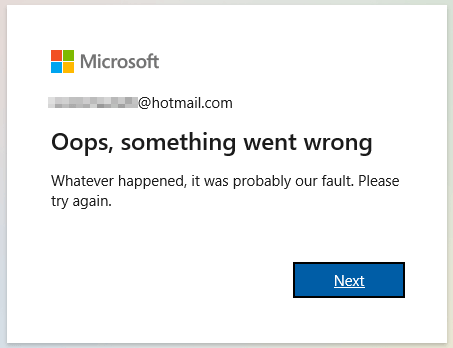
Also, you won’t be able to switch to a Microsoft account (MSA) from a local account. Doing so causes the error "Oops, something went wrong"

switch to microsoft account error something wrong

Read more

[Fix] WebP Images Appear Very Dark in Windows Photo Viewer

webp dark windows photo viewer

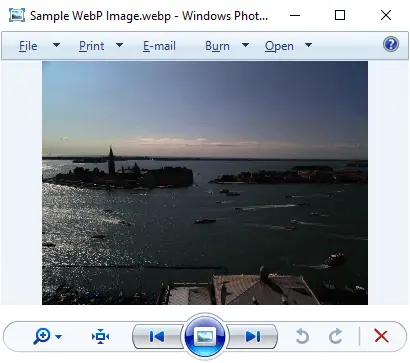
WebP is a modern image format that provides lossless and lossy compression for smaller, richer images on the web. When you preview a WebP (.webp) image using Windows Photo Viewer, the image may appear very dark.

webp dark windows photo viewer
Fig 1: Windows Photo Viewer dark rendering of WebP images

However, the File Explorer preview pane and the thumbnail view show the .webp image correctly. Also, the same WebP image would render correctly in Firefox, Chrome, and Microsoft Edge (Chromium) web browsers.

Read more

How to Change Windows Fax and Scan Default Save Location

scanned documents folder relocate

Windows Fax and Scan stores the scanned images and fax documents in the Scanned Documents folder located under your Documents folder. If the Documents folder is relocated, the Windows Fax and Scan follows the Documents folder.

If you want to move the Scanned Documents folder to a different directory or drive without relocating the Documents folder, here are a couple of options for you.Read more

Error 0x800707E7 0x3000D during Windows Setup

nvidia updatus user account uninstall

When you upgrade from Windows 7 or Windows 8 to Windows 10 or 11 or do a repair installation, the error 0x800707E7 – 0x3000D may occur and the setup is canceled automatically. The same error may occur when installing a Feature Update (e.g., upgrading from 21H2 to 22H2). Here is the full error message:

We couldn't install Windows 10.

We've set your PC back to the way it was just before you started installing Windows 10.

0x800707E7 - 0X3000D

The installation failed in the FIRST_BOOT phase with an error during MIGRATE_DATA operation.

Read more

How to Reset WindowsApps folder Permissions to Default

windowsapps restore default permissions

Summary: This article tells you how to reset the WindowsApps folder permissions (and ownership) to Windows default.

The WindowsApps folder under the Program Files folder stores the modern app packages. Each package folder under WindowsApps contains a manifest (named AppxManifest.xml) that contains a special XML namespace for packaged apps. When you reinstall built-in apps using PowerShell add-appxpackage command-line, it uses the corresponding app’s package folder under WindowsApps.

The WindowsApps folder is not browsable in File Explorer by default. This is due to tight permissions assigned to the folder.

windowsapps restore default permissions

To access this folder, many users tend to take ownership of the folder and sub-folders. Some users also change the permissions for this folder and sub-folders arbitrarily, and later observe that some of the installed Store apps fail to work.

warning caution iconEven worse is that some users would reset the permissions for WindowsApps, its subfolders, and files (recursively) using the Icacls.exe reset command-line. This is not recommended, as the WindowsApps folder doesn’t inherit any permission entries from the parent (Program Files) folder by default. Instead, this folder has very restricted permissions, including one or more conditional ACEs.

Read more

How to Reset File and Folder Permissions to Default (Inherited ACLs) in Windows

icacls reset permissions file or folder

Incorrect permission entries assigned for a user account can prevent programs from accessing the file or folder. Or it may cause unauthorized users to have full access to the objects. In some cases, there may be a reference to obsolete user accounts (or SIDs) in the ACL (permissions list) that you want to clean up.

Have you modified the NTFS permissions for a file or folder wrongly, and want to revert to default (inherited ACLs)?

This article tells you how to replace the file or folder permissions with default inherited permissions quickly using the icacls.exe command-line. The information applies to all versions of Windows, from Windows Vista through Windows 10.

Read more

Compressed (Zipped) Folder Error “File not found or no read permission”

compressed folder create error - no read permissions

When you try to create a compressed (zipped) folder in Windows 10, the following error occurs:

Compressed (zipped) Folders Error

File not found or no read permission.

compressed folder create error - no read permissions

You may have noticed that this error doesn’t happen on drives formatted as FAT32. This article explains why this problem occurs and how to resolve this error.Read more

[Fix] Windows Update Error 0x8024a105 in Windows 10

windows update error 0x8024a105

When you attempt to install Windows Updates, you may see this error message:

There were some problems installing updates, but we'll try again later. If you keep seeing this and want to search the web or contact support for information, this may help: (0x8024a105)

windows update error 0x8024a105

For some users, a full reboot (restart without Fast Startup) has resolved the issue. If not, the general troubleshooting methods below ought to fix the Windows Update error 0x8024a105.Read more