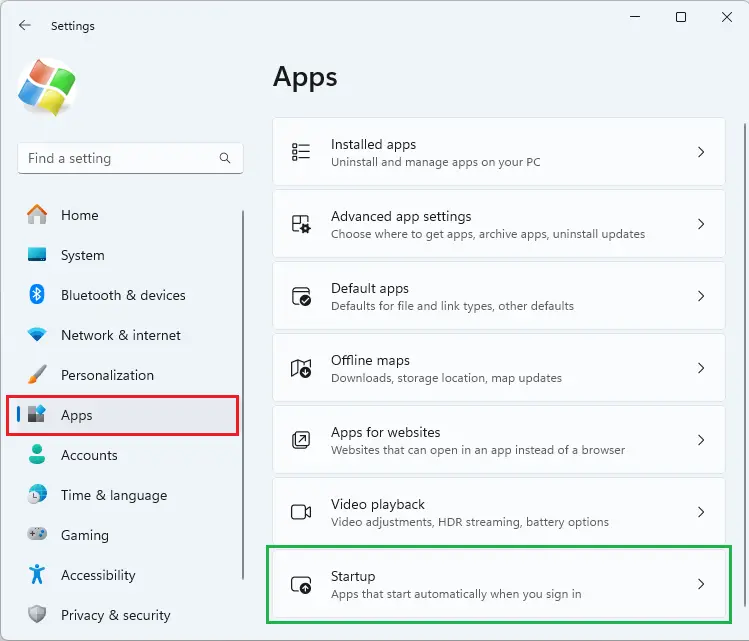
When you open Settings and click “Apps”, the “Startup” option may be missing. The Startup option lets you manage apps that start automatically when you sign in. Despite this issue, the Task Manager’s Startup tab may show the startup entries correctly.Read more
Microsoft
You’re browsing “Microsoft” category, which is the top-most category which contains every thing related to Microsoft. Windows Operating Systems, News, Windows Update news and everything Microsoft!
Windows Security is Blank in Windows 11
After resetting your computer or performing a clean install of Windows 11, the Windows Security app may not load. It may stall with the shield icon showing up or a blank page. This happens even if you’ve chosen the Cloud download option during the Reset.Read more
Powercfg: The hiberfile type does not support hibernation
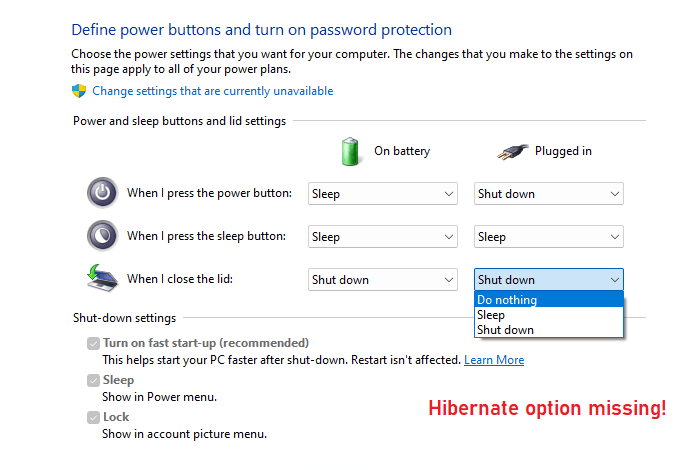
When you open the Power and sleep buttons and lid settings in Power Options, the Hibernate option may be missing from the dropdown. However, the “Fast Startup” option may be available. When you run Powercfg /AVAILABLESLEEPSTATES or Powercfg /A to report the sleep states available on the system, the output may contain the following line: … Read more
[Fix] Cannot change default app for .SVG files
On your Windows 11 computer, you may be unable to change the default app for .SVG files. When you right-click on an .SVG file and click Open with…, “Just Once” is the only option shown; there is no “Always” option.
When right-clicking on a .SVG file and clicking Properties, the properties dialog may not have the “Change” button.
The .SVG file type may not show up on the Default Apps settings page.Read more
Windows 11 User icon looks like a Regular folder

After adding the user profile icon to the desktop (via Settings > Personalization > Themes > Desktop icon settings), the user icon may look like a regular folder with the generic yellow folder icon.
Users expect the icon to appear like the one below.Read more
Notepad Opens Recent Text Files Everytime in Windows 11

When you open a .txt file using Notepad, it may automatically open all the recent text files you have opened — e.g., files opened yesterday or the day before. When you close all the open files and open Notepad again, it also opens the most recent .txt file.Read more