When you open a dialog box containing checkbox or radio button controls, such as the Folder Options dialog’s View tab, the checkbox text labels may be appended with the word “-ON” or “-OFF” depending upon whether the option is enabled or not.Read more
Microsoft
You’re browsing “Microsoft” category, which is the top-most category which contains every thing related to Microsoft. Windows Operating Systems, News, Windows Update news and everything Microsoft!
Fix: Cannot Change the Connected State of Registered Office Add-Ins
When you attempt to enable or disable an Office Add-In, the following error message may be displayed and the Add-In state does not change.Read more
Multiple Svchost.exe in Task Manager; View Services Running Under Each Svchost.exe
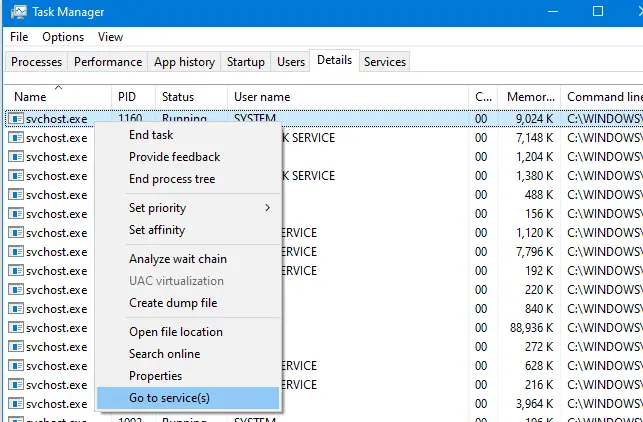
Svchost.exe is a process that hosts Windows services to perform various functions. There can be multiple instances of svchost.exe (host process for Windows services) running on your computer, with each instance containing different services. Especially on Windows 10 v1709 and Windows 11, you might see 50+ Svchost.exe processes.
Using Task Manager, you can view the list of Services running under a particular svchost.exe process. Read more
How to Clear Task Scheduler History in Windows
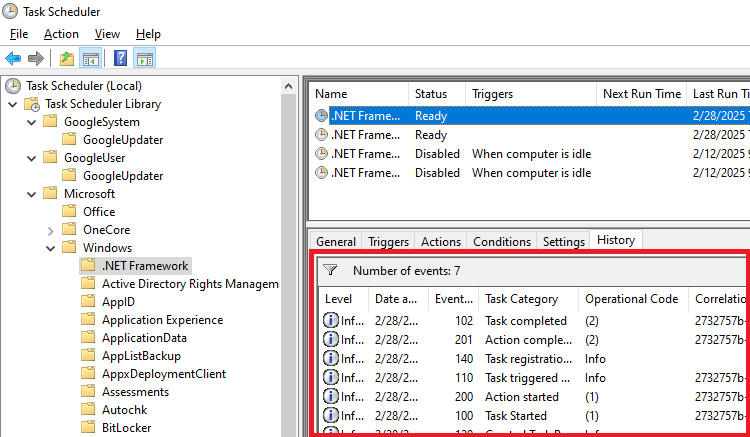
Task Scheduler in Windows tracks events for each scheduled task when the task history option is enabled for the task. The task history can be viewed by opening the task properties and clicking the History tab.Read more
Add Google Search Option to the Right-Click Menu in Internet Explorer
 Want to search Google for selected text in Internet Explorer via the right-click menu? Here is how to add Google Search option to the context menu in Internet Explorer.Read more
Fix for Themes Service Startup Problems in Windows 7
 When you start your Windows 7 computer, the Themes service may not automatically start although its Startup Type is set to Automatic. And when you attempt to start the service manually using Services MMC, one of the following errors may occur.Read more
How to Make Folders Appear as Cascading Menu in the Quick Launch Toolbar
When you create sub-folders in the Quick Launch folder to better organize the shortcuts, the folders will appear in the Quick Launch toolbar correctly, but clicking them would launch Windows Explorer.
Some people would like to view the contents of the folder (cascaded as a list) rather than opening the folder when clicked. Here is how to make folders in the Quick Launch toolbar cascade as menu when clicked.Read more
How to Clear File Search MRU History in Windows
When you click the Search text box in Explorer, the previously typed search queries (MRU) are displayed in the drop-down box. Also, when you type a search query, the autocomplete lists possible matches as you type. Here is how to clear the search entries individually and collectively, in Windows 7, 8 and Windows 10.Read more
How to Change the Icon for a File Type in Windows
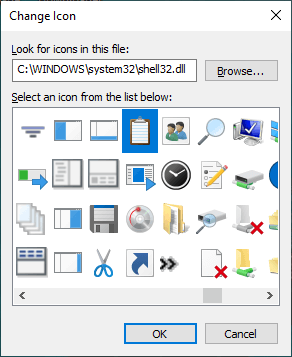
Surprisingly, Windows doesn’t have a built-in option to allow users to set custom icons for file types. If you have a custom file type and the corresponding program doesn’t have a nice-looking icon in its .exe or .dll resource, you can manually change or customize the default icon for that file type.
This article explains how to change the default icon for a file type using different methods in Windows. Instructions apply to all versions of Windows, including Windows 10Read more