The Windows10Upgrade folder located on the system drive is used by Windows 10 Upgrade Assistant. When you update Windows 10 using this tool, the Windows 10 image ESD file is downloaded to this folder.Read more
 Ramesh
What is $SysReset Folder and Can I Delete it?
If File Explorer is set to display hidden files, you may have noticed a hidden $SysReset folder on the C:\ drive. What does this folder contain, and is it safe to delete?Read more
How to Open Mozilla Firefox Bookmarks in New Tabs by Default

Mozilla Firefox Nightly 57.0 build introduces an option where you can configure bookmarks to open in a new tab by default. This feature has been requested by many Firefox users, and Mozilla seems to have listened to them.Read more
How to Reset OneDrive, or Uninstall and Reinstall it in Windows 10/11
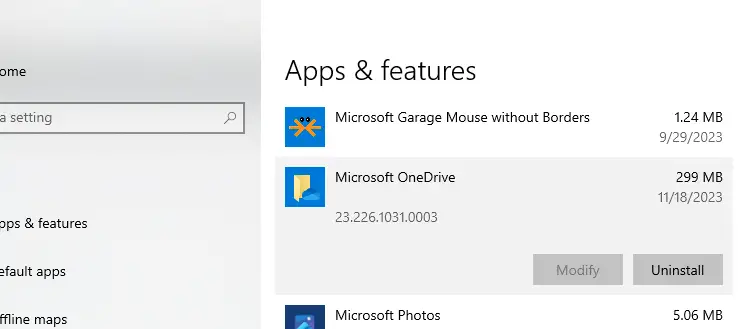
OneDrive cloud storage feature is integrated into Windows 10 and 11. When the OneDrive app is running it automatically syncs files and folders in the background. If you encounter syncing issues with OneDrive, you may want to reset it completely using the hidden OneDrive.exe /reset command-line switch.Read more
[Fix] Sucuri and LetsEncrypt – ACME Domain Authorization Failed
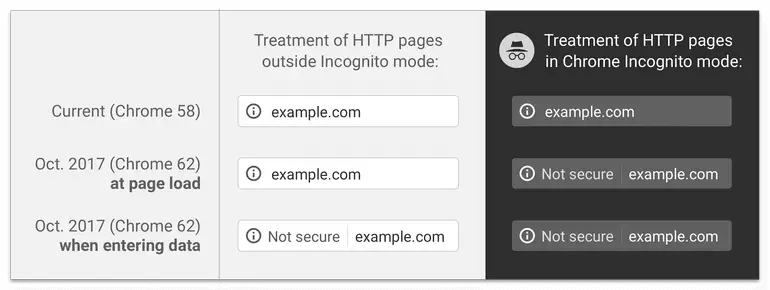
Google has announced that starting with Chrome browser version 62, ‘Not secure’ warnings will be shown for HTTP pages with user input fields and all HTTP pages in incognito mode. Going forward, ‘Not secure’ warning would be shown for all HTTP pages even in normal browsing mode.
Opera Firefox Chrome Offline Installer Download Full Setup
When you download any web browser setup file, they are usually online installers. To install the browser in multiple systems, you may opt for the offline setup package (offline installer). Here are the full download links for Google Chrome, Mozilla Firefox and Opera browsers.Read more
Start Programs Elevated (as Administrator) from Run Dialog in Windows 10 [Ctrl + Shift]
If you want to edit your HOSTS file or any file that requires admin privileges to edit, you need to open Notepad or your preferred text editor as administrator. To start a program elevated, you usually right-click on the shortcut and click Run as Administrator from the context menu. Alternately, you can search for that program from Start menu, select the item, press Ctrl + Shift and press ENTER.Read more
“Show Most Used Apps” Setting Greyed out in Personalize
The “Show most used apps” toggle switch may be grayed out on the Personalization → Start page in Windows 10 or 11. This is due to a Privacy setting that turns off the ability to track recent programs.Read more
Perform System Restore Rollback Offline via Windows RE
System Restore is an excellent tool that can rescue the system from catastrophe. But, when you cannot revert the system configuration from normal mode, you can perform System Restore rollback offline via Windows Recovery Environment (WinRE), or from Safe Mode.Read more