How to Reset Forgotten Windows 10/11 Account Password

Summary: This article tells you how to reset the password(s) for any local user account, including the built-in administrator in Windows 10 if you have forgotten the password.

Occasionally, we may forget the Windows user account password, especially if we have been using the auto-login using stored credentials or PIN sign-in method for a long time. Most users don’t have a second administrator account on their computer. And they would have never activated the built-in Administrator account (keeping it disabled is good for security, anyway).

The local user account password can be reset easily using different methods even if you haven’t created a password reset disk beforehand.

If you’re using a Microsoft Account (MSA), you can reset your forgotten MSA password online. However, this is not within the scope of this article. This post tells you how to reset the local user account password.

Similar problem: Lost administrator rights but not the password?

If the user account has suddenly lost its administrative privileges (but you remember the password) and turned into a guest or standard user account, it’s a different issue and the fix is very simple in that case. Check out the article Lost Administrator Rights? Recover the Account via Windows RE for an easy fix.
Read more

[Fix] Startup Programs don’t auto-launch at logon

programs in startup folder not starting automatically

Windows supports many auto-start launch points from where you can launch programs at the startup. There are many registry startup locations in addition to the Startup and Common Startup folders. On some computers, when you place a program shortcut in the Startup folder or the Run registry keys, one or more programs may not auto-start … Read more

How to Transfer Chrome Profiles to Another Computer

chrome transfer profile to another computer

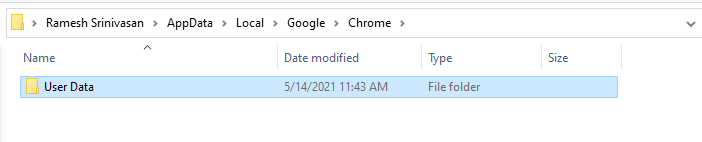
Google Chrome’s synchronize feature stores a copy of your entire browser settings in the cloud and synchronizes it with your other devices. It can sync your Apps, Bookmarks, Extensions, History, Settings, Themes, Reading List, Open Tabs, Passwords, Addresses, phone numbers, payment methods, etc. With sync, all you need to do is install the Chrome browser on a new computer and log in to the same Google account. This transfers all of the above settings to the new device.

But if you don’t prefer logging into a Google account in Chrome browser, you’ll need to backup and restore your data manually, as the synchronize feature requires a Google account.

This post tells you how to backup Chrome profiles manually and restore them on another computer. The instructions would be helpful if your old Windows user profile has been corrupted and you want to restore the Chrome settings to the new profile.Read more

“Delete Volume” Grayed Out for USB Drives in Disk Management

delete volume grayed out for usb drives

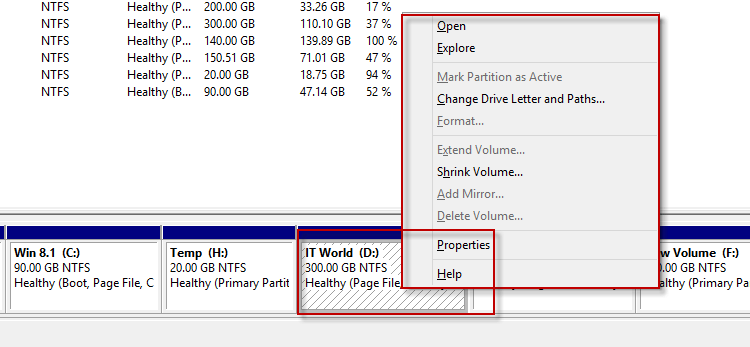
In the Disk Management console, the “Delete Volume” option may be dimmed out in the right-click menu for USB flash drives. So, users may be wondering how to remove one or more partitions in the external USB drives.

Cause

The “Delete Volume” option may be missing if the page file (pagefile.sys) exists in the partition, or the disk contains an Operating System.

delete volume grayed out for usb drives

If you look at the image above, you can see that a Page File exists in the D: drive — denoted by the line Healthy (Page File). Hence the Delete Volume option is grayed out.

This article explains how to delete the volume on a USB drive if the option is missing in Disk Management.Read more

[Fix] Desktop Icons Spacing is Messed Up in Windows

desktop icon spacing incorrect

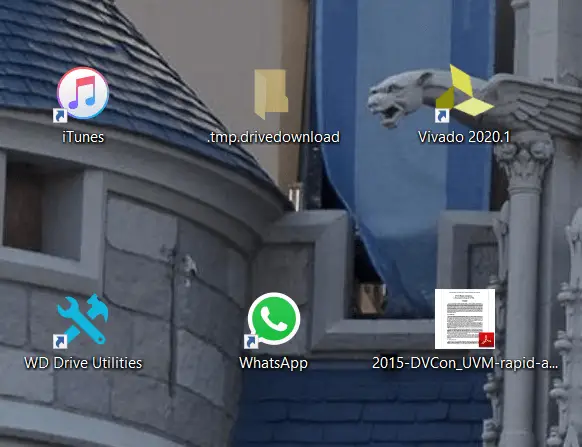
Occasionally, your desktop icons may be spaced out too far or very close to each other in Windows. The desktop icon spacing may sometimes be messed up after installing a video driver update. In some cases, the vertical spacing may be fine, but the horizontal spacing may be messed up (e.g., showing a rectangle) or … Read more

[Fix] Cannot Install Notepad++ Plugins – Installation Failed

notepad++ plugin cannot install - firewall

Notepad++ is one of the excellent open-source text editors available. Many users replace the plain old Notepad with Notepad++, as the latter has a lot of features and is also lightweight. You may be knowing that the functionality of Notepad++ can be extended by installing third-party plugins into it using the built-in Plugins Admin feature.

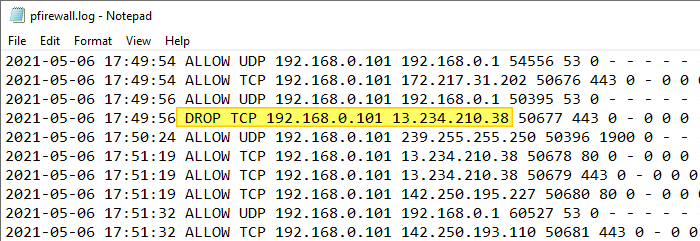
On some computers, you may be unable to install any plugins using the Plugins Admin feature. When trying to install a plugin, it restarts Notepad but does not install the chosen plugin even though you’ve tried both x86 and 64-bit versions. On some versions you may see the following error:

Installation Error: Installation of plugin failed

This issue may persist even if the
We’ll see how to resolve the Notepad++ plugins installation issue.

Read more

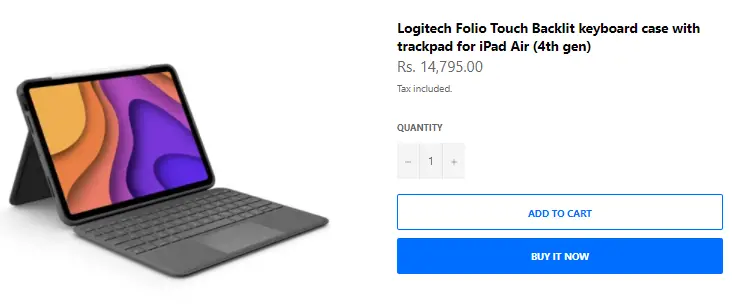
Buy Logitech Folio Touch keyboard for iPad Air 4 in India

ipad logitech folio order

If you have an iPad Air 4th generation device and looking to buy a touch keyboard folio case, you have two options. One is the Apple Magic Keyboard, and the other (affordable for most) is the Logitech Folio Touch keyboard Case for iPad Air (4th gen).

Apple Magic Keyboard for iPad Air 4 sells for Rs. 27,900 (MRP), and Logitech’s product sells for almost half the price. Many people wonder where to buy a Logitech Folio Touch keyboard Case for iPad Air (4th gen) in India.

Read more

[Fix] Win+Shift+S not working in Windows 10 or 11

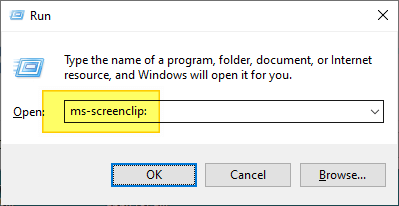
ms-screenclip run command

The Win + Shift + S keyboard shortcut, powered by the Snip & Sketch tool, allows you to quickly take a screenshot of a particular screen area or the entire screen. Some users are facing a situation where the hotkey combination doesn’t work on their Windows 10 computer. For instance, nothing may happen when you use the hotkeys. Or you don’t get the Snip & Sketch screen capture notification in the Taskbar notification area.

Let’s see how to fix the Snip & Sketch screen clipping feature in Windows 10 or Windows 11.Read more

[Fix] Taskbar Clock Colon Missing in Windows 10

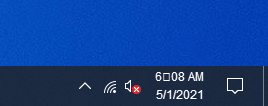
taskbar clock font colon punctuation square box

After changing or substituting the system fonts with a different font, you may notice that the colon symbol may be missing in the taskbar clock. Instead of the colon punctuation mark, a different symbol (e.g., a square or rounded white box) may appear in the tray clock. Despite this issue, fonts in the other areas … Read more