How to Restore the Default Location of Screenshots Folder

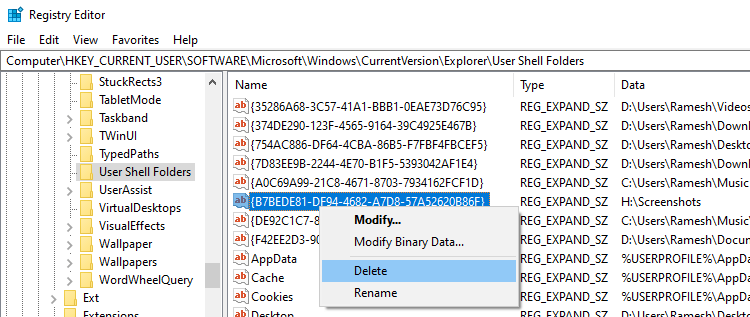
restore default screenshots location - registry

The Screenshots folder is a special folder located in your Pictures folder. Windows lets you relocate the Screenshots folder via the Location tab in the folder’s properties.

If you’ve inadvertently moved your Screenshots folder to another location and can’t restore it to the original location via the “Location” tab, this article is for you.Read more

[Fix] MP3 Metadata not displayed in File Explorer

mp3 metadata columns are empty in explorer

When you open a folder containing MP3 files, the metadata fields in the Details view of File Explorer may be empty.

For instance, the “Title”, “Contributing artists”, “Album” and other metadata columns may be blank. Even though the MP3 files have embedded metadata ID3 tags, they don’t appear in the Details view in File Explorer and the Details tab of the file’s Properties.Read more