When emptying the contents of your Recycle Bin, you’ll be asked for confirmation as below. Here is a registry edit to turn off the prompt in Windows 7, 8 and Windows 10, using NirCmd. This registry edit replaces the Empty Recycle Bin command in the right-click menu and the ribbon button action with NirCmd, so that the Recycle Bin can be emptied silently.Read more
registry
How to Add Icon to a Context Menu Item in Windows
When working with Windows 7 RC this week, I stumbled upon another nice and useful feature that I thought I should write about. In Windows 7 and higher, you can add icons to your custom right-click (static) menu entries.
Usually, to display a right-click command with an icon, one needs to write a context menu handler Shell Extension (DLL). Now, you can assign icons for static menu items as well, without having to program anything.
The instructions in this article apply to Windows 7 through Windows 10.
Add Google Search Option to the Right-Click Menu in Internet Explorer
 Want to search Google for selected text in Internet Explorer via the right-click menu? Here is how to add Google Search option to the context menu in Internet Explorer.Read more
Fix for Themes Service Startup Problems in Windows 7
 When you start your Windows 7 computer, the Themes service may not automatically start although its Startup Type is set to Automatic. And when you attempt to start the service manually using Services MMC, one of the following errors may occur.Read more
How to Make Folders Appear as Cascading Menu in the Quick Launch Toolbar
When you create sub-folders in the Quick Launch folder to better organize the shortcuts, the folders will appear in the Quick Launch toolbar correctly, but clicking them would launch Windows Explorer.
Some people would like to view the contents of the folder (cascaded as a list) rather than opening the folder when clicked. Here is how to make folders in the Quick Launch toolbar cascade as menu when clicked.Read more
How to Clear File Search MRU History in Windows
When you click the Search text box in Explorer, the previously typed search queries (MRU) are displayed in the drop-down box. Also, when you type a search query, the autocomplete lists possible matches as you type. Here is how to clear the search entries individually and collectively, in Windows 7, 8 and Windows 10.Read more
How to Change the Icon for a File Type in Windows
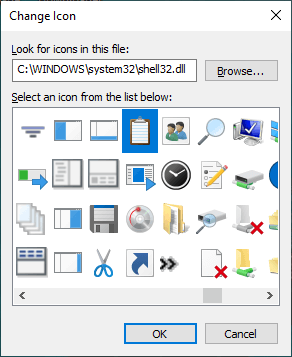
Surprisingly, Windows doesn’t have a built-in option to allow users to set custom icons for file types. If you have a custom file type and the corresponding program doesn’t have a nice-looking icon in its .exe or .dll resource, you can manually change or customize the default icon for that file type.
This article explains how to change the default icon for a file type using different methods in Windows. Instructions apply to all versions of Windows, including Windows 10Read more
How to Add a Drop Shadow Effect for Image Thumbnail Previews in Windows Vista
 When you open a folder containing image files in Windows Vista, the thumbnail images have a photo border by default. You can remove the photo border and add a drop shadow effect using a registry edit.Read more
Fix: Cannot View CHM Files from a Network Drive in Windows Vista
When you open a .CHM file over a network drive in a Windows XP/2003/Vista computer, the right pane may show the following message instead of displaying the topic/contents.Read more
How to Add “Explore” to the Desktop Context Menu in Windows
This post shows how to add “Explore” to the desktop right-click menu. This tip is especially for users who hide the desktop icons for a plain desktop but want to quickly access the Desktop folder when required, without toggling the Show Desktop Icons option in the context menu.Read more