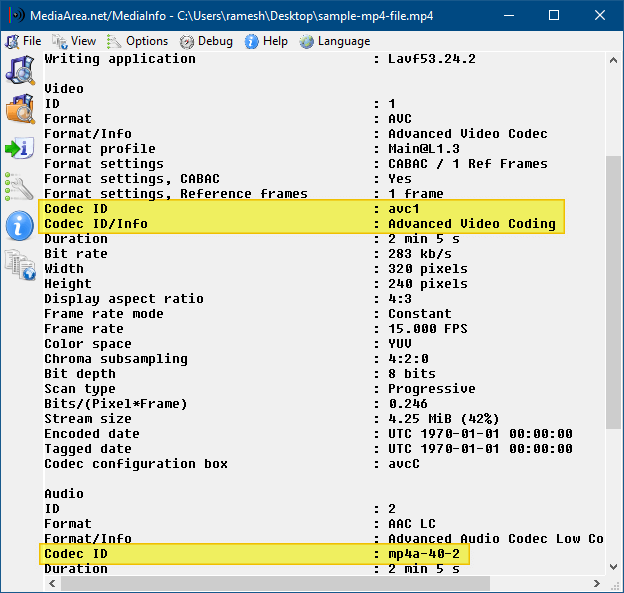
How to Find the Codec of a Video or Audio File

mediainfo - identify codecs used in video

Did you download a movie video recently and found that the movie’s audio or video part does not play? This could be due to missing audio or video codec. To know which codec your system needs, to play your favorite video files correctly, you may use one of these tools discussed in this article.

Even if you have a good codec pack installed on the computer, you sometimes get only audio and no video (often on .avi files). The following programs will help you to identify the missing codec.
Read more
Empty the Recycle Bin Without the Confirmation Window Showing Up

When emptying the contents of your Recycle Bin, you’ll be asked for confirmation as below. Here is a registry edit to turn off the prompt in Windows 7, 8 and Windows 10, using NirCmd. This registry edit replaces the Empty Recycle Bin command in the right-click menu and the ribbon button action with NirCmd, so that the Recycle Bin can be emptied silently.Read more

How to Add Icon to a Context Menu Item in Windows

When working with Windows 7 RC this week, I stumbled upon another nice and useful feature that I thought I should write about. In Windows 7 and higher, you can add icons to your custom right-click (static) menu entries.

Usually, to display a right-click command with an icon, one needs to write a context menu handler Shell Extension (DLL). Now, you can assign icons for static menu items as well, without having to program anything.

The instructions in this article apply to Windows 7 through Windows 10.

Read more

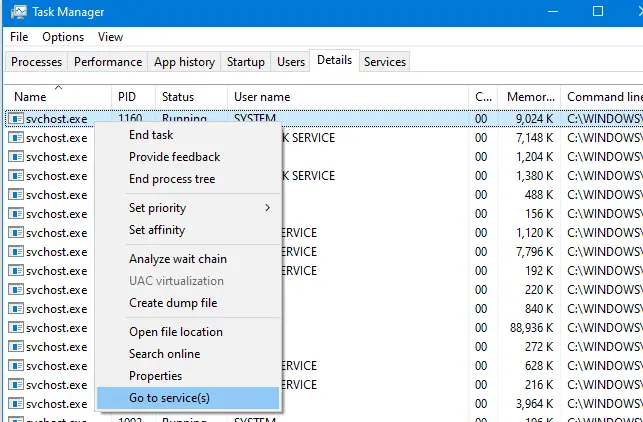
Multiple Svchost.exe in Task Manager; View Services Running Under Each Svchost.exe

view services running under svchost.exe

Svchost.exe is a process that hosts Windows services to perform various functions. There can be multiple instances of svchost.exe (host process for Windows services) running on your computer, with each instance containing different services. Especially on Windows 10 v1709 and Windows 11, you might see 50+ Svchost.exe processes.

Using Task Manager, you can view the list of Services running under a particular svchost.exe process. Read more

Fun Tip: Add “Speak” Option to the Context Menu for Text Files

The amazing NirCmd utility now has a new “speak” command that allows you to easily cause your computer to speak the text that you wish. In this command, NirCmd uses the Speech library (SAPI) that is installed in Windows. Here is a fun tip on how to add the Speak command to the context menu for Text Documents (.txt).Read more