Almost every Windows user would customize their Start menu layout as per their requirement, to ease their workflow. It’s also helpful if you backup the Start menu tiles layout in Windows after customizing it, just in case your profile becomes corrupt at some point of time due to one reason or the other.Read more
Windows
You’re browsing the “Windows” parent category, which lists articles on every Windows Operating System.
Show Color on Title bar, but not on Taskbar and Start Menu in Windows 10
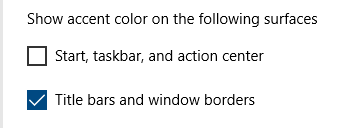
With the Anniversary Update, you can show color on the title bar and still have the default (black) color for the Start menu and Taskbar. In earlier Windows 10 builds, you needed a registry edit to independently colorize the title bar. You don’t need to hack it anymore, as it’s now a built-in option.Read more
Restore Default Items to the New Menu (ShellNew) in Windows
The New menu helps you create a new file quickly in the current folder location. The New menu lists the following items by default in a clean install of Windows:Read more
Desktop looks like a regular folder or Changes to Tiles view mode
If your Desktop has suddenly changed to “Tiles” view mode on your Windows computer, you may have accidentally hit a shortcut key that switches the folder view mode. It’s also possible that the FFlags registry value data is incorrect. This article tells you how to restore the Desktop’s default view back. This may also … Read more
[Fix] Cannot Run Programs Without Typing the Extension (.EXE) in Command Prompt
If you’re unable to launch programs without having to type the extension “.exe” in a Command Prompt window, you need to fix your PATHEXT variable.Read more
Search Results Empty (No Results) in Windows 10 Settings Page [Fix]
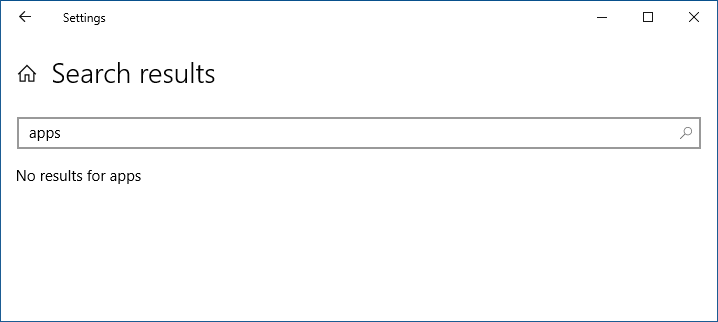
If searching through the Windows 10 Settings page is extremely slow or returns a “No results” message, this article has the solution.
The the Start menu search feature may also be non-functional. Nothing may happen when you click Start and press a letter.
How to Change Drive Icons With Custom .ICO Files in Windows?
Summary: This post tells you how to customize drive icons using autorun.inf, for fixed drives as well as removable disk drives. This method applies to any version of Windows, including Windows 10.Read more
How to Undo Desktop Icons Auto Arrange? [Quick Tip]
If you’ve accidentally reset your custom desktop icons layout by enabling Auto-arrange or by hitting a wrong key sequence, here is a neat trick to revert back to the original position.Read more
How to Reset or Repair a Windows 10/11 App When it Fails to Work
Windows 10/1 includes a feature where you can quickly reset or repair a store app without having to uninstall and reinstall it. Universal Apps store their settings in per-app registry hives, and resetting the app is probably the only way you can clear the settings.Read more
Windows 10’s “Network Reset” Fixes Internet Connectivity Issues
Windows 10 Anniversary Update includes a new feature named Network Reset that quickly resets your network settings to defaults, for all network adapters in the system. This can be very useful to revert back to the default settings if you face any connectivity issues especially after malware attack. For instance, the Network Reset feature comes in handy if your ethernet or Wi-Fi network can’t pick up an IP address from the DHCP server or router, and see the following error when running the troubleshooter:
WiFi doesn’t have a valid IP configuration (Not Fixed)