With the visual effects turned on by default, Windows 10 Start menu may open a bit slow, caused by animation effect of the Start frame (window) as well as the animation of elements inside the Start menu.Read more
Windows
You’re browsing the “Windows” parent category, which lists articles on every Windows Operating System.
How to Compare the Contents of Two Folders and Synchronize them
Traditionally, Windows users have employed XCOPY or SyncToy to mirror copy a certain directory to a different location. If you’re using Microsoft SyncToy, especially on Windows 10 or 11, it’s possible that sometimes the files or folders may be missing in the destination, or the destination folder has extra files or folders that are not in the source folder. Fortunately, nowadays, were have many specialized freeware sync tools that can compare and auto-sync your folders.Read more
Fix: Windows Key (WinKey) Does Not Work
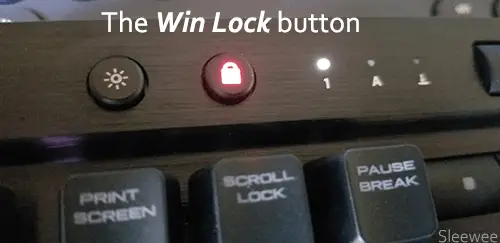
Windows includes several Windows logo key (WinKey) shortcut combinations to launch programs. If these built-in WinKey keystrokes do not work in your system, they may have been blocked in the registry.Read more
Associate .SH Shell Scripts with Bash in Windows 10
If you’ve installed Bash on Ubuntu on Windows in Windows 10 version 1607 and higher, and want to associate .SH shell scripts with Bash, here is a quick script solution.Read more
How to Use Quick Assist in Windows 10 to Give and Get Assistance Remotely?
Quick Assist is a remote assistance program which is included in the Windows 10 Anniversary Update, but not much advertised. Here is a walk-through on how to use “Quick Assist”.Read more
Windows Photo Viewer Applies Yellow Tint to Photos
When previewing images using Windows Photo Viewer or Windows Photo Gallery (part of the Windows Essentials suite), the viewer background, as well as the image, may show up with a yellow tint and appear off-colored.Read more
Remove “3D Print with 3D Builder” Right-Click Menu Option in Windows 10
The Windows 10 Redstone build adds 3D Print with 3D Builder option to the right-click menu for image file types. This option remains in the context menu even if you uninstall 3D Builder, and clicking “3D Print with 3D Builder” in the right-click menu would reinstall 3D Builder app automatically. If you don’t use 3D builder, here is how to remove the context menu entry.Read more
Put Windows Into Sleep or Hibernate Mode Using Command-line
If you frequently use the Sleep or Hibernate feature in Windows, you can create and pin a shortcut to the Taskbar to put your computer to sleep or hibernate mode in a single click, without having to open the Start menu. Here is how to do that.Read more
How to Disable the Lock Screen in Windows 10 and 11
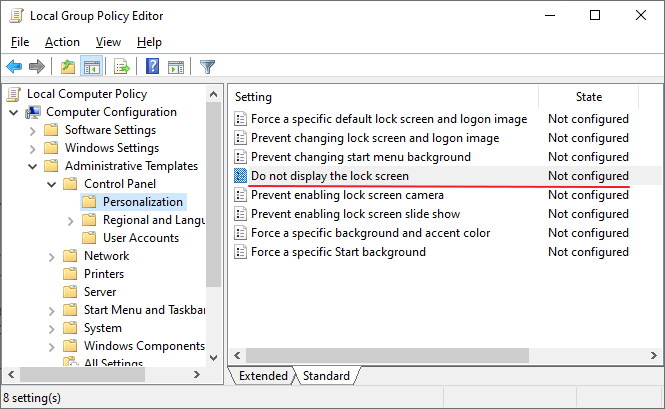
Do you find the Windows lock screen inconvenient and unnecessary? This post explains how to disable the lock screen in Windows 10 and 11.
The lock screen although conceals the login screen with a nice looking wallpaper, it takes an extra mouse click, touch, or keypress to go to the login screen where you input your credentials. This is not just during the first login, but every time you need to unlock a workstation – locked either due to screensaver or power options timeout, when resuming from sleep or hibernate mode, or the user has locked the workstation earlier.
How to Start Microsoft Defender Offline Scan in Windows 10/11

Malware is more complex today than it was many years ago. It operates at the filter driver, service, or rootkit level, and eliminating it is tough. Sometimes, you need to boot to the Windows RE environment and then delete the core malware files and services added to your Windows installation. Microsoft Defender Offline takes care … Read more