After reading the post Folder Redirection for Favorites on the Same Machine at the IE Team blog, I relocated my Favorites folder to a different drive. After the relocation, when I tried to add a URL to Favorites, I received the following error:Read more
Month: March 2007
Desktop.ini file automatically opens when you start Windows
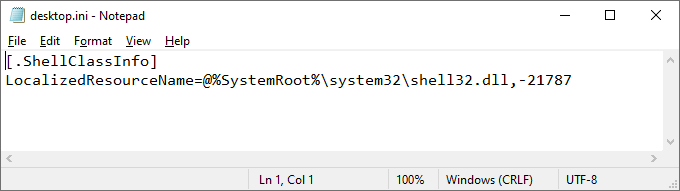
When you start your computer, the desktop.ini file may automatically open in Notepad. It may have the following contents: [.ShellClassInfo] LocalizedResourceName=@%SystemRoot%\system32\shell32.dll,-21787 Desktop.ini is a configuration file which can be used to customize folder icons, caption, etc., on a per-folder basis. The desktop.ini file (in your the Startup folder) may open at startup if the hidden … Read more
PNG images are not displayed on Web sites in Internet Explorer
When you open a Web page, the .PNG images in that page may not be displayed. Instead, a red X, or a placeholder, may appear in place of the images. However, all other image file types may display correctly in Internet Explorer. This problem may be seen after installing a third-party application which could have … Read more
Shell Commands to Access the Special Folders in Windows 10/11
The shell: protocol can be used to open a special folder directly from the Start → Search or the Run dialog. For example, the command shell:sendto opens the “Send To” folder of your user profile. To launch the Documents folder of your user profile, you’d type shell:Personal. Below is a complete shell: commands listing for … Read more
[Fix] .EXE Files Open in Notepad or Other App when Double-clicked
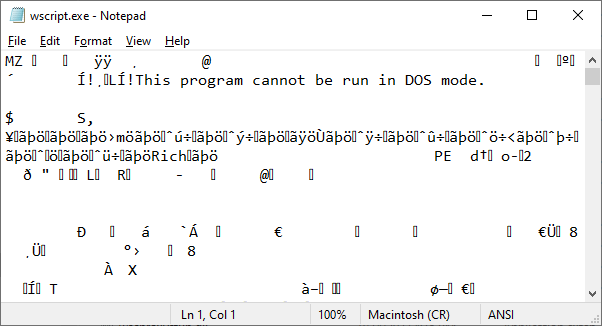
Summary: Double-clicking an .exe file may open Notepad or any other application, displaying junk characters. On some systems, the Open with dialog may appear when double-clicking .exe files. This article explains how to fix the .exe file association in Windows 10 and 11.
Did you accidentally use the Default Programs or Open With dialog to associate .exe file types with an application like Notepad? This causes every program to open in that chosen application. Unfortunately, Windows does not provide an option to reset the .exe file associations. You need to fix the association settings using a .reg file or script.Read more
“Open File Location” Missing in Right-Click Menu for Shortcuts
When you right-click on a shortcut (.lnk file), the option Open file location may be missing from the right-click menu. This happens if the IsShortcut registry value for .lnk files (Shortcuts) is deleted in an attempt to hide the overlay icon in shortcuts.Read more
Fix Send Page by E-Mail Option Grayed Out in Internet Explorer
When you try to send a webpage or link by email via the File – Send menu in Internet Explorer, the options Page by E-Mail… and Link by E-Mail… may be dimmed/grayed out. This happens if a default mail client is not correctly set. Use the instructions below to reset the default mail client.Read more
How to Open Elevated or Admin Command Prompt in Windows?
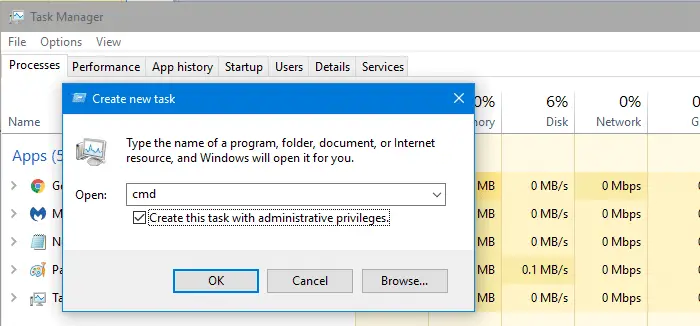
Command Prompt is one of the most used tools in Windows. For tasks requiring administrator privileges, we need to start Command Prompt as administrator (“elevated”). This article describes different ways to open an elevated or administrator Command Prompt window.Read more
