If you’re receiving the following error message related to “xdgaudio.vbs” in your system, then your computer is most likely infected.Read more
Windows
You’re browsing the “Windows” parent category, which lists articles on every Windows Operating System.
Fix “Another App Is Controlling Your Sound At The Moment” Error in Windows 10
Are you’re receiving the following error message or similar when playing a audio or video file in your Groove app, Windows Media Player or the Movies & TV app in Windows 10?
Can’t play. Another app is controlling your sound at the moment. To listen here, close that app and try again. Error 0xc101009b (0xc00d4e85)
[Fix] Turn Windows Features On Or Off is Blank in Windows 10/11
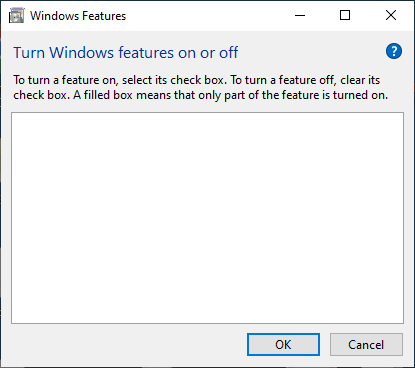
The Windows Features dialog box (optionalfeatures.exe) lets you add or remove additional or optional Windows features. For instance, you can remove Media Features → Windows Media Player using the Windows Features (“Turn Windows Features On Or Off”) dialog box if you no longer plan to use WMP.
Sometimes, the “Turn Windows Features On Or Off” box may be completely empty.Read more
Pin Website to Taskbar Using Edge in Windows 10
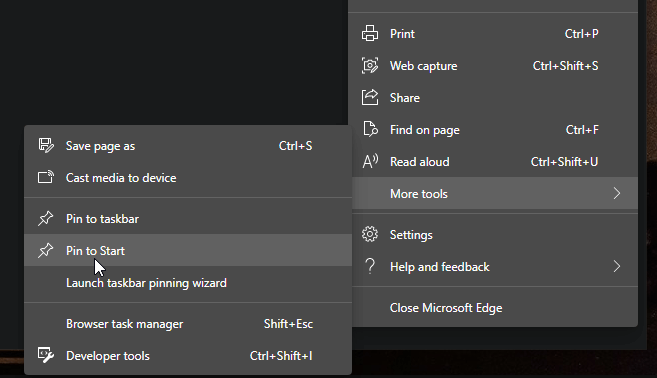
This post tells you how to pin a website to the Taskbar using the Microsoft Edge web browser.
Read more
How to Repair Windows 10/11 System Files Using DISM and SFC
If the system files in your Windows 10/11 computer become corrupt and the System File Checker (SFC /scannow) is unable to reinstate the critical system files, it’s due to corruption of the Component Store located in the C:\Windows\WinSxS directory. This directory contains the files needed for the SFC utility to restore missing or damaged system files. The Component store stores all the Windows system files grouped by components and as hard links.
How to Remove Microsoft Edge Tab Button in Internet Explorer?
Since the Windows 10 Creators Update, the Microsoft Edge button has been added to the Internet Explorer tab bar, next to the New Tab button. Clicking this button launches Microsoft Edge web browser.Read more
What is Windows10Upgrade Folder and Can I Delete it?
The Windows10Upgrade folder located on the system drive is used by Windows 10 Upgrade Assistant. When you update Windows 10 using this tool, the Windows 10 image ESD file is downloaded to this folder.Read more
What is $SysReset Folder and Can I Delete it?
If File Explorer is set to display hidden files, you may have noticed a hidden $SysReset folder on the C:\ drive. What does this folder contain, and is it safe to delete?Read more