After purchasing Windows 11 Home to Pro via the Microsoft Store digital upgrade, the installation may fail with error code 0xc004f050 at 10%.
Error code 0xC004F050 indicates “The Software Protection Service reported that the product key is invalid.”
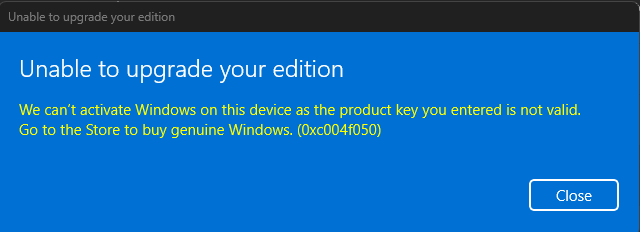
This issue may happen even though the Pro upgrade was successful, and the amount has been deducted from your credit card.
Resolution
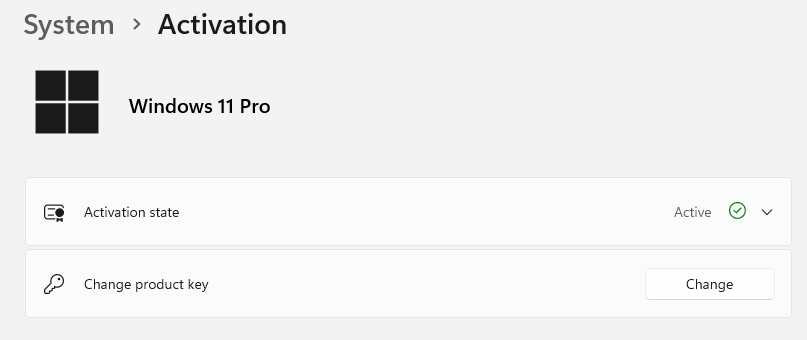
Please open Settings → System → Activation → Change product key.
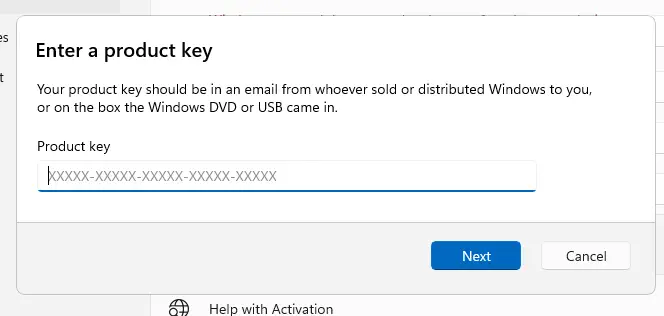
Disconnect from the internet.
Type in the generic Windows 10/11 Pro key mentioned below:
VK7JG-NPHTM-C97JM-9MPGT-3V66T
Click Next, and click Activate.
If the Store purchase was successful, the above generic key should upgrade Windows 10/11 to Pro.
Restart Windows, reconnect to the internet, and sign in to your Microsoft account you used to purchase the Pro upgrade.
Related articles
[Fix] Windows 11 Home to Pro Upgrade Error 0x80070490
How to Upgrade Windows 11 Home to Pro
Purchased Windows Pro Upgrade but it Installed Enterprise Edition
How to Downgrade Windows 10 or 11 Pro to Home Edition
One small request: If you liked this post, please share this?
One "tiny" share from you would seriously help a lot with the growth of this blog. Some great suggestions:- Pin it!
- Share it to your favorite blog + Facebook, Reddit
- Tweet it!
