View Resources Usage by Individual Services in Windows 10

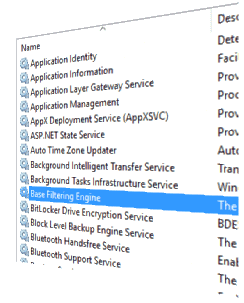
With the Windows 10 Creators Update (codenamed “Redstone 2”) Preview Build 14942, the way in which services are hosted has changed. In Windows 10 v1703 systems with more than 3.5 GB of RAM, each service would get its own service host (svchost.exe), instead of running under a shared service process. This lets you view the resources usage by each individual service. Resources here mean network, memory, disk and CPU usage.Read more

Windows 10 Default Services Configuration and Permissions

The Windows 10 Services configuration defaults are provided on this page. The settings below are gathered from a Windows 10 Pro PC (clean install, rather than upgrade).

Last updated on April 27, 2024 – Windows 10 Pro v22H2 is the current version as of this revision. The Service permission (SDDL strings) defaults are also included for each service.

Read more

Fix for Base Filtering Engine (BFE) Service Error 1083

base filtering engine error 1083 registry edit

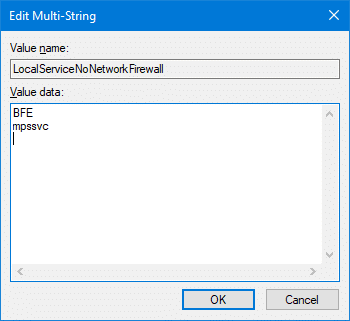
When you try to start the Windows Firewall in a Windows computer, you may get a message stating that the the Base Filtering Engine (BFE) service is not running, and any attempts to start the BFE service may result in the error 1083:

Windows could not start the Base Filtering Engine service on Local Computer.
Error 1083: The executable program that this service is configured to run in does not implement the service.

Read more

Backup Windows 10/11 Services Startup Type Configuration

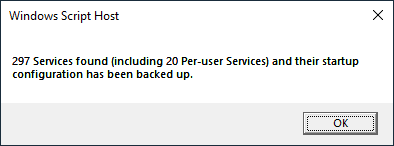
backup services script message box

After doing a fresh install of Windows, disabling unused Windows Services is one of the time-consuming tasks you perform. Once configured, you can back up the service startup state using a Script so that it can be used for subsequent installations or if you need to automate the task on several computers.

Services state backups can also help when you troubleshoot Windows services and want to quickly roll back the changes you made.

Read more

Windows Audio Error 1068 and “The Audio Service is not running”

windows audio service not started

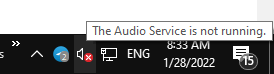
The speaker icon in the Taskbar’s notification area may appear with a red cross. When you hover the mouse pointer, it may say, “The Audio Service is not running.”

Clicking the speaker icon may launch the Get Help or the audio troubleshooter. This happens if the Windows Audio service is turned off. As a result, there will be no sound output in your device.

windows audio service not started

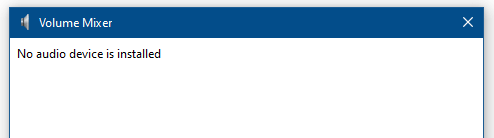
Launching the Volume Mixer by running Sndvol.exe would show the following error:

No audio device is installed

windows audio service not startedRead more

Windows Installer Service Missing; Error “The Windows Installer Service could not be accessed”

windows installer service error windows 11

When you try to install a program that uses Windows Installer on a Windows computer, you may receive the following error.

The Windows Installer Service could not be accessed. This can occur if the Windows Installer is not correctly installed. Contact your support personnel for assistance.

Read more