The System Storage page in Settings window lists all storage drives along with the disk space used by each drive. You can further drill down the information by selecting a drive letter and see the detailed storage usage by that drive.Read more
Windows
You’re browsing the “Windows” parent category, which lists articles on every Windows Operating System.
Add Microsoft Defender Options as Cascading Right-Click Menu in Desktop
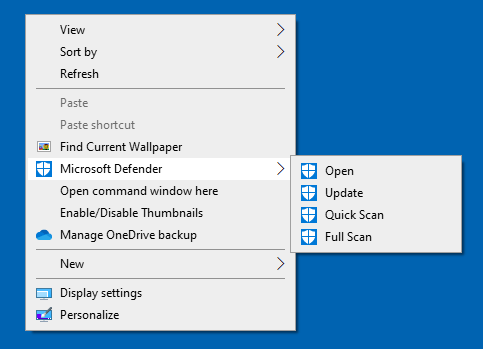
Here is a registry tweak that adds some Windows Defender options to the Desktop Context menu as a cascading menu so you can quickly run a scan, update, or open Microsoft Defender.Read more
How to Delete Older Versions of Device Drivers in Windows?
When you update the device drivers in your system via Windows Update or other sources, Windows still keeps a copy of your older versions of device driver packages. If your system is running fine with the latest drivers and don’t need to rollback the drivers, you can save some disk space by clearing the older, unused driver packages.Read more
User Account Settings Closes When Adding an Account or Switching to MS Account
If the User Accounts Settings page closes abruptly when trying to create a new user account or when switching your local user account to Microsoft account, here is a couple of PowerShell commands to fix the problem.Read more
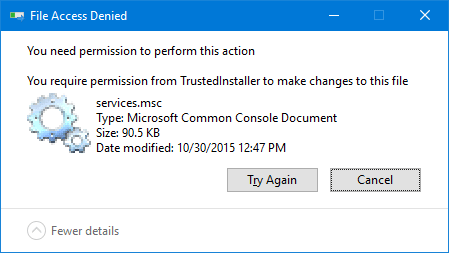
How to Run Programs as TrustedInstaller to Write to Certain Registry Keys or Files
Even when running programs elevated (Administrator), certain registry keys and files are not writable. This may be because the files are owned by TrustedInstaller, and no write access granted for Administrators. In that case, running the program as TrustedInstaller can help fix a locked registry key or clear a file that can’t be accessed anyway.
Accidentally Deleted SystemApps, WindowsApps or Local Packages. How to Recover?
If you have accidentally deleted the Windows 10 apps folders such as SystemApps, WindowsApps, or the Packages folder (in Local Application Data), here is how to restore them back.Read more
Add Bash to the Right-Click Menu for Folders in Windows 10
So you installed Bash in Windows 10 (Anniversary Update v1607) and wondering how to add it to the right-click menu for folders, like the built-in “Open Command window here” option? Here is a registry edit to add “Bash here” to the context menu for folders and desktop.Read more
File System and Storage Diagnostic Tool StorDiag.exe in Windows 10
The Windows 10 Redstone 1 update silently adds a new console tool (StorDiag.exe) which can be used to collect storage and file system diagnostic logs. This is a useful tool for identifying problems with your hard drive or the file system, and the collected data can be helpful for troubleshooting purposes.Read more
How to Disable File Explorer Ads (Sync Provider Notifications) in Windows 10
Starting with Windows 10 Insider Build 14901, Microsoft would be sending out new notifications within File Explorer to educate users about Windows 10’s features. Here is how the notifications or ads would look like.Read more
Get back Classic Sticky Notes After Installing Windows 10 Anniversary Update
With the Redstone update, Sticky Notes has been transformed into a modern (UWP) program with new features added. The original desktop version of Stick Notes is discontinued and the last desktop version of the StikyNot.exe is 10586.494.Read more