Fix Error “Documents.library-ms is no longer working” in Windows 7

When you double-click a library to view the contents, the following error may occur. “<libraryname>.library-ms” is no longer working. For example, the following error may occur when opening Documents library “Documents.library-ms” is no longer working. This library can be safely deleted from your computer. Folders that have been included will not be affected. Similarly when … Read more

Fix for Event Log Service Startup Error 1079

When you start the Event Viewer, the following error message may be shown. Event Log service is unavailable. Verify that the service is running. Any attempts to start the Event Log service results in the following error: Windows could not start the Windows Event Log service on Local Computer. Error 1079: The account specified for … Read more

Updating Microsoft Security Essentials Using Command-Line

Microsoft Security Essentials includes a command-line utility which can be used to update the virus/malware definitions, initiate a scan, undo a recent definition update and perform other tasks. To know how to use the command-line utility, open a Command Prompt window (CMD.EXE) and execute the following command: “%ProgramFiles%\Microsoft Security Essentials\MpCmdRun.exe” /?   Command Description -? … Read more

How to Enable Quick Edit Mode in the Command Prompt by Default

You can use the mouse to copy Command Prompt text to the clipboard by enabling the Quick Edit option in Command Prompt shortcut properties. What if you don’t use a desktop shortcut to open Command Prompt, and rather run cmd.exe directly? Here is a registry edit which enables Quick Edit option by default for Command Prompt. This works regardless of the methods you use to open the Command Prompt window.

This article was written for older Windows versions. Quick Edit is enabled by default in latest versions of Windows, such as Windows 10.

Read more

[Fix] Recycle Bin Icon Does Not Refresh Correctly

recycle bin does not refresh

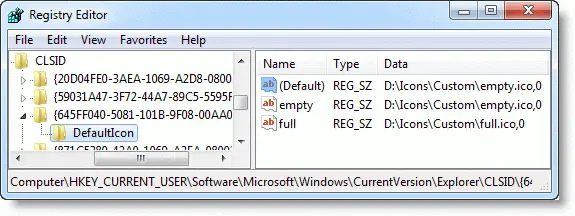
When you use a custom icon (.ico) file to customize the Recycle Bin Empty & Full icons manually or via a desktop theme, the Recycle Bin icon may not update or refresh correctly when emptying the Recycle Bin or when you add items to it. In some cases, the issue may occur even if you’re using the Windows default icons for the Recycle Bin.

There are two variations of the problem:

  • When using the Windows default icons for the Recycle Bin, Recycle Bin would either be stuck on the empty icon or the full icon, but the icon updates correctly when you press the F5 button on the keyboard.
  • Another variation is that the Recycle Bin icon does not refresh automatically only when using custom icon files for Recycle Bin (Full) and Recycle Bin (Empty).

This post mentions the solution for the Recycle Bin icon refresh problem for all versions of Windows, including Windows 10/11.Read more

[Fix] Folders Open in New Window Every time

folders open new window fix

When you open File Explorer and double-click a folder, it may open a new Explorer window rather than showing the folder contents in the existing window.

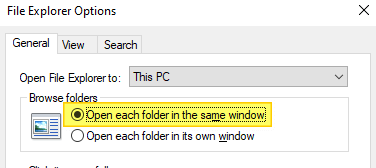
This issue may occur even though the “Open each folder in the same window” setting is selected in Control Panel → Folder Options.
folders open new window fix

Cause

Folders may always open in a new window due to the wrong folder association settings in the registry. For example, the (default) registry value data in the following key may be incorrectly set to “opennewwindow

HKEY_CLASSES_ROOT\Folder\shell

Or, an unwanted registry value named LaunchExplorerFlags may be present in the following registry location:

HKEY_CLASSES_ROOT\Folder\shell\open

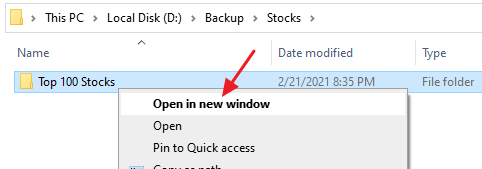
If the LaunchExplorerFlags value exists and its data is a non-zero value (i.e., not equal to 0x0), then this value overrides the “Open each folder in the same window” setting. Due to the incorrect registry setting, the default double-click action folders is set to “Open in new window”.
folders open new window fix

Another possible cause is that the “DelegateExecute” registry value may be missing in the above location.

These incorrect registry settings force Windows to open folders in a new window when you double-click on them. Let’s see how to fix this problem.

The fixes #1 and #2 below apply to all versions of Windows, including Windows 11.Read more