Most users customize the right-click menu by adding additional verbs in the registry in order to launch programs or scripts. Windows 7 (and higher) lets you add the UAC Shield icon for static context menu items. If a verb you add to the right-click menu launches a program which runs elevated by default, then it’s a good idea to add the UAC shield icon so that users know that the task requires elevation.Read more
Windows
You’re browsing the “Windows” parent category, which lists articles on every Windows Operating System.
Fix for Desktop Icons Layout Not Getting Saved Upon Restarting Windows
Windows saves the desktop icon layout when the user logs off, and the setting is read during logon. Recently I came across a case where the desktop icons rearrange to their default positions after a restart or logoff/login cycle.
This turned out to be a Permissions issue with a registry key, which kept Windows from writing to it. Here are some fixes for this issue, which apply to all versions of Windows, including Windows 10.Read more
File Association Fixes for Windows 7 and Windows Vista
This page contains the file association fixes for some of the common file types. These fixes are applicable for Windows® 7 and Windows® Vista systems only. File association fixes for Windows 7 AVI IMG SCR BAT INF TIF/TIFF BMP JPE/JPEG/JPG TXT CHM JS VBS CMD LNK WMA COM MP3 WMV EXE MPE/MPEG/MPG XML GIF MSC … Read more
How to Update Microsoft Security Essentials Definitions Offline
Microsoft Security Essentials uses Microsoft Update to check for, and download definition updates every 24 hours. If you have a number of computers in your home or office without (or having limited) internet access, you may have to install the definition updates offline. To download the Microsoft Security Essentials virus and spyware definition update file, click the appropriate link below:Read more
New Command-Line Parameters for Defrag.exe in Windows 7
Several new switches or parameters are added to the defragmentation console tool (defrag.exe) in Windows 7. The switches are /E, /H, /M, /T, /U & /X. Here is the entire list of parameters supported by defrag.exe (v6.1) in Windows 7: Switch Description /A Perform analysis on the specified volumes. /C Perform the operation on all … Read more
[Fix] Services MMC Extended View is Blank in Windows
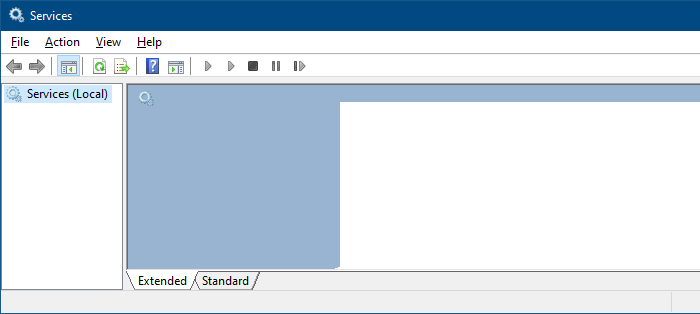
The Extended view of the Services Management Console (services.msc) displays the service description and also has links to start or stop services. In some systems, the Extended view may appear blank, as in the figure below: Let’s see how to fix this issue. The instructions apply to all versions of Windows, including Windows 10. [Fix] … Read more
How to Restore NTBackup BKF Files in Windows 10
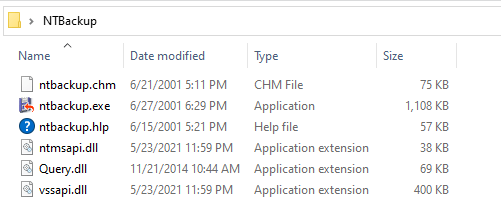
Summary: This post explains how to successfully run NTBackup on Windows 10 and restore data from a .BKF file easily!
There are many users who have got backups done using the NTBackup Tool (also known as “Windows Backup Utility”) in earlier versions of Windows. After upgrading to Windows 10, they find that the NTBackup tool doesn’t exist on Windows 10. Also, Microsoft has taken down the Windows NT Backup Restore Utility (KB974674) from their servers.Read more
Restore all Windows in a Grouped Taskbar Button
If you haven’t gone through the official Windows Keyboard Shortcuts list, you may be wondering if it’s possible to open all the windows which are grouped under a single icon in the Taskbar.
Luckily, there is a keyboard shortcut available for this so that you don’t have to open each window in the group one at a time.Read more
How to Create Bootable USB Disk from ISO
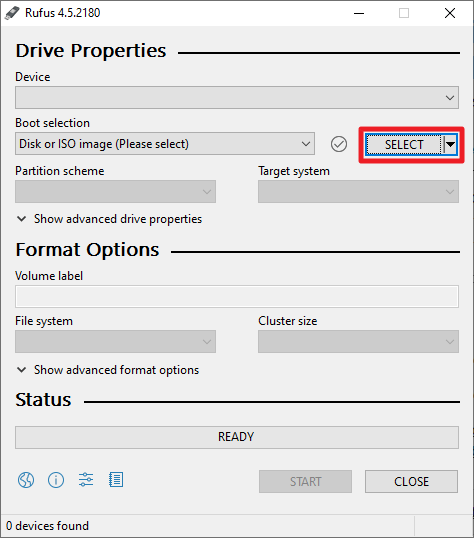
This article explains the different methods to create a bootable USB Windows Setup disk from a Windows 10 or 11 ISO image.
Follow one of the three methods in this article to create a USB Windows Setup Disk from the Windows ISO.
How To Disable Taskbar Thumbnail Preview in Windows 10 & Earlier
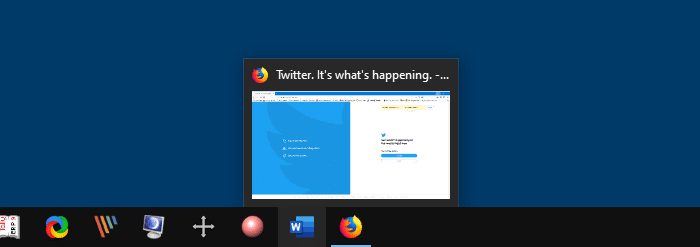
Windows does not have a GUI option to disable the taskbar thumbnail preview feature. I’ve experimented with the registry setting TaskbarNoThumbnail and its equivalent GPO Turn off taskbar thumbnails. That setting seems to apply only to Windows Vista and has no effect in Windows 7 and higher. You can, however, disable the taskbar thumbnail feature … Read more