Some file association settings got mangled in your system? This page contains the default file association settings (.reg files) for some common file types. These fixes are applicable for Windows® 8 systems only.Read more
Windows
You’re browsing the “Windows” parent category, which lists articles on every Windows Operating System.
Restore “Hibernate” to the Start Menu in Windows 10
The Power user menu (Win + X) and the Start menu power button do not display Hibernate option by default in Windows 8 and Windows 10. However, the option can be enabled via the Power Options Control Panel, using these steps:Read more
How to Display Build Info, Edition and WinDir Path on the Desktop
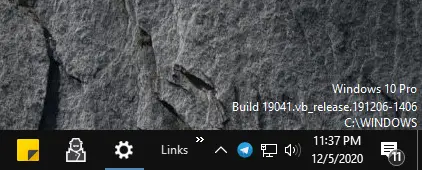
Here is a neat little registry edit for Windows 8 and Windows 10 systems that shows the build information and Windows version on the lower right corner of the desktop as a watermark.
The good old PaintDesktopVersion registry edit still works in Windows 8 and Windows 10, but there is another way to display the same information in addition to the Windows installation directory name.Read more
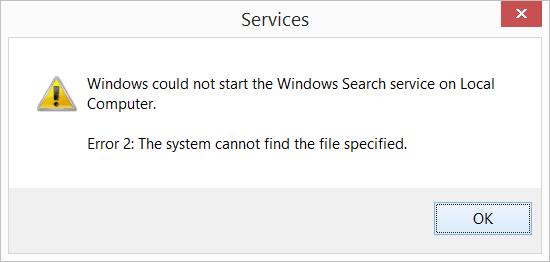
Fix: “View Reliability History” (Reliability Monitor) is Completely Blank
When you try to view the reliability history (Reliability Monitor) of your computer via Control Panel or Action Center, the reliability history page may be completely blank/empty. This can happen if the Task Scheduler Service or RACTask scheduled job is disabled in your computer.
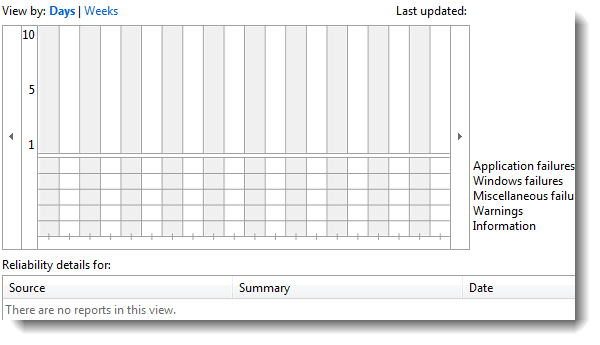
To re-enable tracking of events by the Reliability Monitor, use these steps:Read more
Copy Process Details in Windows Task Manager to the Clipboard
The Windows 8 Task Manager has several new features and improvements. Of which, one of the nice additions to the Windows 8 Task Manager is that you can copy process details to the clipboard by pressing CTRL + C. This is one of the little new, but overlooked additions in Task Manager.Read more
How to Find the Current Wallpaper File Name and Path in Windows 10/11
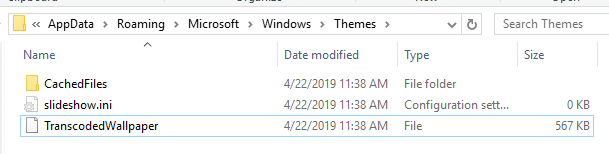
If you’re using the Desktop background slideshow or third-party wallpaper changer software and want to find the file name of the currently displayed desktop wallpaper, then this article is for you. The current wallpaper path is are stored in the registry but is not displayed in the modern Personalize settings page in Windows 10/11.
This post tells you how to find the current wallpaper file name and path in Windows 8, Windows 10, and Windows 11.Read more