 Windows Vista users need to use the RunAs.exe console tool or the ShellRunas shell extension from Windows SysInternals to launch programs as a different user. Windows 7 includes the Run as different user feature as a built-in option in the right-click menu.Read more
 Ramesh
How to Lower the Disk Space Allotted to System Restore in Windows
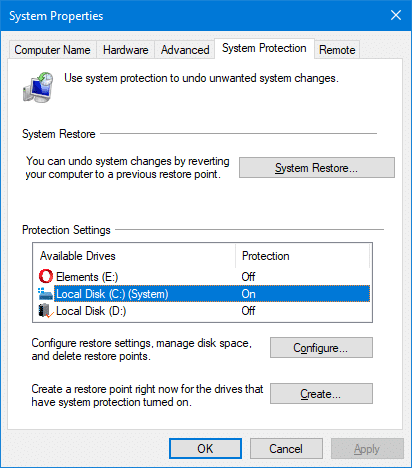
System Restore uses a considerable amount of disk space on the computer. While it’s not a problem for systems with bigger hard drives, you most likely would be running out of disk space in systems with a low-capacity drive such as a 150 GB hard disk, especially if you have Windows 10.
If you’re running short of disk space, you can analyze disk usage by files and programs, clear previous Windows installation files, and wipe out temporary & junk files using Disk Cleanup or CCleaner. In addition, you can lower the disk space allotted to System Restore to free up disk space in any version of Windows.
How to Resize Images via the Right-click menu in Windows 10
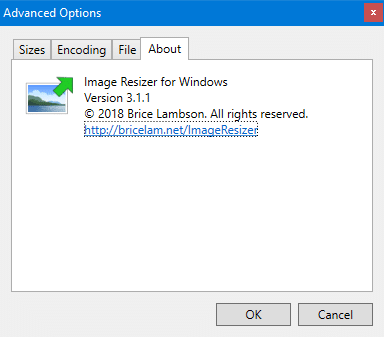
Recently, I stumbled upon an excellent tool to resize images via the right-click menu in Windows. It’s the Image Resizer utility written by Brice Lambson. This utility is similar to Microsoft’s Image Resizer PowerToy for Windows XP. And Brice Lambson’s utility works fine in all versions of Windows, including Windows 10.
How to Add a Drop Shadow Effect for Image Thumbnail Previews in Windows Vista
 When you open a folder containing image files in Windows Vista, the thumbnail images have a photo border by default. You can remove the photo border and add a drop shadow effect using a registry edit.Read more
Fix: Cannot View CHM Files from a Network Drive in Windows Vista
When you open a .CHM file over a network drive in a Windows XP/2003/Vista computer, the right pane may show the following message instead of displaying the topic/contents.Read more
How to Delete Old User Profile Folders Automatically in Windows
Windows includes a Group Policy setting that automatically deletes the user profile folders that are older than a specified number of days. This article applies to Pro and higher editions of Windows that have the Group Policy Editor.Read more
How to Recover Product Keys Offline from Unbootable Windows PC
There are many utilities that can find the lost Product Key of your live Windows installation, but what if the computer is completely dead and unbootable?
This post introduces some third-party utilities that can get the product keys offline (for Windows, Office, and other products) by loading the SOFTWARE registry hive on a mounted hard disk or other sources.Read more
How to Restore the Registry Hives from a System Restore Snapshot in Windows XP
 This article describes how to restore the registry hives from a recent System Restore snapshot in Windows XP, in the event of registry corruption that prevents your Windows XP computer from starting. If the registry hives become corrupted, the following errors are displayed when starting up.Read more
BlockThisSite Menu Extension for Internet Explorer
 Did you accidentally land on a bad site when browsing the Web? While it’s advisable to close bad websites immediately, you can quickly block that particular site before closing it so that you don’t visit that site in the future.
This can be done using the BlockThisSite Internet Explorer Menu Extension that I’ve created for Internet Explorer. The extension works by automatically adding an entry to the HOSTS file for each site you block.Read more