[Fix] Folders Open in New Window Every time

folders open new window fix

When you open File Explorer and double-click a folder, it may open a new Explorer window rather than showing the folder contents in the existing window.

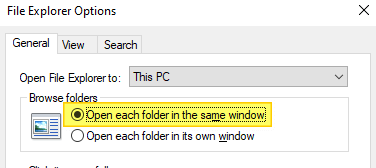
This issue may occur even though the “Open each folder in the same window” setting is selected in Control Panel → Folder Options.
folders open new window fix

Cause

Folders may always open in a new window due to the wrong folder association settings in the registry. For example, the (default) registry value data in the following key may be incorrectly set to “opennewwindow

HKEY_CLASSES_ROOT\Folder\shell

Or, an unwanted registry value named LaunchExplorerFlags may be present in the following registry location:

HKEY_CLASSES_ROOT\Folder\shell\open

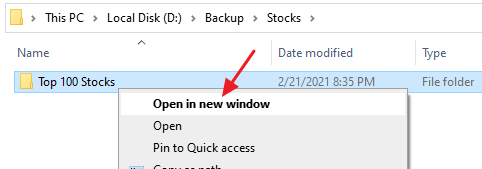
If the LaunchExplorerFlags value exists and its data is a non-zero value (i.e., not equal to 0x0), then this value overrides the “Open each folder in the same window” setting. Due to the incorrect registry setting, the default double-click action folders is set to “Open in new window”.
folders open new window fix

Another possible cause is that the “DelegateExecute” registry value may be missing in the above location.

These incorrect registry settings force Windows to open folders in a new window when you double-click on them. Let’s see how to fix this problem.

The fixes #1 and #2 below apply to all versions of Windows, including Windows 11.Read more

Increase Show Desktop “Aero Peek” Mouse Hover Delay in Windows

delay or disable aero peek taskbar

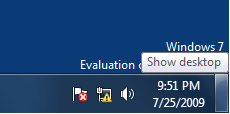
Aero Peek is feature which allows you to temporarily view the desktop without having to minimize all the open windows. You can temporarily preview the desktop by moving the mouse pointer over the Show desktop button near the taskbar notification area.

The default hover delay is 1 second. If this time is too short for you, you can delay it furthermore to avoid accidental preview of the desktop. This can be done using a registry edit discussed in this article.Read more

How to Find the Codec of a Video or Audio File

mediainfo - identify codecs used in video

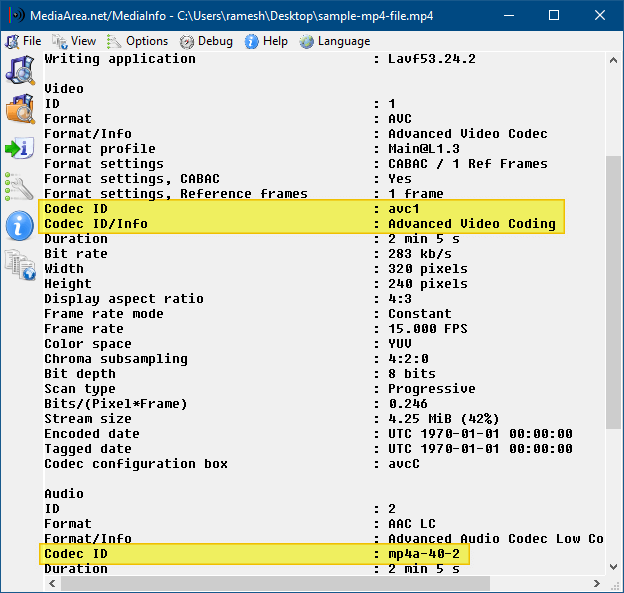
Did you download a movie video recently and found that the movie’s audio or video part does not play? This could be due to missing audio or video codec. To know which codec your system needs, to play your favorite video files correctly, you may use one of these tools discussed in this article.

Even if you have a good codec pack installed on the computer, you sometimes get only audio and no video (often on .avi files). The following programs will help you to identify the missing codec.
Read more

Empty the Recycle Bin Without the Confirmation Window Showing Up

When emptying the contents of your Recycle Bin, you’ll be asked for confirmation as below. Here is a registry edit to turn off the prompt in Windows 7, 8 and Windows 10, using NirCmd. This registry edit replaces the Empty Recycle Bin command in the right-click menu and the ribbon button action with NirCmd, so that the Recycle Bin can be emptied silently.Read more

How to Add Icon to a Context Menu Item in Windows

When working with Windows 7 RC this week, I stumbled upon another nice and useful feature that I thought I should write about. In Windows 7 and higher, you can add icons to your custom right-click (static) menu entries.

Usually, to display a right-click command with an icon, one needs to write a context menu handler Shell Extension (DLL). Now, you can assign icons for static menu items as well, without having to program anything.

The instructions in this article apply to Windows 7 through Windows 10.

Read more

Multiple Svchost.exe in Task Manager; View Services Running Under Each Svchost.exe

view services running under svchost.exe

Svchost.exe is a process that hosts Windows services to perform various functions. There can be multiple instances of svchost.exe (host process for Windows services) running on your computer, with each instance containing different services. Especially on Windows 10 v1709 and Windows 11, you might see 50+ Svchost.exe processes.

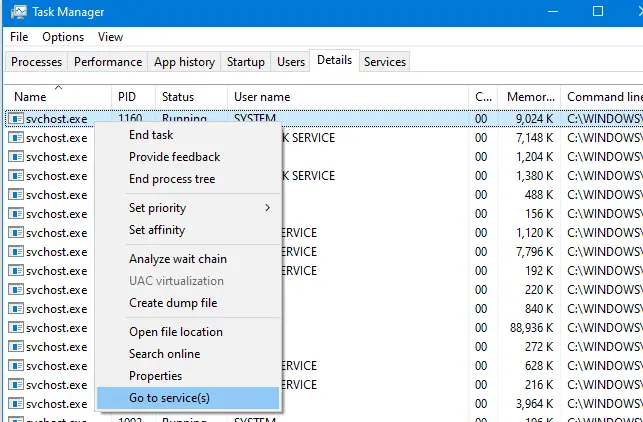
Using Task Manager, you can view the list of Services running under a particular svchost.exe process. Read more