This article explains how to restore registry hives or files from shadow copies. This can be helpful if the current registry hives are damaged and cannot be loaded.
Shadow copy, or Volume Shadow Copy Service (VSS), is a Windows feature that creates snapshots or backup copies of files and volumes, even while they are in use. When you create a System Restore Point, it also creates a shadow copy because System Restore is based on VSS.
If System Restore Points or shadow copies are available on the computer, you should be able to recover files or registry hives from that shadow copy. To see the list of shadow copies available, open Command Prompt (admin) and run the following command:
vssadmin list shadows | findstr /i time
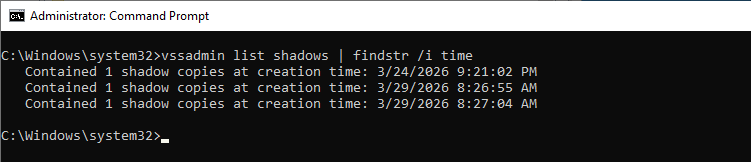
It might show an output like below:
   Contained 1 shadow copies at creation time: 3/24/2026 9:21:02 PM
   Contained 1 shadow copies at creation time: 3/29/2026 8:26:55 AM
   Contained 1 shadow copies at creation time: 3/29/2026 8:27:04 AM
And, if you open System Restore (rstrui.exe), you may see that the System Restore feature created the above shadow copies.
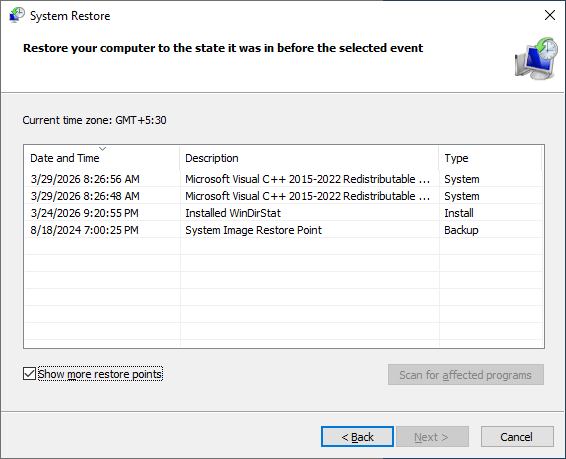
Note: A shadow copy can exist even if no restore points exist on the computer. System Restore is a subset of VSS.
Restore Registry Hives from Shadow Copy
If restore points or shadow copies exist on your computer, follow the instructions below to mount the shadow copy and recover files from it.
Here’s the list of per-system (machine-wide) registry hives:
C:\windows\system32\config\COMPONENTS
C:\windows\system32\config\DRIVERS
C:\windows\system32\config\SAM
C:\windows\system32\config\SECURITY
C:\windows\system32\config\SOFTWARE
C:\windows\system32\config\SYSTEM
The per-user registry hives are below. They’re present under each user profile.
C:\Users\%username%\NTUSER.DAT
C:\Users\%username%\AppData\Local\Microsoft\Windows\UsrClass.dat
To recover the registry hives, you may use ShadowExplorer (free).
Download ShadowExplorer and run it.
Select the drive letter from the list. To restore the registry hives, select the OS partition (i.e., usually volume C: )

Select the shadow copy from which you want to restore the registry hives.
Extract the System registry hives
In that shadow copy, go to the C:\Windows\System32\Config directory.
Sort the results by “Type”.
Select the registry hives, namely, COMPONENTS, DRIVERS, SAM, SECURITY, SOFTWARE, and SYSTEM.
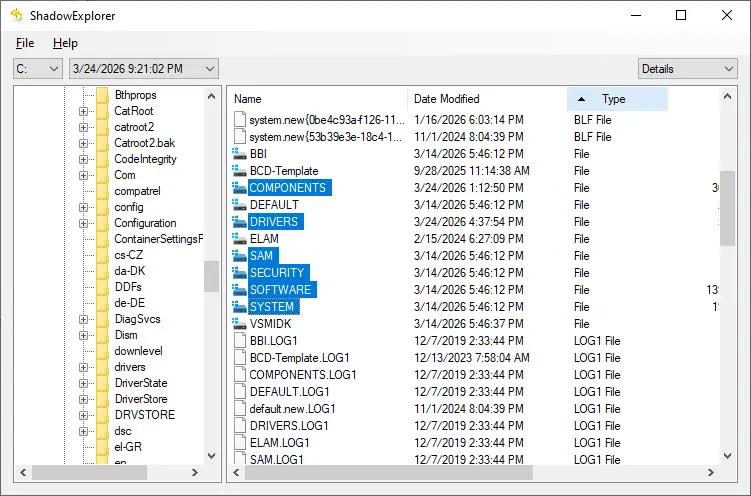
Right-click on the selection and click Export.
In the resulting dialog, select a folder you want to extract to, and click OK.
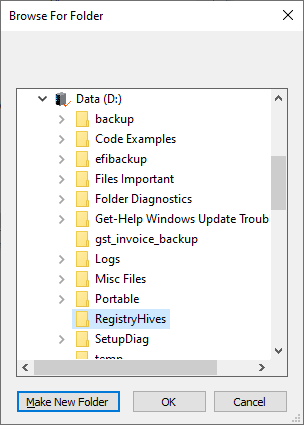
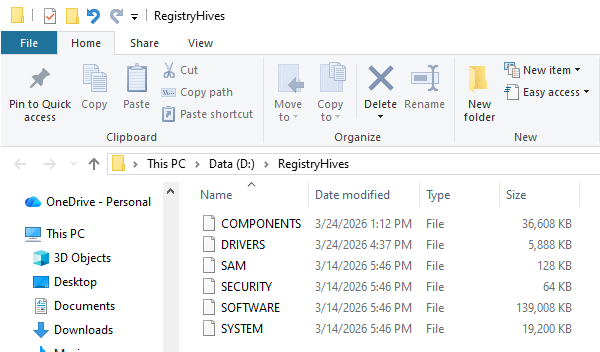
That’s it. The selected registry hives are extracted to the chosen folder:
Extract the User-specific registry hives
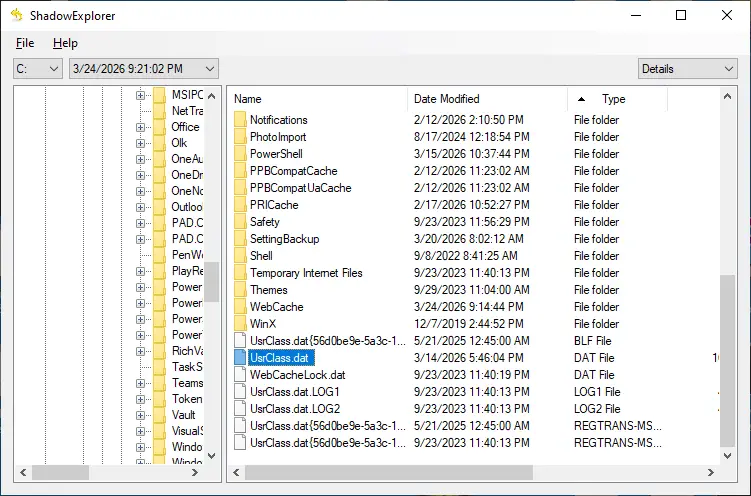
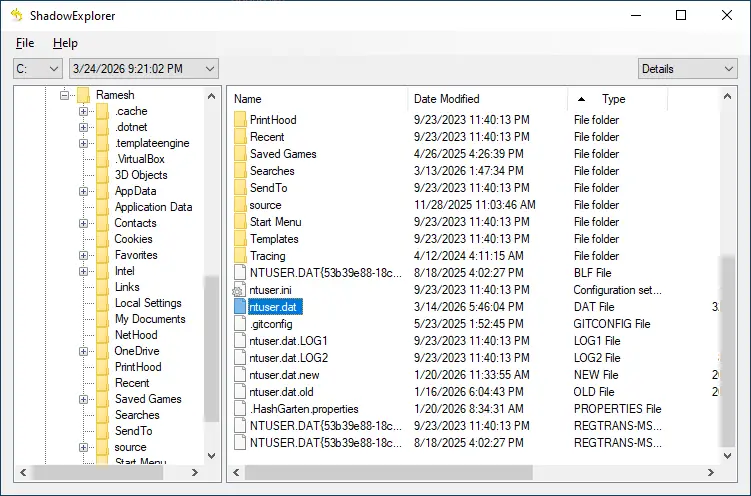
If required, extract the user-specific registry hives below:
C:\Users\%username%\NTUSER.DAT

C:\Users\%username%\AppData\Local\Microsoft\Windows\UsrClass.dat
Additional Information
There are also other portable freeware tools that can restore files from shadow copies.
How to Recover Deleted Files Using Previous versions (Shadow Copy) in Windows
[PreviousFilesRecovery] Search and Recover Files from Shadow Copy Easily
ShadowCopyView Recovers Files From Volume Shadow Copy Snapshots
One small request: If you liked this post, please share this?
One "tiny" share from you would seriously help a lot with the growth of this blog. Some great suggestions:- Pin it!
- Share it to your favorite blog + Facebook, Reddit
- Tweet it!
