We’ve seen the “No preview available” situations before, caused by the incorrect or missing preview handler registration for a file type. Here is a similar problem: the preview pane is empty, showing just the white space for all file types except images.
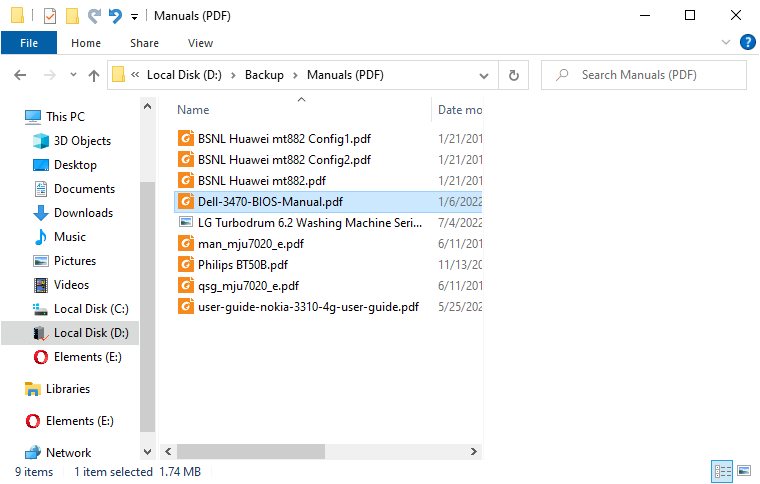
However, the image file types may preview correctly.
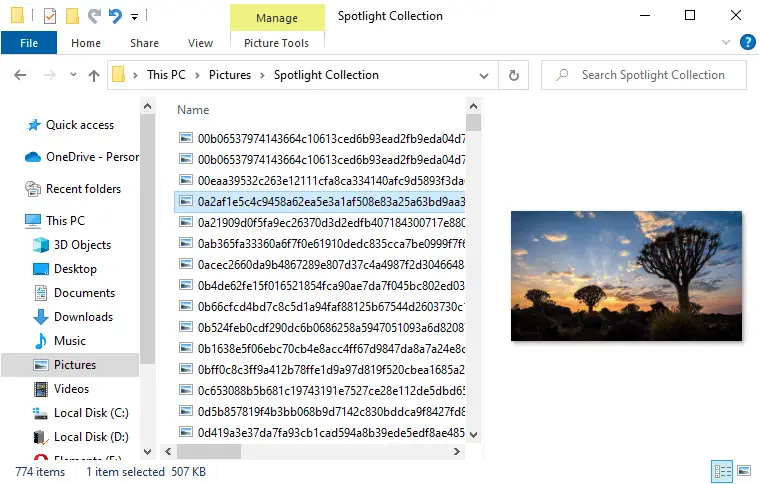
The above issue happens due to a missing Preview Handler Surrogate Host registration.
Solution
To resolve the issue, download prevhost.reg and run it.
INFO: Contents of the REG file
Windows Registry Editor Version 5.00

[HKEY_CLASSES_ROOT\AppID\{6d2b5079-2f0b-48dd-ab7f-97cec514d30b}]
@="Preview Handler Surrogate Host"
"DllSurrogate"=hex(2):25,00,53,00,79,00,73,00,74,00,65,00,6d,00,52,00,6f,00,6f,\
00,74,00,25,00,5c,00,73,00,79,00,73,00,74,00,65,00,6d,00,33,00,32,00,5c,00,\
70,00,72,00,65,00,76,00,68,00,6f,00,73,00,74,00,2e,00,65,00,78,00,65,00,00,\
00
Note that the “DllSurrogate” hex code above simply means %SystemRoot%\system32\prevhost.exe.
(The above fix applies to all versions of Windows 10 and 11.)
Also, check out the other articles on Preview handlers and thumbnails in Windows.
- How to Disable Preview for Certain File Types in Explorer Preview Pane
- Fix: No Video Thumbnails and No Preview Available for Video Files
- Thumbnails Not Showing up in File Explorer
- Preview Pane Not Refreshing Preview for Video Files in Windows 10
- Fix: No Video Thumbnails and No Preview Available for Video Files
I hope that helps. Let’s know your comments.
One small request: If you liked this post, please share this?
One "tiny" share from you would seriously help a lot with the growth of this blog. Some great suggestions:- Pin it!
- Share it to your favorite blog + Facebook, Reddit
- Tweet it!

bruh! thank you!
thank you very helpful
Tried everything else. this worked in 30 seconds thank you!!!
Thank You. But,
I could use a bit of further assistance.
I cannot get the prevhost.reg to successfully run.
In Windows 11 File Explorer, I right-click on the prevhost.reg file and select “Open”.
A Windows “Unknown Publisher” warning dialogue comes up, and I choose “Run”, to continue.
Then a Windows UAC warning dialogue comes up, and I choose “Yes”, to continue.
Then a “Registry Error” warning window pops up that states “Adding information can unintentionally change or delete values and cause components to stop working correctly. If you do not trust the source of this information in C:\Users\….prevhost.reg do not add it to the registry. Are you sure you want to continue?”
To which I click on “Yes”.
Then a “Registry Editor” error dialogue window pops up that states “Cannot import C:\Users\…prevhost.reg Nota all data was successfully written to the registry. Some keys are open by the system or other processes, or you have insufficient privileges to perform this operation.”
I have Administrator Permissions on this, my sole/personal, computer system.
I ensure all applications other than File Explorer are Closed.
Again right-click the prevhost.reg file and select “Open”.
The above scenario repeats.
With the same seemingly unsuccessful result.
What do you suggest to ensure this reg-edit is successfully placed?
Thank you, Alvin
Hi Alvin,
The key may have been protected by TrustedInstaller. Run Regedit.exe as TrustedInstaller and try to import that file. See How to Run Programs as TrustedInstaller to Write to Certain Registry Keys or Files » Winhelponline:
https://www.winhelponline.com/blog/run-program-as-trustedinstaller-locked-registry-keys-files/#advancedrun
I have not been able to preview files on my Windows 10 system for 2+ years. I have tried all the other suggestions from MS websites and others, but nothing worked.
Your registry edit worked for me!
Thank-you so much for your help!
You are my hero!!! Tank You so much!!! Sorry about my poor english, i from Brazil.
My friend, you are a HERO. THANK YOU!
It’s easy when you know how! I’ve been struggling with this for the past two weeks. Tried all the fixes I could find but nothing worked. Run one simple registry fix and Hey Presto!! Good to know that Microsoft have got an expert willing to share his knowledge.
Great! Works as promissed. Thanks
Hi Ramesh…
I tried almost all the explanation in Internet and advised by AI…
Finally, I can view office and pdf documents in the preview pane applying your small prevhost.reg.
Thank you very much…
Hi Ramesh,
I recently ran into this issue on Windows 11 and nothing worked except for your solution. Many thanks!
Awesome!! Simple and short solution, worked perfectly, thanks
Finally my preview pane back.. its work.. Thankyouu