Archive for April, 2009

How to Clear Task Scheduler History in Windows Vista and Windows 7

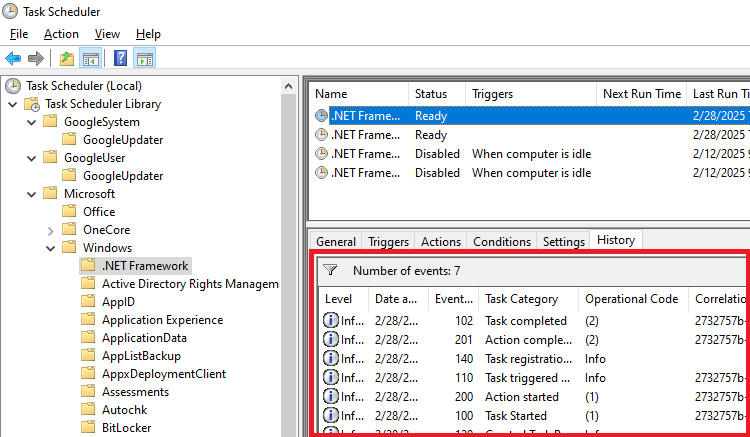
Task Scheduler in Windows 7/Vista store the tracked events for each task, which can be viewed by opening the task properties and clicking on the History tab. The entries are stored in the Microsoft-Windows-TaskScheduler event log. To clear the events history for all tasks, use the instructions in this article. (more…)

Start Internet Explorer 8 in InPrivate Mode Using the Start Menu Internet Icon

Earlier we covered some tips about the InPrivate feature in Internet Explorer 8. Here is another tip (a registry edit) to start Internet Explorer in InPrivate Browsing mode when the user clicks on the Start menu Internet icon. (more…)

Add Google Search Option to the Right-Click Menu in Internet Explorer

Want to search Google for selected text in Internet Explorer via the right-click menu? Here is how to add Google Search option to the context menu in Internet Explorer. (more…)

Fun Tip: Add “Speak” Option to the Context Menu for Text Files

The amazing NirCmd utility now has a new "speak" command that allows you to easily cause your computer to speak the text that you wish. In this command, NirCmd uses the Speech library (SAPI) that is installed with any instance of Windows XP and Windows Vista. Here is a fun tip on how to add the Speak command to the context menu for Text Documents (.txt). (more…)

WordPress Memory Usage & Website Outage Issues Resolved

For the past two days, our site remained inaccessible due to intermittent crash of the Apache and MySQL servers. I immediately wrote to MediaTemple support to know what’s going on with the server. They stated that this had to do with the amount of traffic, and the number of active connections to my site were high. This got me thinking as the crash occurred many times in the off-peak hours where the traffic per hour would be in few hundreds. When I explained this, MT support suggested that I tune up the Apache and MySQL servers. I did that and nothing improved. (more…)

Fix: “Find on This Page” Does Not Work in Internet Explorer 8

When you use the Find on this Page… option in the Edit menu, or  use the CTRL + F shortcut in Internet Explorer 8, the Find bar may not display. The space where the Find bar is to appear may be expanded correctly, but the Find bar does not show up and the toggle does not work. (more…)