Whether an email client is installed in the system or not, errors “There is no email program associated to perform the requested action” and/or “An error occurred while attempting to invoke the default e-mail program” may occur when you try to email a file using one of these methods:
- Right-click a file, click Send To – Mail Recipient. (or)
- Select a file, and click the Email button in the File Explorer ribbon under the Share tab. (or)
- Clicking on the Send snip (email recipient) button in the Snipping Tool. (or)
- From your Contacts folder, right-click a contact, click Action, and click Send E-mail.
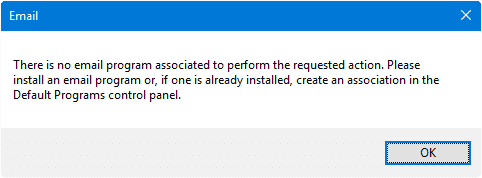
Also, the Page by e-mail… and Link by e-mail options in Internet Explorer’s File menu may be grayed out.
Is the email client already installed?
If you have a mail client installed but still get the above error or a variation of the above error, such as the following:
Either there is no default mail client or the current mail client cannot fulfill the messaging request. Please run Microsoft Outlook and set it as the default mail client.
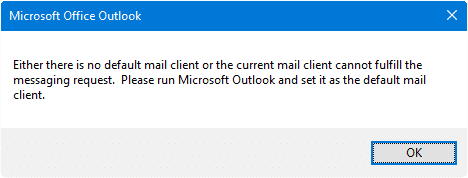
.. you need to reset the default mail client to resolve the issue.
Cause
In order for the Send To mail function to work, you’ll need to have a desktop mail client with simple-MAPI or MAPI support, like Microsoft Office Outlook, Mozilla Thunderbird, Windows Live Mail (part of Windows Essentials 2012), etc., installed in the system.
Unfortunately, the Send To mail feature won’t work with web-based emails.
Workaround
 If you’re using the Mail app in Windows, you can use the “Share” feature in the File Explorer ribbon command to quickly attach any number of files to the New mail message window automatically in the Mail app. This feature is a great time-saver.
For more information, check out the post: How to Send Attachments to Email Using Mail App and File Explorer in Windows 10/11
Solution: Reset your default mail client
Windows 10 and 11
- Open Settings → Apps → Default Apps.
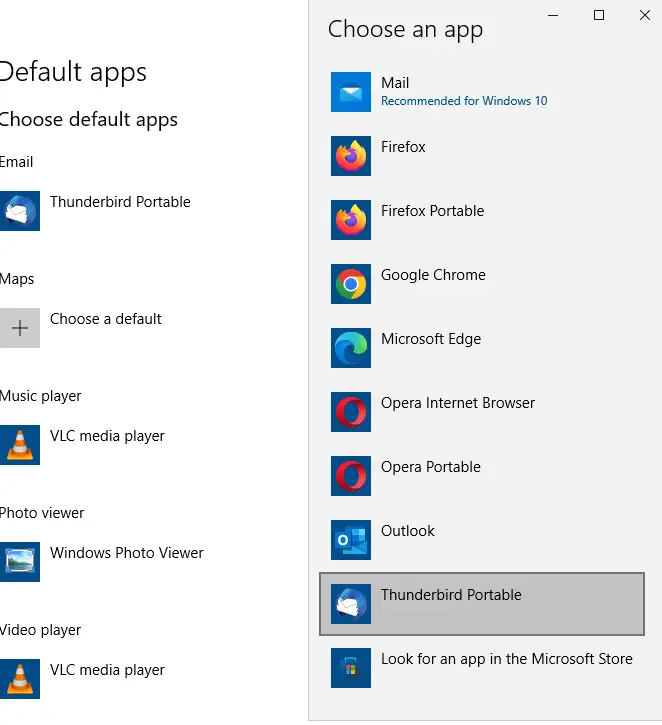
- Select your email program (even if it’s showing as the default) from the list to set it as default.
Windows 8 and earlier
- Open Control Panel, Programs, Default Programs.
- Click Set program access and computer defaults
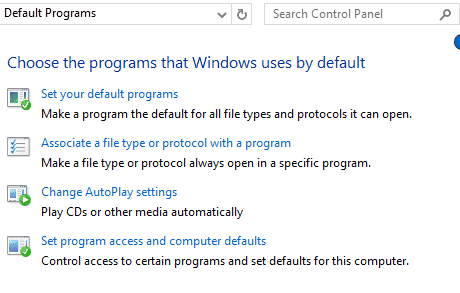
- Under Choose a default e-mail program:, select your email client and click OK.
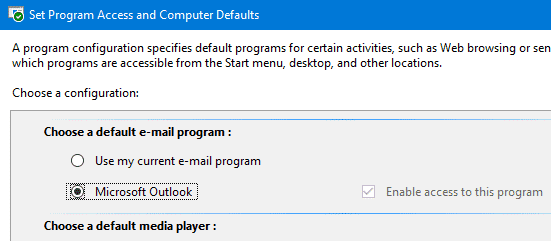
- Also, click the first option in the list, which is Set your default programs and reset your mail client there, in addition to the above steps.
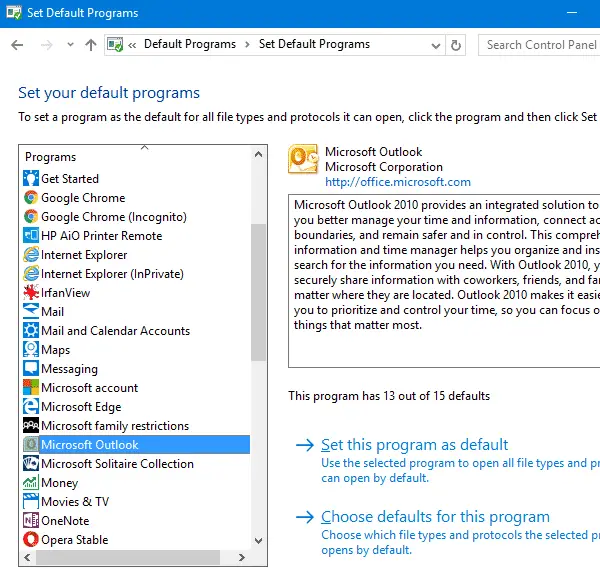
This resets your default mail client settings.
Using the Registry Editor
If the above steps do not work for some reason, start the Registry Editor (regedit.exe) and go to the following branches:
HKEY_LOCAL_MACHINE\SOFTWARE\Clients\Mail
HKEY_CURRENT_USER\SOFTWARE\Clients\Mail
Set the (default) value data accordingly. In this example, we set the (default) value data to Microsoft Outlook.
Please make sure that the value you mention is exactly the same as the mail client subkey name. Here, we have a subkey named Microsoft Outlook, and hence we set the (default) value data to Microsoft Outlook.
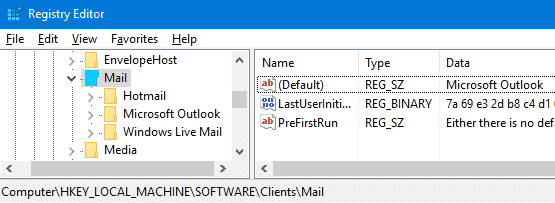
That should fix the problem. Exit the Registry Editor and check if you’re able to email a file using the Send To → Mail Recipient option.
The steps apply to Windows Vista and higher, including Windows 10 or 11.
One small request: If you liked this post, please share this?
One "tiny" share from you would seriously help a lot with the growth of this blog. Some great suggestions:- Pin it!
- Share it to your favorite blog + Facebook, Reddit
- Tweet it!

Good one. Saved me lot of time and work.
Thanks .. my problem is solved with registry updated
thanks, this fix finally solved a most annoying problem!
Thank you for the guidance..
You guys really help me out . I really need this information.
Doesn’t work on Win10 x64 version 20H2 with Thunderbird 91.1.1