When you try to add a new printer or a scanner, the following error code may appear:
Error 1297: A privilege that the service requires to function properly does not exist in the service account configuration.
This happens if the Print Spooler service is unable to start. If you start the Print Spooler service via the Services MMC, the following error will occur:
A privilege that the service requires to function properly does not exist in the service account configuration. You may use the Services Microsoft Management Console (MMC) snap-in (Services.msc) and the Local Security Settings MMC snap-in (Secpol.msc) to view the service configuration and the account configuration.
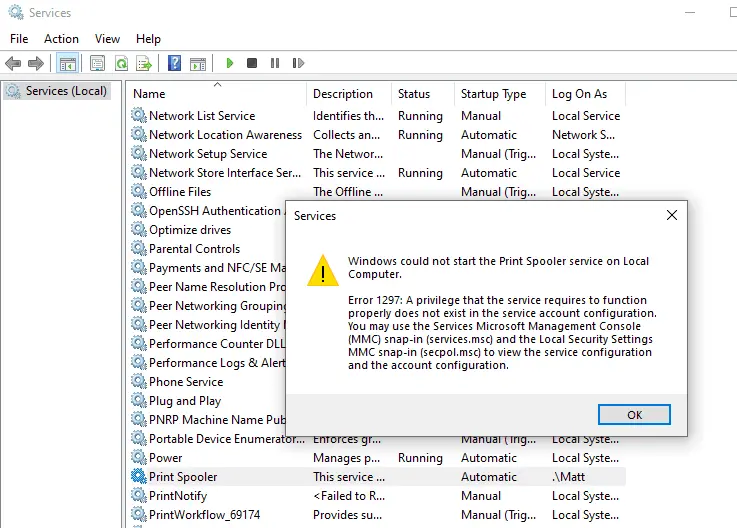
The error 1297 (“ERROR_INCOMPATIBLE_SERVICE_PRIVILEGE”) occurs because of incorrect service configuration.
Resolution
To resolve the Print Spooler error, run the Spooler service registry fix.
- Download spooler_service_fix.reg (zipped).
- Unzip and run the enclosed REG file. Click Yes to confirm.
- Restart Windows so the changes take effect.
(The above REG file applies to Windows 10 and 11. Last tested in Windows 10 22H2 and Windows 11 24H2.)
One small request: If you liked this post, please share this?
One "tiny" share from you would seriously help a lot with the growth of this blog. Some great suggestions:- Pin it!
- Share it to your favorite blog + Facebook, Reddit
- Tweet it!
