When you open legacy Office documents (97-2003), Office applications may display the “File In Use” error and suggest opening the document in Read-Only mode. This may happen in every Office application—Word, PowerPoint, and Excel.
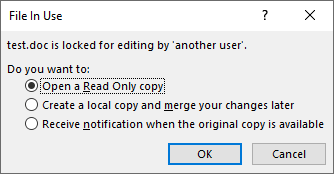
The dialog would say “file is locked for editing by ‘another user'”, suggesting that you select “Open Read-Only Copy,” “Create Local Copy, Merge Changes Later,” or “Receive Notification When Original Copy Is Available.”
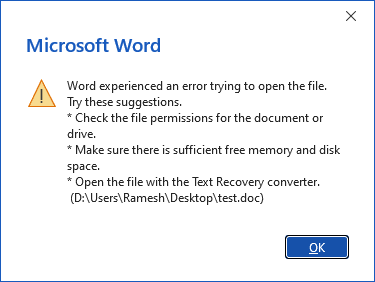
However, clicking these options still fails to open the file; a dialog box displays an error message stating that Word encountered an error while attempting to open the file, advising users to check file permissions on the document or drive, ensure sufficient memory and disk space, or try opening the file using the Text Recovery Converter.
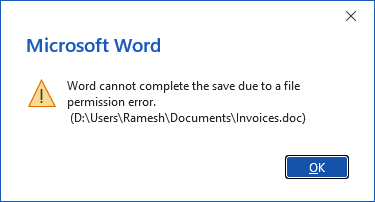
Also, you may be unable to create or overwrite an existing legacy Office document. The following error may occur when creating the file:
Word cannot complete the save due to a file permission error.
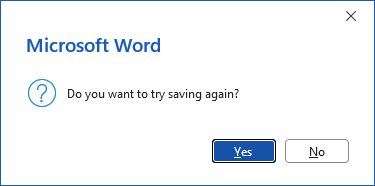
Do you want to try saving again?
The file may get saved in the newer Office format (.docx, .pptx, .xlsx, etc).
However, the same error may occur even if you try to create a file in a different location or on a different drive.
You may not encounter this issue if you create or modify newer Office file formats, such as .docx, .xlsx, and .pptx.
Resolution
If you can’t open legacy Office documents without running the corresponding Office app (e.g., Winword.exe) as administrator, the %TEMP% folder permissions may be incorrect.
Please open Command Prompt (admin) and run the following commands to resolve the issue:
takeown /f "%temp%"

icacls "%temp%" /reset

icacls "%temp%" /inheritance:r

icacls "%temp%" /grant *S-1-5-32-544:(OI)(CI)(F)

icacls "%temp%" /grant *S-1-5-18:(OI)(CI)(F)

icacls "%temp%" /grant "%username%":(OI)(CI)(F)

md "%temp%\Low"

icacls "%temp%\Low" /setintegritylevel (OI)(CI)low
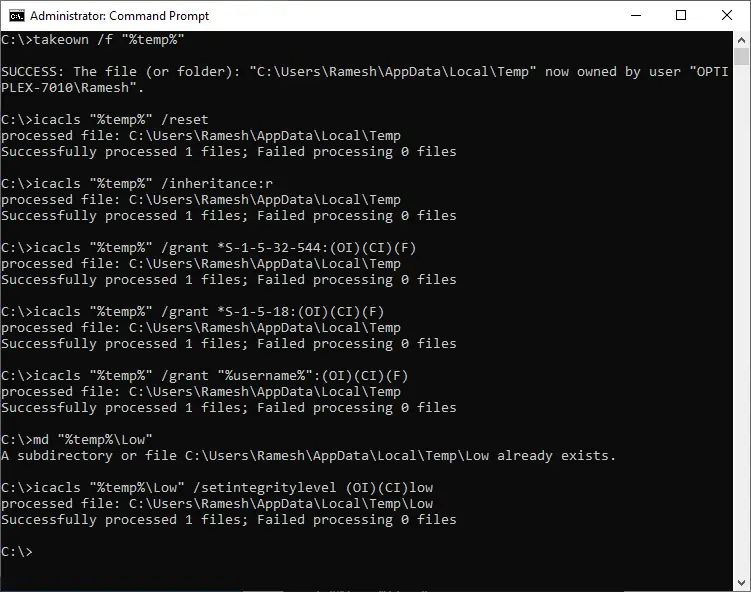
[Ensure that you run those commands in a Command Prompt window (cmd.exe) rather than in PowerShell.]
That’s it. The above commands should allow you to open legacy Office files (.docx, .xlsx, .pptx, etc) or modify existing files without having to run the Office app in elevated mode.
One small request: If you liked this post, please share this?
One "tiny" share from you would seriously help a lot with the growth of this blog. Some great suggestions:- Pin it!
- Share it to your favorite blog + Facebook, Reddit
- Tweet it!
