When you install the latest Windows 11 Feature Update via Windows Update, the following error message may occur:
Software License Terms

Error encountered.
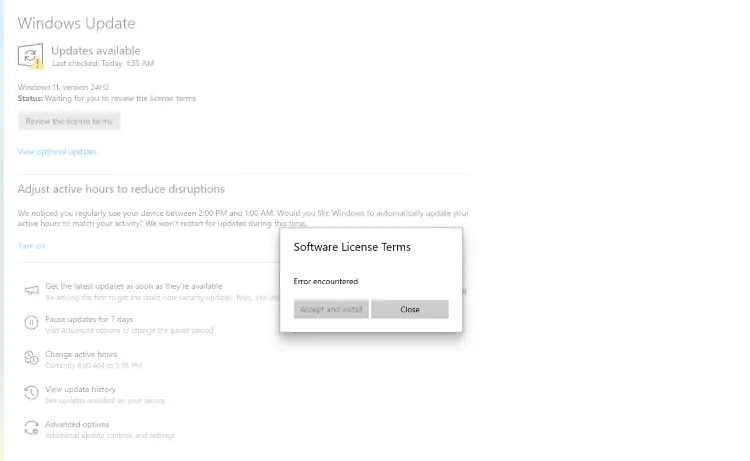
The above error likely occurs because EULA.txt couldn’t be opened due to a corrupt setup image.
Resolution
Option 1: Reset the Windows Update cache
Resetting the Windows Update cache should resolve the issue in most cases.
For more information, please see the “Reset the Windows Update Cache” paragraph in the article “Fix Windows Update Issues”.
Option 2: Use the Installation Assistant or ISO
You can use the Windows 11 Installation Assistant or the ISO to install the latest feature upgrade using an in-place upgrade.
Please visit the following link to download the Windows 11 Installation Assistant.
https://www.microsoft.com/en-us/software-download/windows11
Download Windows11InstallationAssistant.exe from the above link and run it.
Read the EULA, and click Accept and install.
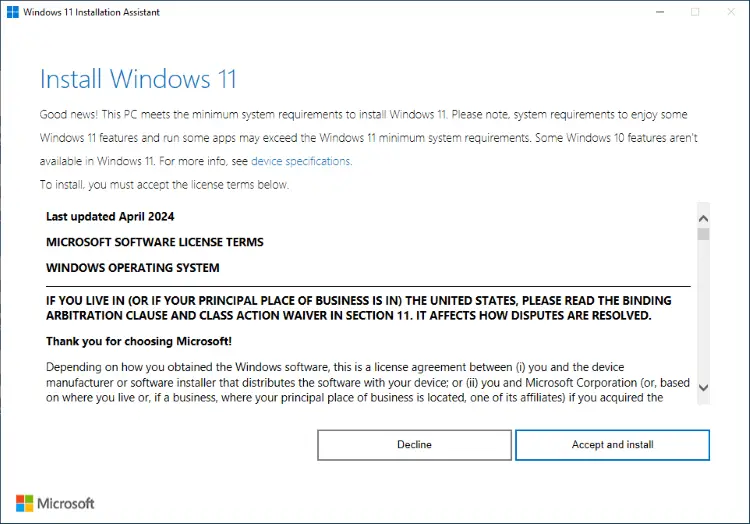
If you wish to install the Feature Update using the ISO, you can download it from the link above. ISO is always preferred because it can be used for any number of installation attempts or if you want to upgrade multiple computers. The setup process doesn’t have to re-download the image during every setup attempt because the ISO contains the complete image.
Regardless of the method you use (i.e., Windows Update, Installation Assistant, or the ISO), the setup process remains the same.
That should download a fresh copy of the Windows 11 setup files install the Feature Update.
One small request: If you liked this post, please share this?
One "tiny" share from you would seriously help a lot with the growth of this blog. Some great suggestions:- Pin it!
- Share it to your favorite blog + Facebook, Reddit
- Tweet it!
