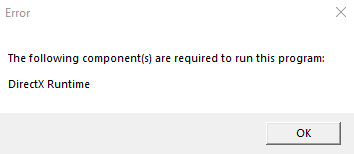
When you run a game that requires the DirectX 2010 runtimes, the following error may occur.
The following component(s) are required to run this program:

DirectX Runtime
Resolution
Option 1: Install the DirectX Runtimes (June 2010)
Download the DirectX End-User Runtimes (June 2010) from the Official Microsoft Download Center.
https://www.microsoft.com/en-in/download/details.aspx?id=8109

https://download.microsoft.com/download/8/4/a/84a35bf1-dafe-4ae8-82af-ad2ae20b6b14/directx_Jun2010_redist.exe
Run the file directx_Jun2010_redist.exe as administrator. This extracts the DirectX runtime libraries and copies them to the System32 and SysWOW64 folders accordingly.
If the above steps don’t resolve the “DirectX Runtime” error, follow the next method.
Option 2: Extract the DirectX Runtimes manually
Please create a System Restore Point and do the following.
You can use the expand.exe command to manually extract the 64-bit and 32-bit DLLs from the directx_Jun2010_redist.exe offline installer.
Once extracted, the 32-bit DLLs need to be copied to the C:\Windows\SysWOW64 folder, and the 64-bit DLLs go into the C:\Windows\System32 folder. Overwrite the existing DLLs if prompted.
That should resolve the “DirectX Runtime” error when running the game.
One small request: If you liked this post, please share this?
One "tiny" share from you would seriously help a lot with the growth of this blog. Some great suggestions:- Pin it!
- Share it to your favorite blog + Facebook, Reddit
- Tweet it!
