NTREGOPT is a registry optimization tool for Windows. This program compacts the registry to the minimum size possible by removing any slack space that may be left after installing or uninstalling applications in the system. Note that this program does not modify the registry contents in any way.Read more
Windows
You’re browsing the “Windows” parent category, which lists articles on every Windows Operating System.
Dragging a folder to Favorite Links moves the folder instead of creating Shortcut
 When you drag a folder to the Favorite Links area in Windows Explorer, the shortcut to the folder is placed in the Links folder. This was not the case in one of my Windows Vista systems, where the entire folder and sub-folders were moved to the Links folder when dragged to Favorite Links.Read more
How to Email File Paths via the Send To menu
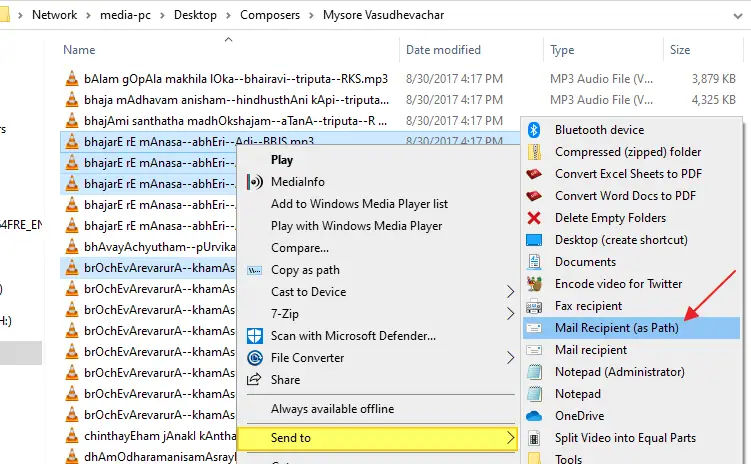
Let’s assume you’re working in the training department of a firm and need to send training materials to recruits regularly. The usual way is to right-click on the file, click Send To, and click Mail Recipient. This attaches the file to the compose window in your mail client.
How about saving bandwidth on your local network by sending the target path of documents (in a network share) instead of attaching them to mail?Read more
Fix: MP3 files are saved with incorrect file extension when downloaded
When downloading .mp3 files using Internet Explorer or any other browser, the Save As dialog may add an incorrect file extension (.mp2 or .mpeg, instead of .mp3). Whenever this happens, you need to change the file extension to .mp3 manually.Read more
My Pictures, My Music and My Videos namespace extensions for the Windows Explorer folder pane
 In Windows XP, the special folders, namely My Pictures, My Music, and My Videos, are present under the My Documents folder and displayed in the Windows Explorer folder pane as a sub-category under My Documents.Read more
How to run .BAT files invisibly, without displaying the Command Prompt window
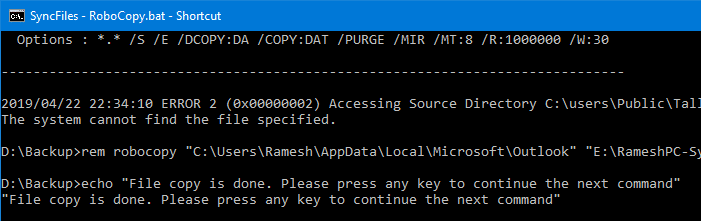
Batch files (.BAT) and Windows NT Command Script (.CMD) files run in console window when double-clicked. This means that the Command Prompt window will be visible until the .BAT or .CMD file execution is complete.
To make .BAT or .CMD file execution less intrusive, you can configure it to run minimized. Or if the .BAT or .CMD file does not require user input during run time, you can launch it in invisible mode using a Script.
The built-in Task Scheduler in Windows is capable of launching programs in hidden mode. If you don’t want to proceed via the Task Scheduler route, check out the options discussed in this article.Read more
Copy Text file Contents to Clipboard via Right-Click Menu
To copy the contents of a text-based file, you open the file in an editor such as Notepad, use Select All and then copy the contents to the clipboard. How about accomplishing it using a command in the right-click menu?Read more
Taskbar displays full path of open folders instead of the actual folder name
When you open a folder window, Taskbar may display the full path of the folder instead of just showing the folder name. So, if you have multiple folder windows open, you may have to click around every window before you get to the right one.Read more
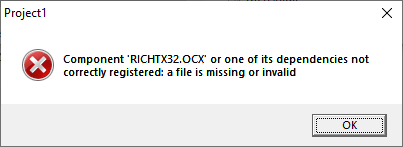
How to Rename the Recycle Bin in Windows
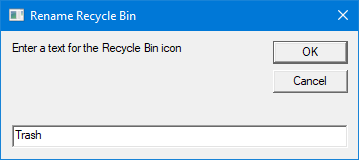
Here is a quick registry tweak or script to rename the Recycle Bin icon caption in Windows 10 and earlier.Read more