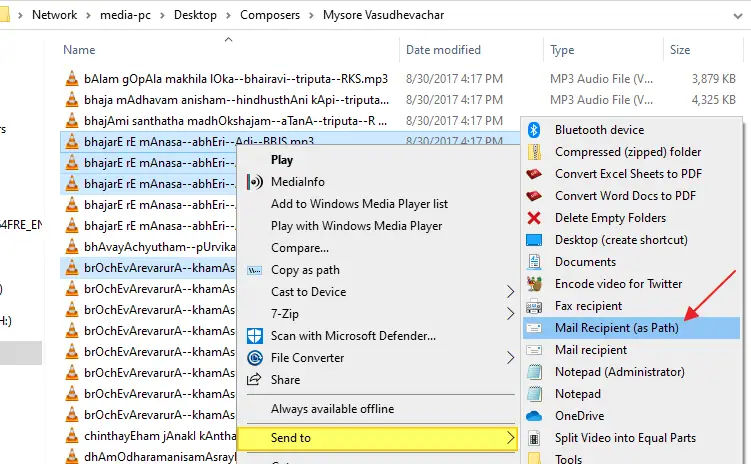
Let’s assume you’re working in the training department of a firm and need to send training materials to recruits regularly. The usual way is to right-click on the file, click Send To, and click Mail Recipient. This attaches the file to the compose window in your mail client.
How about saving bandwidth on your local network by sending the target path of documents (in a network share) instead of attaching them to mail?Read more
 In Windows XP, the special folders, namely My Pictures, My Music, and My Videos, are present under the My Documents folder and displayed in the Windows Explorer folder pane as a sub-category under My Documents.
 When you open a folder window, Taskbar may display the full path of the folder instead of just showing the folder name. So, if you have multiple folder windows open, you may have to click around every window before you get to the right one.