This post explains how to fix error 0xc00000bb during boot or when accessing Windows RE on a Windows 10 or 11 PC. 0xC00000BB (“STATUS_NOT_SUPPORTED”) means “The request is not supported”.
Resolution
The error code 0xC00000BB can occur during boot or only when accessing Windows RE (i.e., Windows boots fine otherwise).
Case 1: 0xc00000bb – BlInitializeLibrary during boot
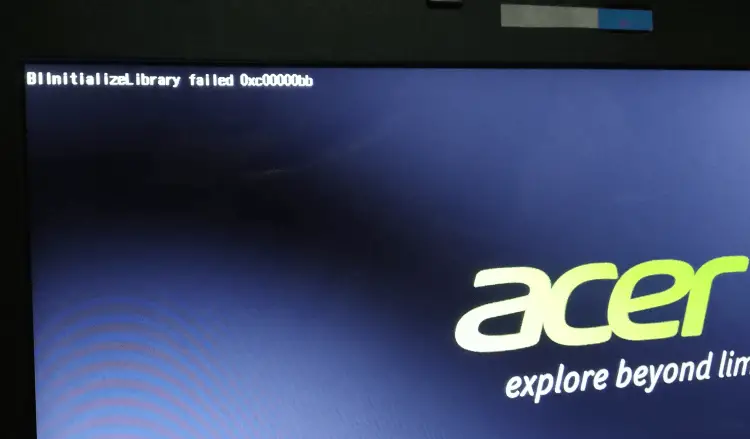
You should be able to fix the boot error 0xc00000bb by rebuilding the BCD and the EFI partition using the method described in the article How to Rebuild the EFI Boot Partition, BCD and Boot Files.
Note: To carry out the above procedure, you need the Windows 10 or 11 USB setup disk. And, if your OS partition is encrypted using BitLocker, you need the BitLocker key to perform the steps.
Case 2: 0xc00000bb error accessing Windows RE
In some cases, Windows loads correctly and the BCDEDIT command works fine, but you’re unable to access Windows RE. This happens if the Windows RE image (winre.wim) is corrupted and therefore cannot be loaded by Windows. The error below indicates that the system cannot load winload.efi, a boot file located inside Winre.wim.
Recovery

Your PC/Device needs to be repaired

The application or operating system couldn't be loaded because a required file is missing or contains errors.

File: \windows\system32\winload.efi
Error code: 0xc00000bb
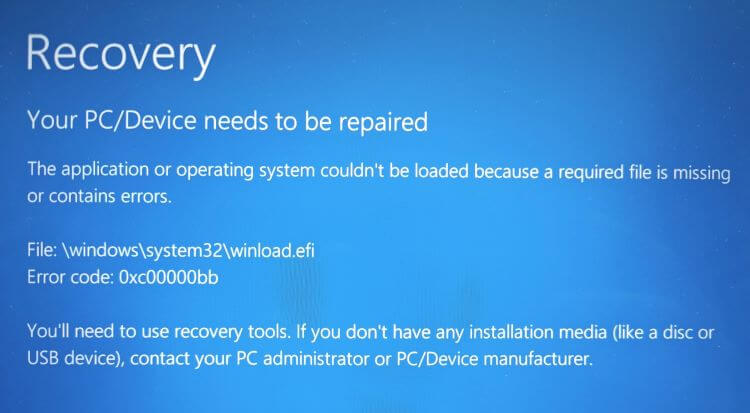
To resolve the issue, boot into Windows, disable WinRE, and replace WinRE.wim image.
From Command Prompt (admin), run:
reagentc /info
reagentc /disable
cd /d C:\windows\system32\recovery\
attrib -s -h -r winre.wim
ren winre.wim winre.wim.original
 To verify if the problem is with the winre.wim image, try opening
 C:\Windows\System32\recovery\winre.wim.original with 7-Zip. If 7-Zip doesn’t open the file, you need to extract a fresh copy from the Windows ISO.To extract a fresh copy of winre.wim from the Windows 11 ISO, see “Method 1: Using 7-Zip to extract files from Install.wim” in the article How to Extract Specific Files from Windows 10 or 11 ISO.
Using 7-Zip, copy Winre.wim to the desktop.
Then, move Winre.wim to the C:\Windows\System32\Recovery folder.
Once done, run:
reagentc /enable

reagentc /info
Those commands will reenable WinRE. Try booting into Windows RE.
That should resolve the issue.
One small request: If you liked this post, please share this?
One "tiny" share from you would seriously help a lot with the growth of this blog. Some great suggestions:- Pin it!
- Share it to your favorite blog + Facebook, Reddit
- Tweet it!
