 In Microsoft Knowledgebase article KB978980 Microsoft states that when there are more than four broken shortcuts on the desktop, the System Maintenance troubleshooter automatically removes all broken shortcuts from the desktop. It implies that it only removes "broken" shortcuts.
Well! Look at this screenshot.
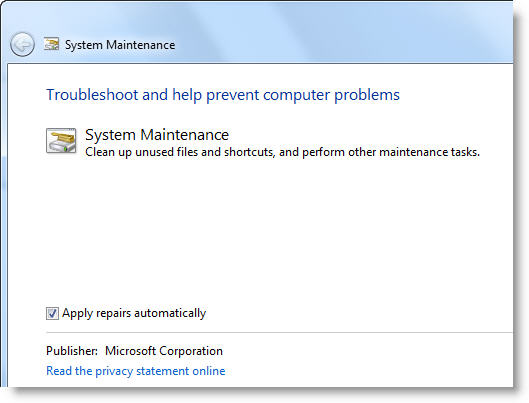
The above dialog says that the System Maintenance cleans "unused" files and shortcuts. Does it mean that it removes unused (but working) shortcuts that are pointing to a valid target file/folder? At this stage we need more clarity on what the System Maintenance cleans (only the broken shortcuts, or does it clean valid shortcuts that are kept unused.) And, does the System Maintenance tool store the unused / broken shortcuts in a different folder, similar to the Desktop Cleanup Wizard in Windows XP?
I’ll post back my findings in due course. Also, I’d love to hear the insights from our valuable readers in the meantime.
Update
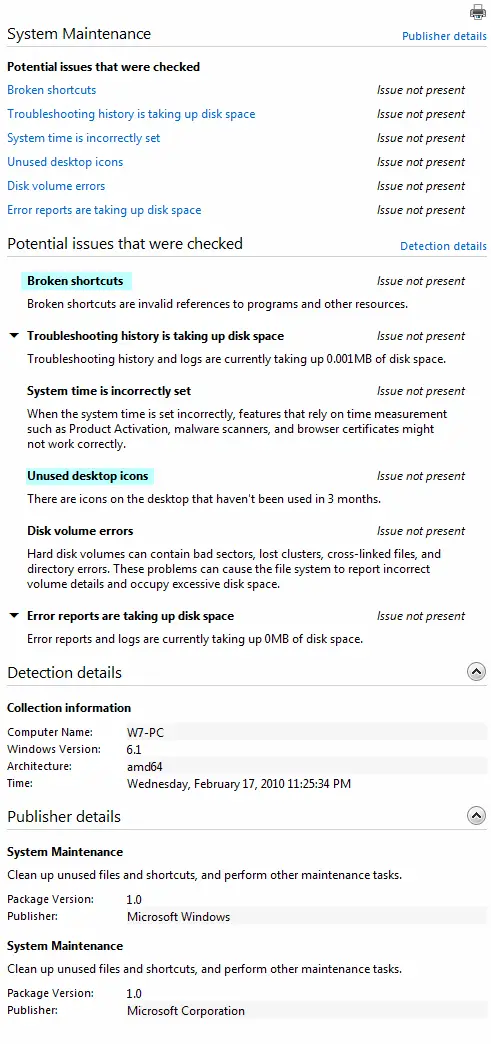
It’s now clear the the troubleshooter deletes broken shortcuts as well as unused (in 3 months) ones.
SCREENSHOT
One small request: If you liked this post, please share this?
One "tiny" share from you would seriously help a lot with the growth of this blog. Some great suggestions:- Pin it!
- Share it to your favorite blog + Facebook, Reddit
- Tweet it!


Hi, Ramesh!
Interesting article! As far as I know, we can see what the Windows 7 troubleshooters do by inspecting the PowerShell script files (*ps1) that implement them in %windir%\diagnostics\scheduled\Maintenance.
Regards,
Hi Daniel, I checked the broken shortcuts .PS1 script but could not find the reason why the tool deletes “valid” shortcuts (for some users). I’m keeping an eye on this problem in various forums.
And, the tool erroneously deletes any Game shortcuts (from Games Explorer folder) that’re on the Desktop. Perhaps they’re some sort of special .lnk files?
Yes, I can confirm that shortcuts to shell folders (like the Games folder) are considered broken links because WMI fills with “null” the Target property of that kind of shortcuts.
I see that the tool also deletes desktop icons that haven’t been used in the past 3 months, even if they are pointing to valid files (shortcuts to folders are not deleted).
I think MS should revisit this tool and, at least, store unused/broken shortcuts in a different folder, like the Desktop Cleanup Wizard did in previous versions of Windows.
In my Windows 7 Home Premium SP1 32bit system, links to Excel 2010 (XLSX) files on my local C:, some that I use daily and some occasionally, frequently disappear from my desktop at least twice a day if my PC is idle for a while. These are not unused or broken links!! I wonder if my PC is running the “Troubleshooter” program twice a day rather than once a week. About 3 links that were created a long time ago to XLSX files, DO NOT disappear ever!!! Maybe there is something different about recently created links compared with links created before one of Microsoft’s updates.
As suggested at: http://answers.microsoft.com/en-us/windows/forum/windows_7-desktop/desktop-shortcuts-to-items-on-network-drives/94eddb27-342b-40fc-9ad4-677ff4ee8ebe?page=4&auth=1
I have just modified the removal thresholds from 10 to 400 for unused desktop icons and from 4 to 400 for Broken Desktop Shortcuts. Too early to know yet whether this works for me.
It is sooo overdue for Microsoft to find out why current, frequently used, valid links to files on C: are disappearing and then fix the problem.
None of the links to program files, even if rarely used, have been disappearing. Even a link to a folder on another computer that is frequently switched off, does NOT disappear.