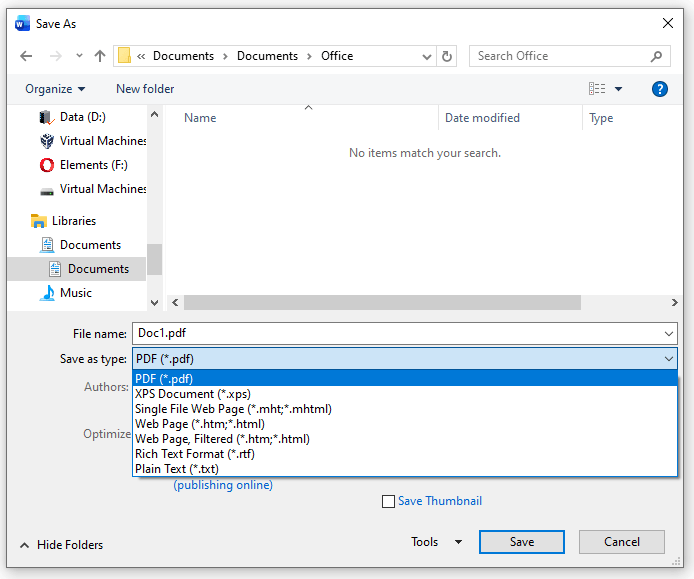
When you attempt to save a document in Word, the .docx and .doc options may be missing. You’re able to save in other formats (.pdf, .xps, .rtf, etc) though. You wonder if this is due to your Microsoft Office subscription or an activation issue.
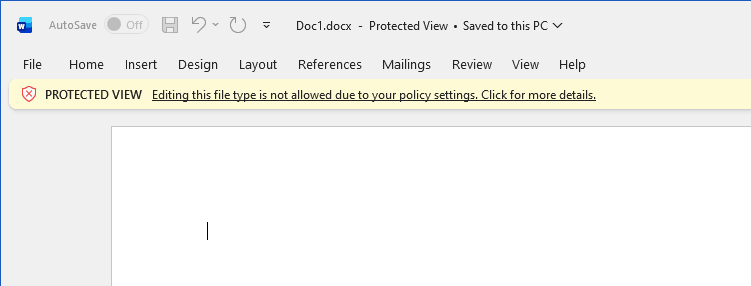
Also, when you open a .docx or a .doc file saved earlier, the following notification appears:
PROTECTED VIEW Editing this file type is not allowed due to your policy settings. Click for more details.
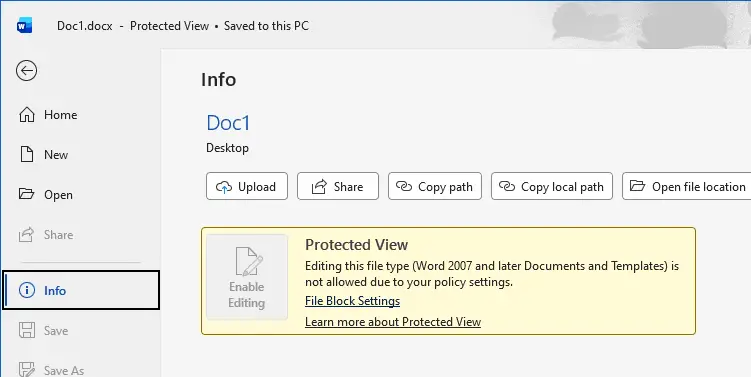
The following screen appears when you click on the above notification.
Resolution
If the Word Document (*.docx) and Word 97-2003 Document (*.doc) options are missing in the Save As dialog, it’s caused by incorrect File Block Settings (Trust Center). Please follow the steps below to resolve the issue.
- In Microsoft Word, click File → Options.
- Select the “Trust Center” tab.
- Click “Trust Center Settings…”
- Select the “File Block Settings” tab.
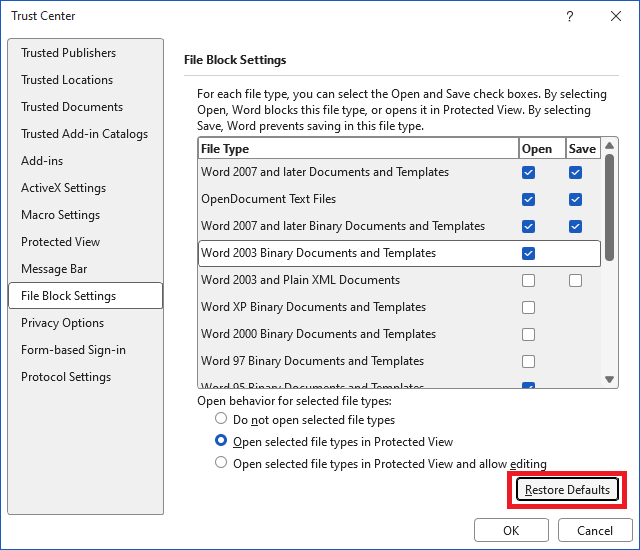
- Click “Restore Defaults”
- Click “Restore Defaults” when you see the following prompt:
The option will restore the File Block Settings to the default values.
- Click OK, OK to close all the dialogs.
- Close Microsoft Word and reopen it.
See if you can save a document in .docx or .doc format.
One small request: If you liked this post, please share this?
One "tiny" share from you would seriously help a lot with the growth of this blog. Some great suggestions:- Pin it!
- Share it to your favorite blog + Facebook, Reddit
- Tweet it!
