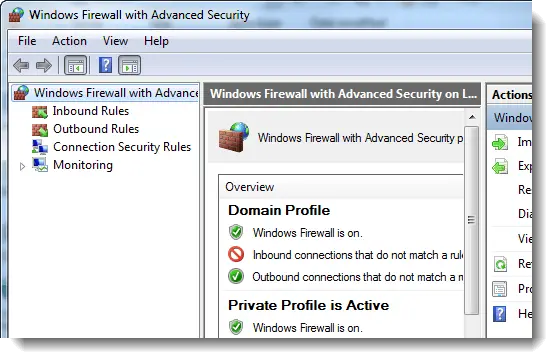
When you open the Windows Firewall with Advanced Security snap-in in Windows 7, the following error may be displayed and the snap-in loads up blank:
There was an error opening the Windows Firewall with Advanced Security snap-in
You do not have the correct permissions to open the Windows Firewall with Advanced Security console. You must be a member of the Administrators group or the Network Operators group to perform this task. For more information, contact your system administrator. Error code: 0x5.
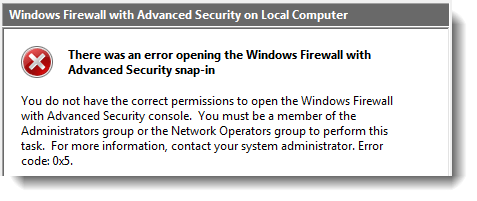
This has to do with the permissions pertaining to the Windows Firewall registry key (SharedAccess), and here is what I did to fix the error:
Click Start, type Regedit.exe and press {ENTER}
Navigate to the following branch:
Right-click FirewallPolicy, and click Permissions…
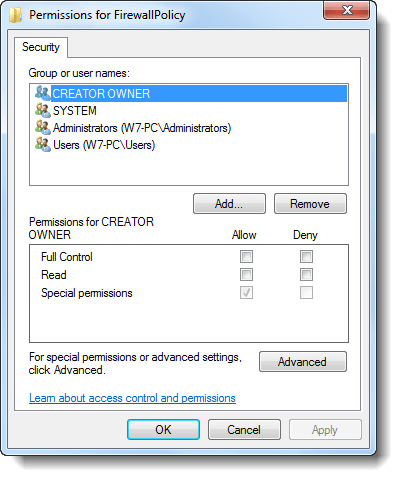
Click Add…
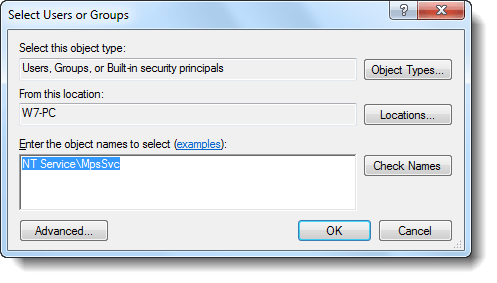
Type NT Service\MpsSvc and click OK.
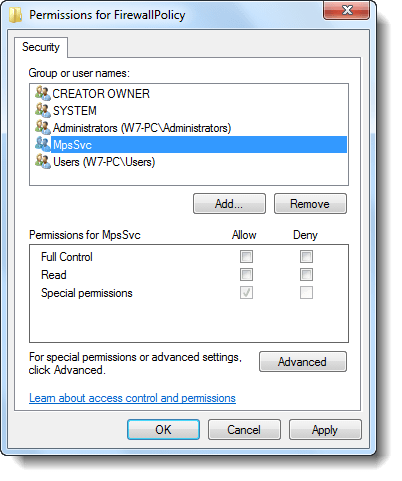
Select MpsSvc, and click the Advanced button
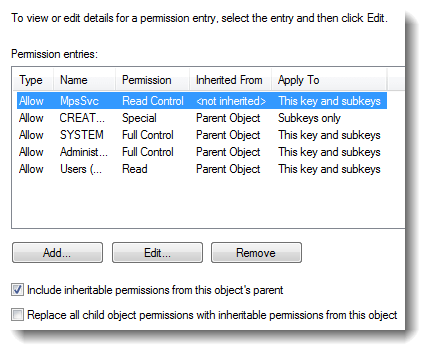
Double-click the MpsSvc permission entry
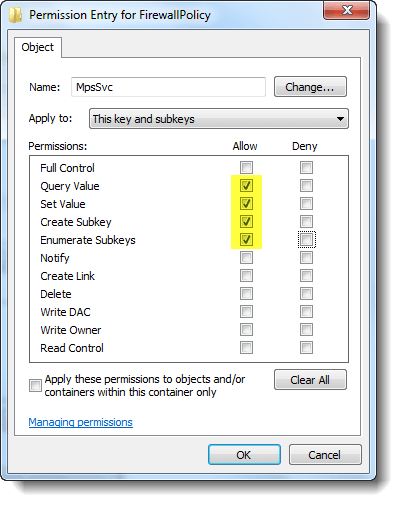
Assign Query Value, Set Value, Create Subkey and Enumerate Subkeys Permissions by ticking the appropriate checkboxes.
Click OK, then OK, OK in the resulting dialog boxes.
See if you’re able to open Windows Firewall with Advanced Security MMC snap-in now.
Well! I could, after completing the above steps.
One small request: If you liked this post, please share this?
One "tiny" share from you would seriously help a lot with the growth of this blog. Some great suggestions:- Pin it!
- Share it to your favorite blog + Facebook, Reddit
- Tweet it!

youre the greatest, just great
Idk but i did all well but it says access denied when i click ok. Can you help me?
It helped. But why this even happened?
Probably WFC that’s quite unoptimized piece of software.