When you open a folder, a white line may appear under the address bar, as shown in the image below. The white line is glaringly noticeable when the user interface is in dark mode.
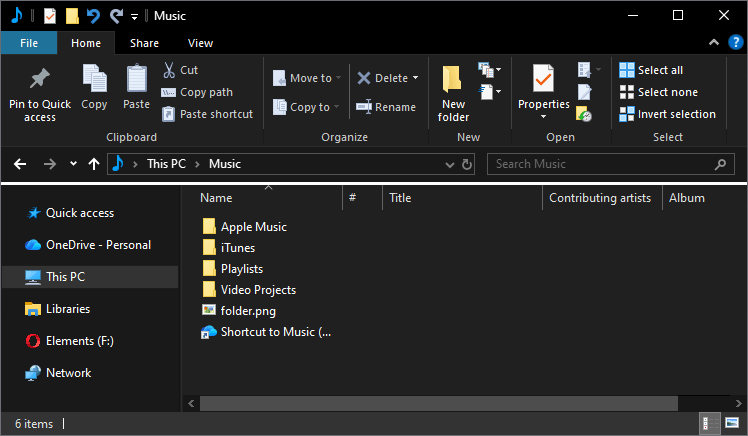
The above issue occurs if the Internet Explorer’s toolbar is in unlocked mode. Although Internet Explorer has been removed from the Operating System, the Explorer shell reads the IE toolbar settings.
Resolution
To remove the white line under the address bar in File Explorer, please do the following:
- Right-click Start, and click Run.
- Type regedit.exe and click OK to launch the Registry Editor.
- Go to the following branch:
HKEY_CURRENT_USER\SOFTWARE\Microsoft\Internet Explorer\Toolbar
- In the right pane, double-click Locked and set its data to 1
- Exit the Registry Editor.
- Close and reopen a folder.
The white line should no longer appear in File Explorer.
One small request: If you liked this post, please share this?
One "tiny" share from you would seriously help a lot with the growth of this blog. Some great suggestions:- Pin it!
- Share it to your favorite blog + Facebook, Reddit
- Tweet it!
