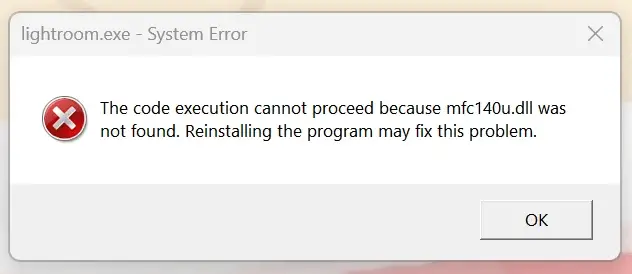
When you open Lightroom Classic, TrafficMonitor or any other app that depends on the VC++ v14 (2015-2022) runtimes, the following error may occur:
The code execution cannot proceed because mfc140u.dll was not found. Reinstalling the program may fix the problem.
Resolution
Mfc140u.dll is part of the Visual C++ Redistributable v14 runtimes. The Visual C++ v14 runtime package is applicable for all applications created using Visual Studio 2017, 2019, 2022, or 2026.
Installing the latest v14 runtimes should resolve the mfc140u.dll error.
Close all programs that are currently running.
Download both x64 and x86 versions of the latest v14 VC++ redist runtimes from the links below:
https://aka.ms/vc14/vc_redist.x64.exe (Permalink for the latest supported x64 version)
Install the x64 and x86 versions.
That should restore the following files:
C:\Windows\System32\mfc140u.dll
C:\Windows\SysWOW64\mfc140u.dll
Note:
If the latest VC++ v14 runtimes are already installed on the computer, uninstalling and reinstalling them should fix the problem.
Related Issue
If you receive the error 0xc000012f (Bad Image) error mentioning mfc140u.dll, it means the file is corrupted.
C:\WINDOWS\SYSTEM32\mfc140u.dll is either not designed to run on Windows or it contains an error. Try installing the program again using the original installation media or contact your system administrator or the software vendor for support. Error status 0xc000012f.
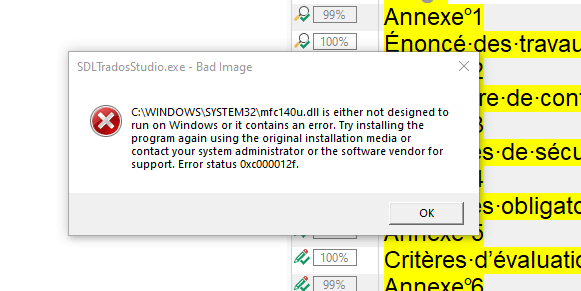
To resolve the error, uninstall the VC++ redistributable runtimes from Programs and Features or Apps & Features, then install the latest runtimes from the permalinks posted earlier in this article.
One small request: If you liked this post, please share this?
One "tiny" share from you would seriously help a lot with the growth of this blog. Some great suggestions:- Pin it!
- Share it to your favorite blog + Facebook, Reddit
- Tweet it!
