When you start Disk Defragmenter using any of these ways in Windows 7, nothing may happen except a brief blue circle (hourglass):
 Ramesh
How to Pin Windows Update Icon to the Start menu and Taskbar in Windows 7
Pinning applications to the Start menu or Taskbar is a great way to access them quickly, especially the ones which you use frequently. However the Pin to.. option isn’t available for Windows Update and perhaps for some other special executables in Windows. To Pin Windows Update icon to the Start menu/Taskbar in Windows 7, here are some neat tricks:
Libraries Listed Under Desktop in the Navigation Pane in Windows 7?
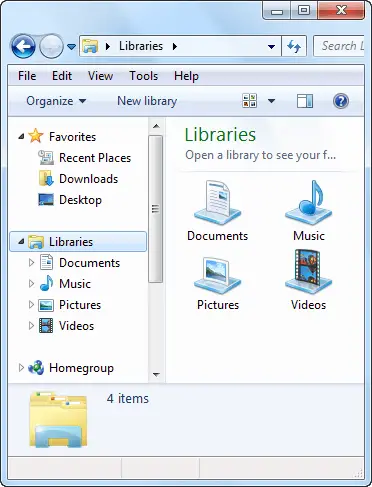
The navigation pane in Windows 7 lists Libraries as a separate category by default, as in the picture below:
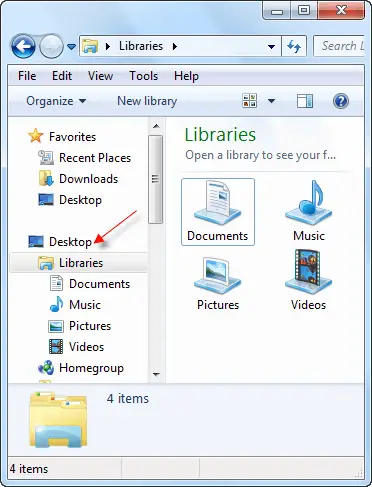
In some systems, Libraries may be listed under Desktop, and users may be wondering why it’s listed so all of a sudden, or think it may be due to inadvertent dragging of Desktop icon over Libraries or vice-versa. It’s not so. There is a simple (but overlooked) setting for the navigation pane where in you can choose to show all folders or not.
How to Restore Missing or Hidden Libraries in Windows 7
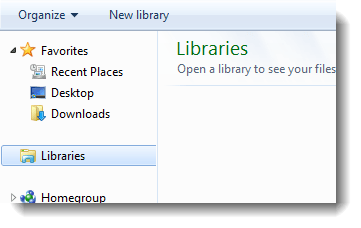
When you open Explorer, all the libraries may be missing, and clicking the “Restore default libraries” context menu option would have no effect. For reasons unexplained, in some cases, the libraries may become hidden, and all you need to do is to remove the hidden attribute set from the “library-ms” files.
File Association Fixes for Windows 8
Some file association settings got mangled in your system? This page contains the default file association settings (.reg files) for some common file types. These fixes are applicable for Windows® 8 systems only.Read more