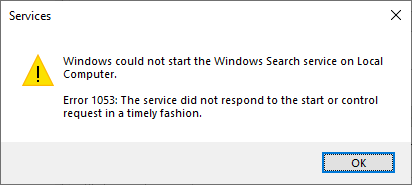
Recently I came across a problem where the Windows Search service failed to auto-start, and manually starting the service using Services MMC resulted in Error 1053, with the following error message verbatim.
Windows could not start the Windows Search service on Local Computer.
Error 1053: The service did not respond to the start or control request in a timely fashion.
And the following entry is recorded in the event viewer.
Log Name: System
Source: Service Control Manager
Event ID: 7009
Task Category: None
Level: Error
Keywords: Classic
User: N/A
Computer: WIN10PC
Description:
A timeout was reached (30000 milliseconds) while waiting for the Windows Search service to connect.
If you attempt to start the service using the “net start wsearch” command, you may see the following error:
The service is not responding to the control function.
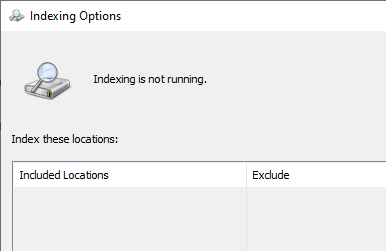
Because the Windows Search service failed to start, the indexing doesn’t run, and the controls in Indexing Options are dimmed out.
Note that the Windows Search (WSearch) service is set to start automatically (delayed start) by default.
Fix for Windows Search Error 1053
To resolve the problem, download the registry fix (info) below for your Operating System.
- Windows Search “Error 1053” – Windows 10/11
- Windows Search “Error 1053” – Windows 8.1
- Windows Search “Error 1053” – Windows 7
Unzip and apply the enclosed REG file. Restart Windows.
Then, open Services MMC (Services.msc), right-click Windows Search, and click Start.
Additional note
Some users have indicated that applying the following fix also resolves WSearch error 1053:
Fix Windows Search Service Error 2 After Upgrading Windows
One small request: If you liked this post, please share this?
One "tiny" share from you would seriously help a lot with the growth of this blog. Some great suggestions:- Pin it!
- Share it to your favorite blog + Facebook, Reddit
- Tweet it!

thanks a TON!!! it works like butter!! 🙂
Thanks it worked
7/11/2019: I tried multiple help suggestions from various web sites to no avail. This is the only solution that actually fixed the issue for me. Thank you for your help.
Thank You!
Works! Thanks a lot!
02/2021, issue solved, in Win10 thank you
Thank You all. It is worked
Fantastic! I have tried every fix I could find, work on it for days and they did not work! This did!!!