 When you open a folder containing image files in Windows Vista, the thumbnail images have a photo border by default. You can remove the photo border and add a drop shadow effect using a registry edit.
Add Drop Shadow Effect for Thumbnails
1. Click Start, type Regedit.exe and press ENTER
2. Navigate to the following branch:
HKEY_CLASSES_ROOT SystemFileAssociations image
3. Double-click the value named Treatment
4. Set its Value data accordingly. See table below for possible data.
| Value Data | Meaning |
| 0 | No Adornment |
| 1 | Drop Shadow |
| 2 | Photo Border |
| 3 | Video Sprockets |
(REF MSDN – Thumbnail Providers)
5. Exit the Registry Editor.
Screenshots

Fig 1: No Adornment
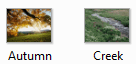
Fig 2: Drop Shadow
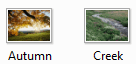
Fig 3: Photo Border
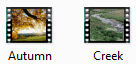
Fig 4: Video Sprockets
One small request: If you liked this post, please share this?
One "tiny" share from you would seriously help a lot with the growth of this blog. Some great suggestions:- Pin it!
- Share it to your favorite blog + Facebook, Reddit
- Tweet it!

