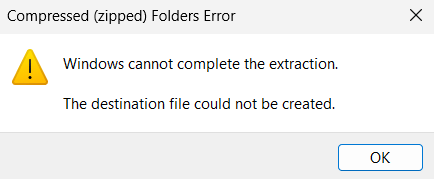
When you open a .zip file and run an enclosed file without extracting the contents to a folder, the following error may appear:
Compressed (zipped) Folder Error

Windows cannot complete the extraction.

The destination file could not be created.
Cause
This happens if the %temp% folder permissions are incorrect.
When you run icacls %temp% to view the permissions, it may show that the “Everyone” group has Read and Delete access. But your user account and the SYSTEM account may not listed, which causes the problem.

Resolution
To resolve the zip folder error, please fix the %temp% folder permissions.
Open an admin Command Prompt and run:
takeown /f "%temp%"
icacls "%temp%" /reset
icacls "%temp%" /inheritance:r
icacls "%temp%" /grant *S-1-5-32-544:(OI)(CI)(F)
icacls "%temp%" /grant *S-1-5-18:(OI)(CI)(F)
icacls "%temp%" /grant "%username%":(OI)(CI)(F)
md "%temp%\Low"
icacls "%temp%\Low" /setintegritylevel (OI)(CI)low
The above should fix the permissions for the %temp% folder.
Running icacls %temp% should show the following:
C:\Users\Username\AppData\Local\Temp NT AUTHORITY\SYSTEM:(OI)(CI)(F)
BUILTIN\Administrators:(OI)(CI)(F)
OPTIPLEX-7010\Ramesh:(OI)(CI)(F)

Successfully processed 1 files; Failed processing 0 files
Although the above should solve the original issue, you may also want to reset the permissions for the AppData folder:
icacls "%userprofile%\AppData" /reset
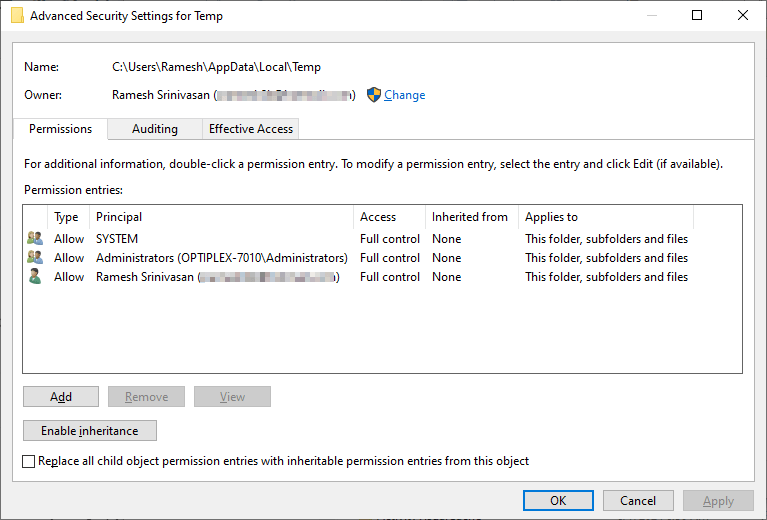
The advanced security settings dialog for the Temp folder should look like below:
That should resolve the error when opening files directly from .zip archives.
One small request: If you liked this post, please share this?
One "tiny" share from you would seriously help a lot with the growth of this blog. Some great suggestions:- Pin it!
- Share it to your favorite blog + Facebook, Reddit
- Tweet it!
