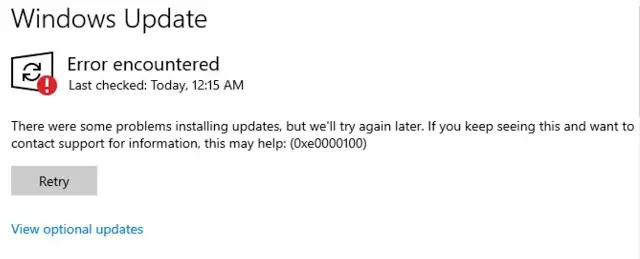
When you install a cumulative update, it may fail with the error code 0xe0000100.
Cause
The error code 0xe0000100 (“ERROR_WRONG_INF_STYLE”) denotes, “The style of the INF is different than what was requested.” The cumulative update most likely encountered one or more blank or corrupt INFs when servicing the driver packages.
The "c:\windows\inf\setupapi.dev.log" file may show which INFs are corrupt. Here’s a sample entry:
! inf: Unable to load INF: 'C:\WINDOWS\WinSxS\amd64_dual_mdmnttp.inf_31bf3856ad364e35_10.0.19041.1_none_df714a03cbcc0805\mdmnttp.inf'(e0000100)
! inf: Error 0xe0000100: The style of the INF is different than what was requested.
!!! inf: Invalid INF 'C:\WINDOWS\WinSxS\amd64_dual_mdmnttp.inf_31bf3856ad364e35_10.0.19041.1_none_df714a03cbcc0805\mdmnttp.inf', must contain [Version] section and have signature "$Windows NT$". Code = 1001
!!! sto: Failed to get version info for driver update 'C:\WINDOWS\WinSxS\amd64_dual_mdmnttp.inf_31bf3856ad364e35_10.0.19041.1_none_df714a03cbcc0805\mdmnttp.inf'. Error = 0xE0000100
<<< Section end 2024/06/15 22:42:21.108
<<< [Exit status: FAILURE(0xe0000100)]
The CBS logs may show this:
Info                  CBS    Doqe: [Forward] Staging driver updates, Count 645
Info                  CBS    DriverUpdateStageUpdates failed [HRESULT = 0xe0000100 - Unknown Error]
Error                 CBS    Doqe: Failed staging driver updates [HRESULT = 0xe0000100 - Unknown Error]
Resolution
After noting the file names in the log file, try sourcing the INFs (of the same version) from another computer. Then, replace them via Windows RE, TrustedInstaller Command Prompt, or any other method.
(or)
Download the Windows 10/11 Media Creation Tool and download the Windows ISO.
Mount the ISO and run setup.exe.

This repair installs Windows 10/11.
Note: If the error 0xE0000100 occurs on a virtual machine, please see the Microsoft Learn article Setup fails on VM with error 0xE0000100.
One small request: If you liked this post, please share this?
One "tiny" share from you would seriously help a lot with the growth of this blog. Some great suggestions:- Pin it!
- Share it to your favorite blog + Facebook, Reddit
- Tweet it!
