When you launch Windows Sandbox in Windows 10 or 11, the app may stall at the splash screen for over three minutes, and then the error code 0x800706d9 may be shown. The full error message verbatim is mentioned below:
Windows Sandbox failed to start.

Error 0x800706d9. There are no more endpoints available from the endpoint mapper.

Would you like to submit feedback about this issue?
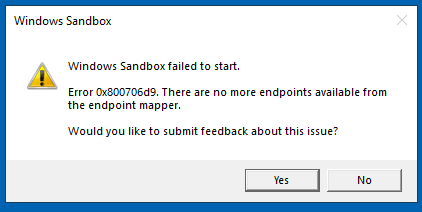
Additionally, the following error may be logged into the SYSTEM event log.
Log Name:      System
Source:        Service Control Manager
Date:
Event ID:      7001
Task Category: None
Level:         Error
Keywords:      Classic
User:          N/A
Computer:
Description:
The Container Manager Service service depends on the HV Host Service service which failed to start because of the following error:
The service cannot be started, either because it is disabled or because it has no enabled devices associated with it.
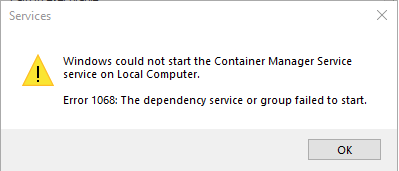
When you try to start the Container Manager Service using Services MMC, the following error occurs:
Windows could not start the Container manager service on Local Computer.

Error 1068: The dependancy service or group failed to start.
Cause
The above errors occur if the dependent services are not started. Windows Sandbox depends on the following services:
- Container Manager Service (cmservice)
- Hyper-V Host Compute Service (vmcompute)
- HV Host Service (hvhost)
Resolution
Launch Services.msc and configure the following services correctly.
| Service | Start type |
| Container Manager Service | Automatic |
| Hyper-V Host Compute Service | Manual |
| HV Host Service | Manual |
Start the services manually. If any errors occur, they must be resolved before you can use Windows Sandbox.
Alternatively, you can run the following commands from admin Command Prompt to configure the above services.
sc.exe config cmservice start= auto

sc.exe config hvhost start= demand

sc.exe config vmcompute start= demand

net start hvhost

net start vmcompute

net start cmservice
Try launching Windows Sandbox now.
One small request: If you liked this post, please share this?
One "tiny" share from you would seriously help a lot with the growth of this blog. Some great suggestions:- Pin it!
- Share it to your favorite blog + Facebook, Reddit
- Tweet it!
