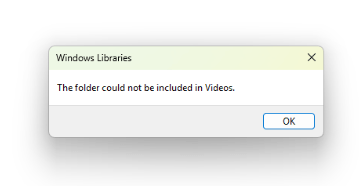
When you add a folder to a library, you may encounter the error “The folder could not be included in …”. For example, when you add a folder to the built-in Video library, the following error occurs:
The folder could not be included in Videos.
Resolution
You can add up to 50 parent folders to a Library. Trying to add more folders results in the above error.
You can work around the issue by reorganizing and combining some of the existing folders in the Library into one parent folder. That is, create a parent folder and add all those folders into it. Then add the parent folder to the Library.
One small request: If you liked this post, please share this?
One "tiny" share from you would seriously help a lot with the growth of this blog. Some great suggestions:- Pin it!
- Share it to your favorite blog + Facebook, Reddit
- Tweet it!
