When you double-click an internet shortcut (.URL) file or click on a hyperlink in your mail client, you may encounter the error Unable to open this Internet Shortcut. The protocol “http” does not have a registered program. This is akin to saying “hey! you haven’t configured a web browser as the default“. Now you know where to look for the solution… the “Default Programs” applet.
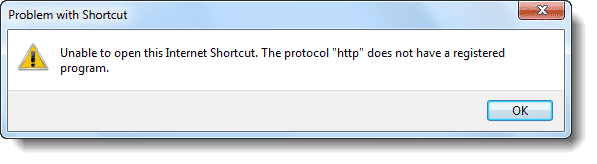
The corrupt http: protocol association settings can be repaired using these steps:
Windows 10
- Click Start, Settings.
- Click Apps, and then click Default apps.
- Click Web browser and select a different browser from the list.
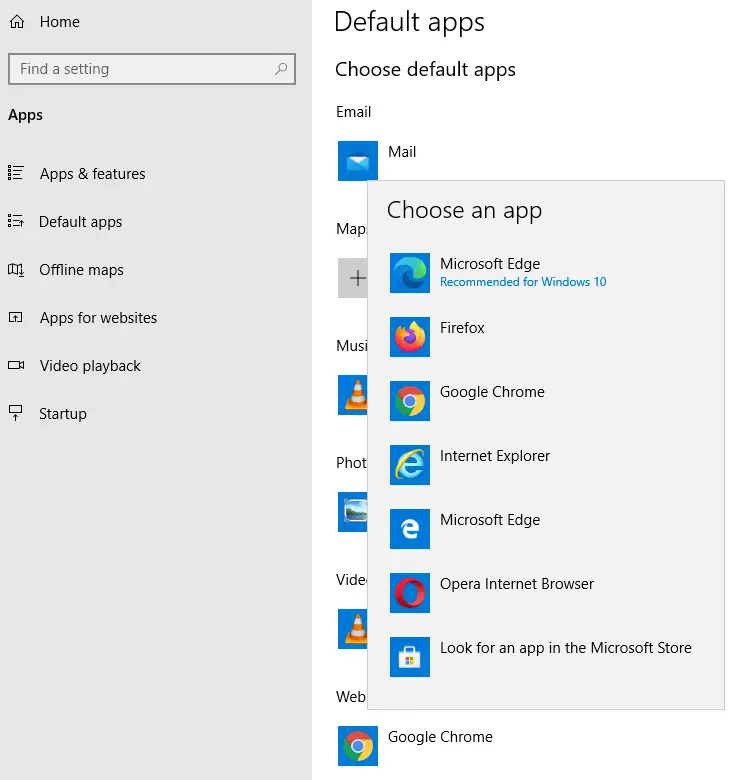
- Repeat step 3 and this time, set your preferred browser as the default.
Windows 8 and earlier:
- Click Start, select Default Programs
- Select your web browser (e.g. Internet Explorer) from the list
- Click Set this program as default
- Click OK
If that doesn’t do it, follow these steps:
- Click Set program access and computer defaults
- Click Custom, and select your web browser
- Click OK.
This resets the default web browser, thereby fixing the http and other protocol association settings automatically.
One small request: If you liked this post, please share this?
One "tiny" share from you would seriously help a lot with the growth of this blog. Some great suggestions:- Pin it!
- Share it to your favorite blog + Facebook, Reddit
- Tweet it!

Thank you so much! I originally had Internet Explorer as my default, then I downloaded some thing and forgot to deselect Google Chrome… so it turned all of my shortcuts to open in Google Chrome. I just deleted it and that exact pop up popped up.. I tried this and set it back to Internet Explorer and it works now! Thank you so much!
This didn’t work for me. Win 7; I followed this, but: In the “Set program access and computer defaults”, in the Click Custom, instead of checking ‘use current web browser’, I wanted to uncheck it and instead, put a check by Google Chrome, but when I check Chrome… the checkmark to the right that reads to Enable… goes gray. I still can ADD shortcuts to my google icon on my lower task bar — but I can’t open them; still says unable to open this internet Shortcut. The protocol “ChromeHTML” does not have a registered program.
Thank you 1 x 6 to the 10th power.
You “hit the nail on the head”!
Fast and simple.
Good job. Take tomorrow off with pay.